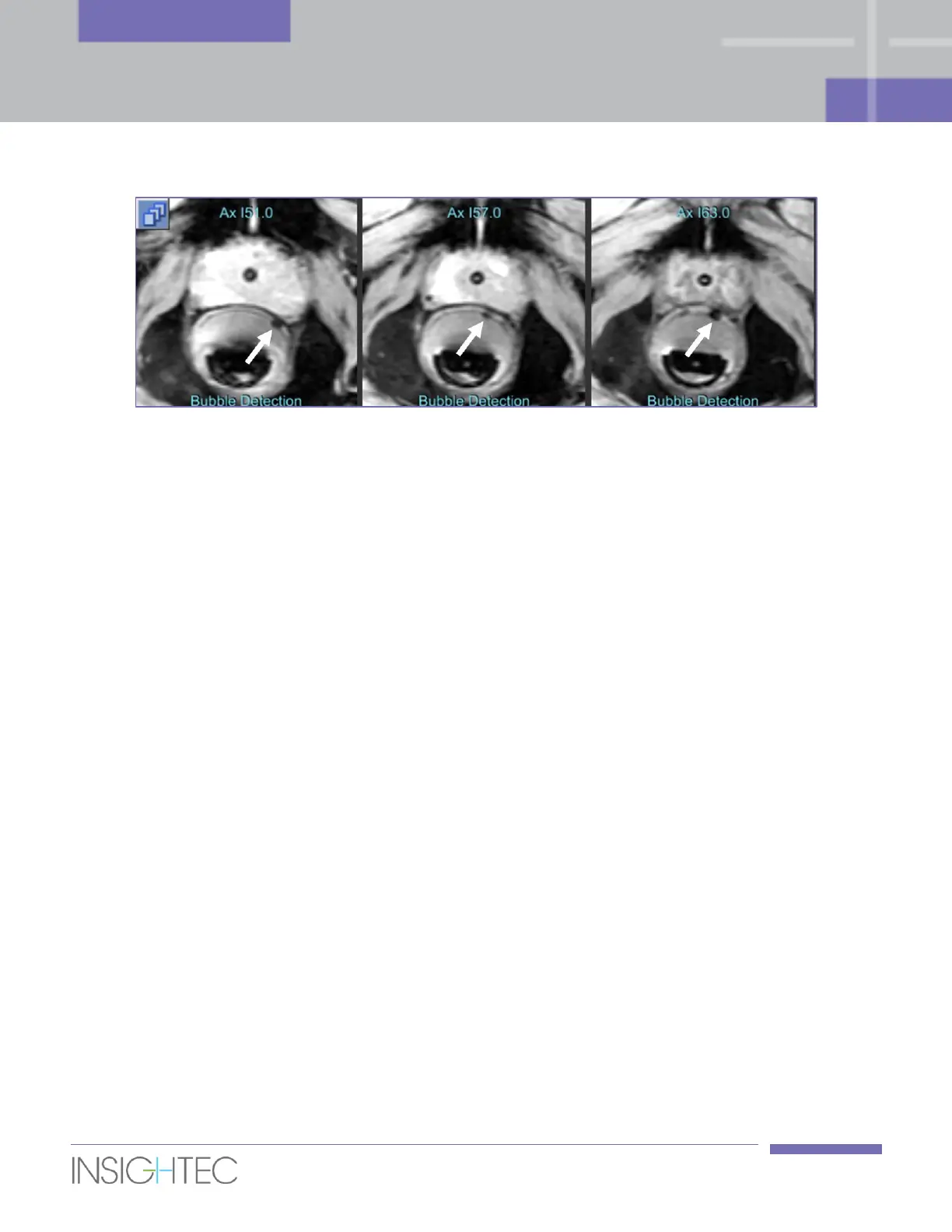
Figure 6-3: Air bubbles as seen in a Bubble Detection scan
6.4.4. Approve Positioning
1. Once patient and probe positioning are final, and once both Positioning Scans and Calibration Scans
were performed and validated, press the Approve Positioning button.
2. The system initiates a Motion Test to verify that the probe can reach the full range of motion.
◼ In case of a motion failure, go inside the MR room and press Enable + Motion Test on the Motion
Unit Controller. Carefully view the motion test and verify there are no physical obstructions that
interfere with the motion of the probe (e.g., blankets, patient legs etc.).
6.5. Acquisition of MR Planning images
The Exablate Prostate workstation supports several ways to prescribe, acquire and load MR planning
images, which serve as a base for treatment planning.
1. Automatic prescription and acquisition of Axial Planning images, scanned perpendicular to the
transducer axes. Sagittal and Coronal Planning images are produced by reformatting the scanned
Axial series and create and orthogonal set, according to transducer axes.
2. Manually prepare and acquire the planning images (in all 3 planes) completely using the MR
workstation user interface. Load all scanned series to the Exablate workstation, or load some
orientations only (e.g., to replace reformatted strips).
3. Manually scanning an Axial Planning series on the MR and loading it to the workstation. Sagittal and
Coronal Planning images are produced by reformatting the loaded Axial series and create and
orthogonal set, according to transducer axes.



 To Next Page