6.8.1. Changing Treatment Protocol Parameters
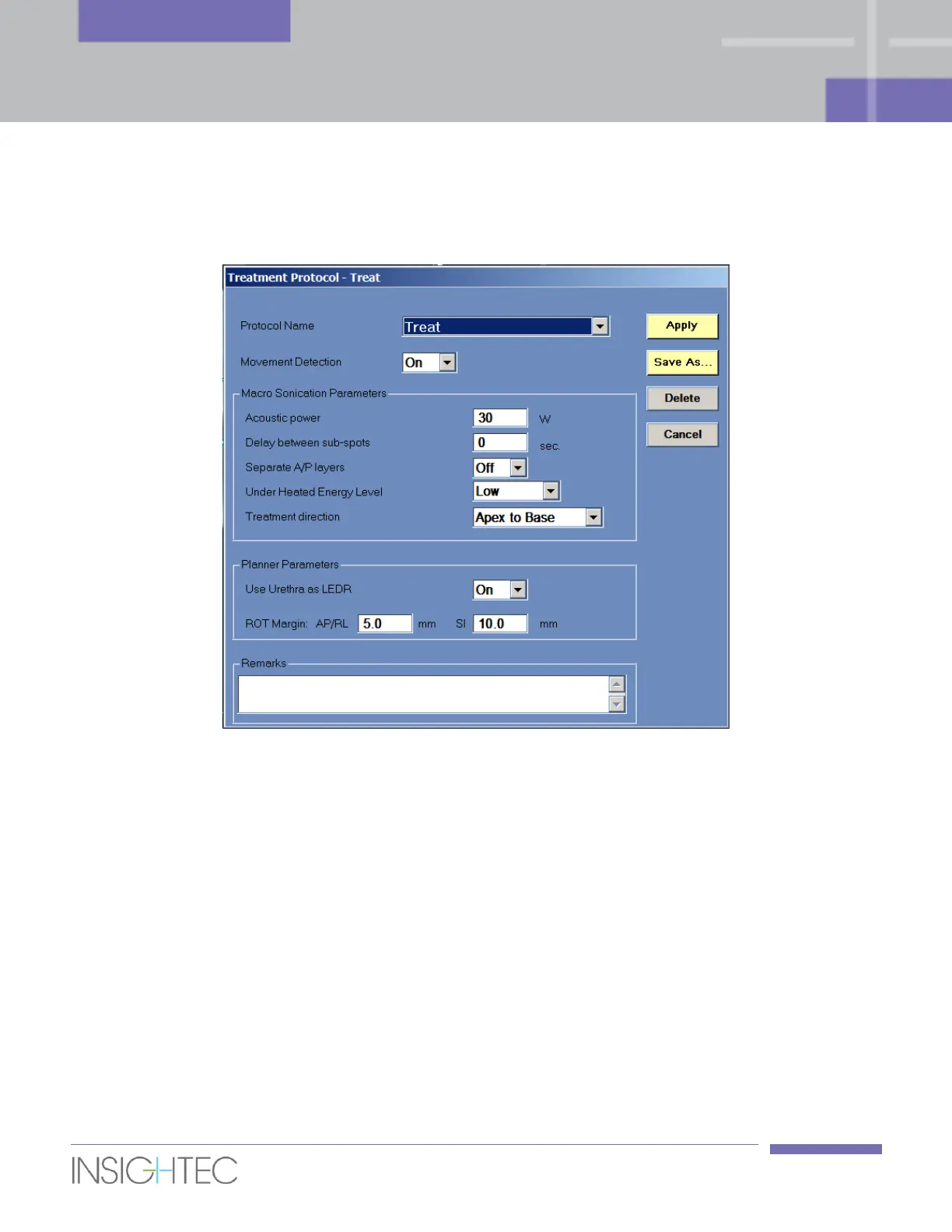
1. Press the button next to the protocol name to open the Treatment Protocol Dialog box:
Figure 6-9: Treatment Protocol Dialog
2. From the Protocol Name pull-down list, select the Treatment or DQA protocol, per the specific
procedure you would like to perform; the default parameters for the selected protocol appear in
the dialog box.
3. Treatment Protocol parameters include the following:
◼ Movement Detection
Set the automatic movement detection feature ON or OFF. Value in the default Treat protocol is ON.
◼ Acoustic Power
Set the acoustic power which the system will use to plan spots. Valid range is 10-45W, value in the
default Treat protocol is 30W.
◼ Delay Between Sub-Spots
Enables to add a delay between Macro sub-spots.



 To Next Page