TREATMENT STAGE
Manual Part Number
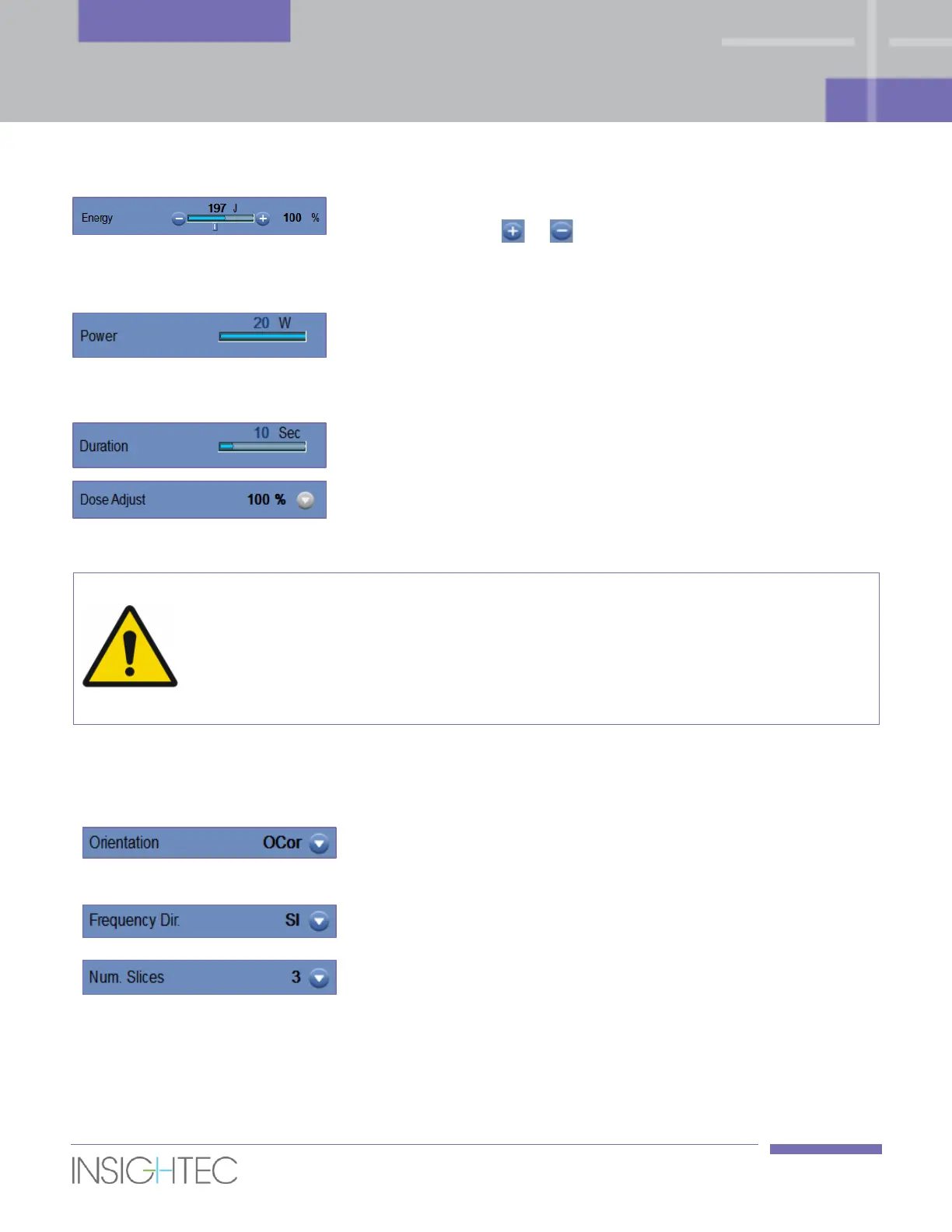
Set the Acoustic Energy of the selected spot or sub-spot. Change the
value by clicking the or buttons.
Changing the Energy affects the Acoustic Power while maintaining the
original sonication Duration.
Presents the Acoustic Power of the selected spot or sub-spot.
To control the Power directly (while maintaining the original spot
Energy and affecting the spot Duration – use the Treatment Protocol
dialog – see Section 6.8.1).
Presents the selected Spot Duration.
Presents the current global Dose Adjust level and enables to reset it
back to 100% (see Section 7.4.4).
Verify desired sonication parameters before performing the sonication. Unintended
sonication parameters may result in ablation of unintended tissue. Confirm spot location
and the predicted dose before each sonication.
[W-22]
7.2.4. Scan Parameters Frame
This section controls the parameters of the Thermal Scan to be acquired during the next planned sonication.
Select one of three oblique orientations (OCor, OAx, OSag). The
thermal scans will always be acquired according to the transducer
axes.
Select the frequency direction from one of three settings: RL, AP, or
SI.
Select Number of Slices for single-slice or multi-slice thermal
imaging:
1 (Single-Slice) is using TMAP protocols of thermal imaging
intersecting with the center of the planned spot.



 To Next Page