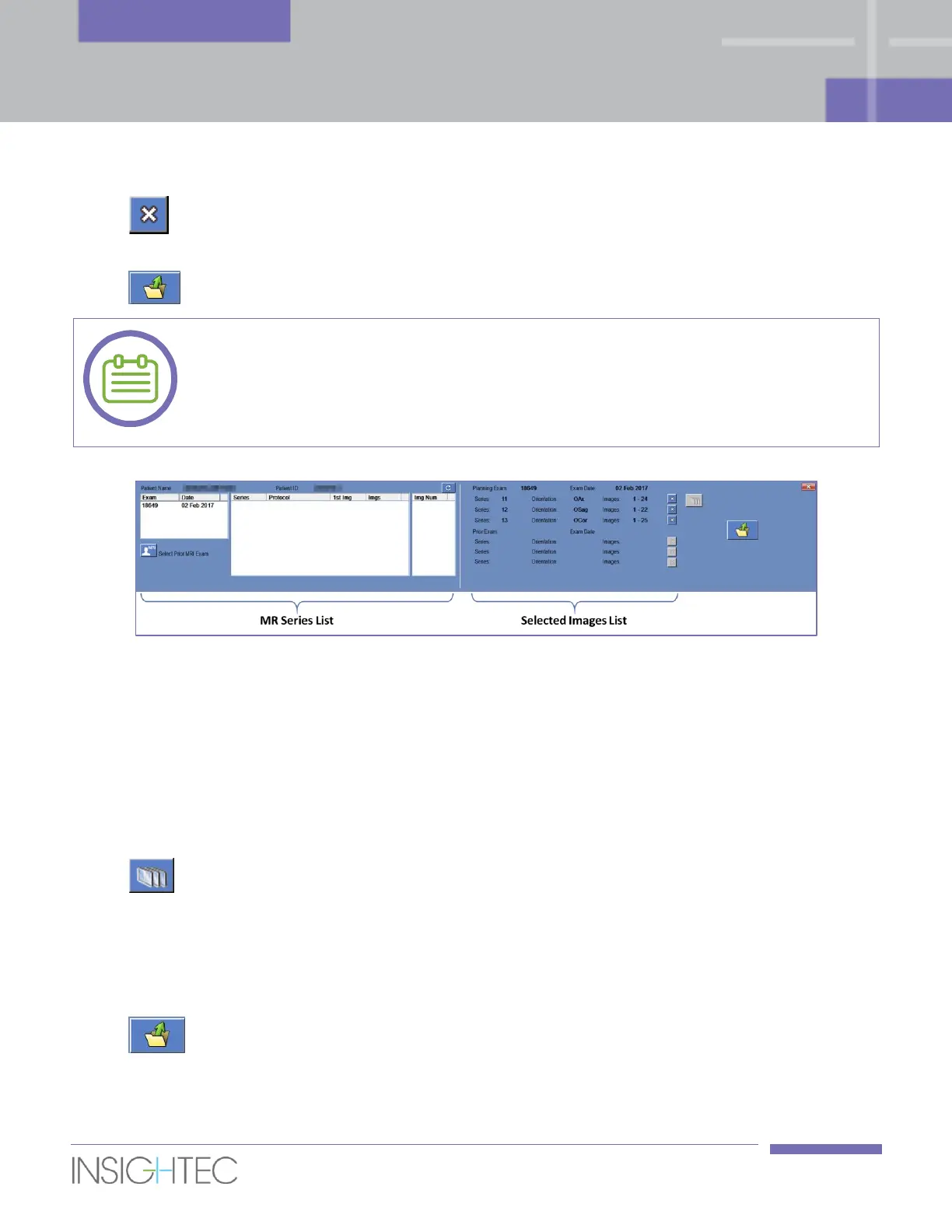
8. To change the selection, press this button and select a different set of images. These images
replace the previously selected ones.
9. Press this button to upload and display the selected images in the strips.
You can start planning the treatment as soon as the Axial Planning series is loaded, and
acquire the rest of the orientations while drawing the treatment plan (see Section 6.7).
[N-19]
Figure 6-5: Planning stage – Loading Form
6.5.5. Reformat of Axial Planning Images
It is possible to manually scan an Axial Planning series on the MR and load it to the workstation, while
Sagittal and Coronal Planning images will be produced by reformatting the loaded Axial series and create
and orthogonal set, according to transducer axes.
1. Follow the procedure described in Section 6.5.4, while scanning and loading an Axial series only.
2. Press this button to reformat the Axial series into Sagittal and Coronal series.
3. System produces two perpendicular series with 3mm thickness and zero spacing between the
images.
4. The newly produced series will appear in the Selected Images List with an “R” suffix to denote those
series were produced by reformatting.
5. Press this button to upload and display the selected images in the strips.



 To Next Page