6.4.1. Validate Treatment Envelope Coverage
Verify that the transducer position provides full coverage of volume designed to be treated.
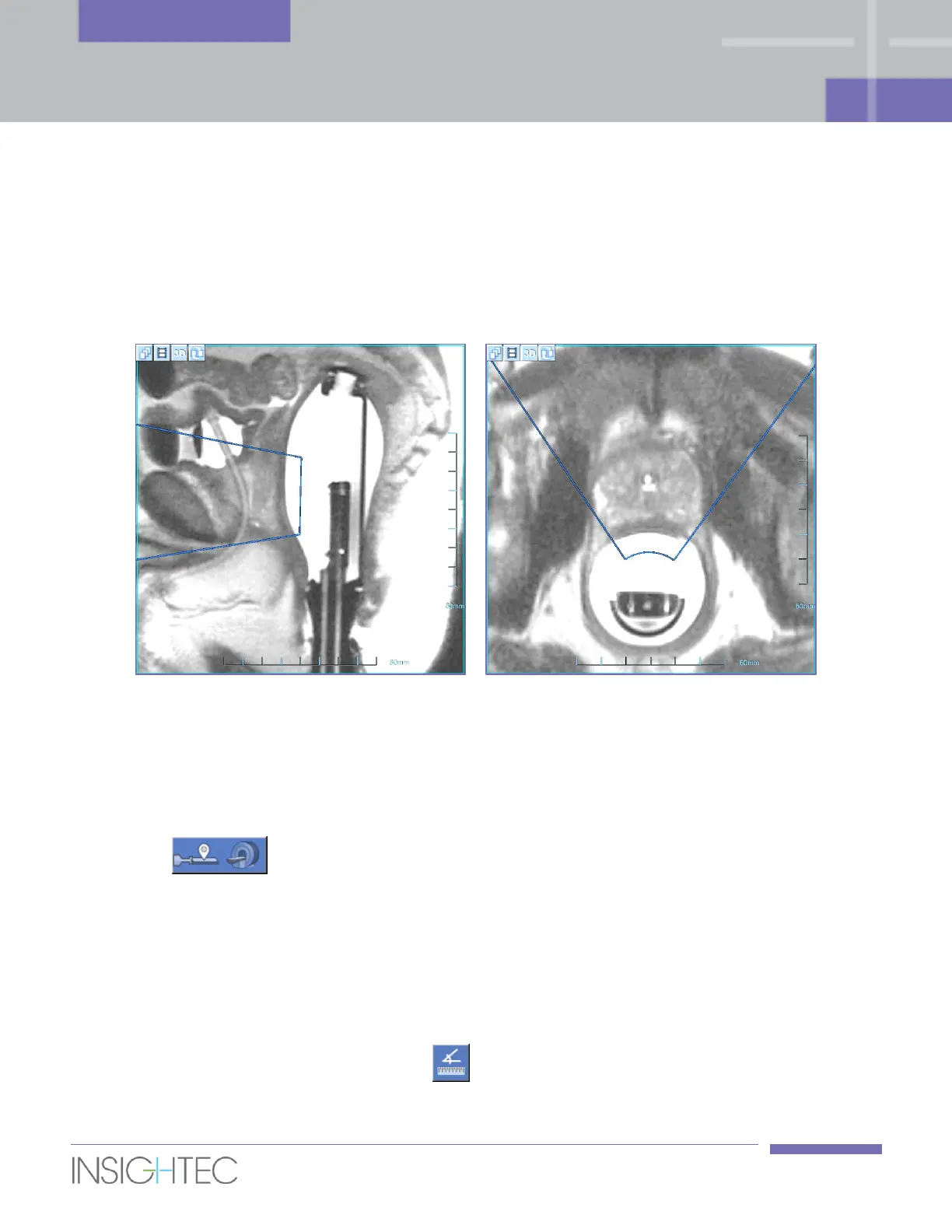
The Treatment Envelope represents the volume that can be reached and treated based on transducer
position, and taking into account mechanical motion and electrical steering capabilities. The Treatment
Envelope is overlaying the scanned Positioning images (see Figure 6-2).
Figure 6-2: Treatment Envelope (blue) displayed on Sagittal Positioning image (left)
and on Axial Positioning image (right)
1. On the MR workstation, start a new MR exam and perform a Localizer scan to define the patient's
entry and position.
2. Click and confirm the patient's name and position, as they appear in the pop-up
message on the operating console screen.
3. The MR performs tracking scans to automatically detect the transducer location, following by
Sagittal and Axial Positioning scans.
4. On the Axial Positioning images, verify that the treatment envelope covers the entire designated
region of treatment.
◼ If the treatment envelope does not fully cover the entire designated region of treatment on the Axial
images, use the angle measurement tool to measure the required degree of the probe rotation.



 To Next Page