TREATMENT STAGE
Manual Part Number
3 or 5 (Multi-Slice) are using EPI protocols for volumetric thermal
imaging. A few parallel scan slices will be taken while the center slice
will intersect with the center of the planned spot.
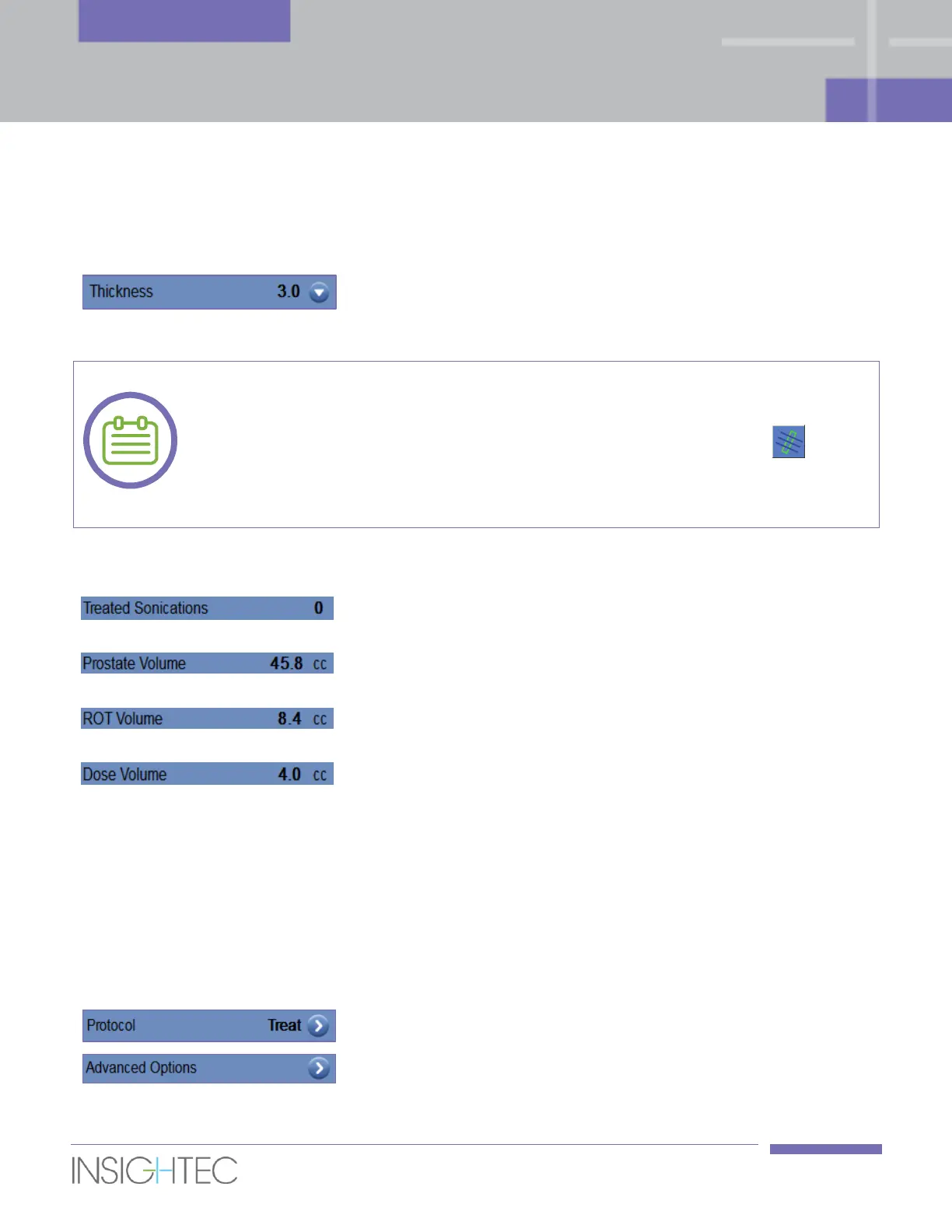
Select the slice thickness (in millimeters) from one of the settings: 3
or 5.
For each selected sonication, the thermal scan grid lines (blue color line/s) can displayed
on the screen, according to the thermal scan parameters. Press this button to show
or hide them.
[N-24]
7.2.5. General Parameters Frame
The system automatically indicates the number of sonications
already conducted.
The system automatically calculates the prostate volume based
on the prostate capsule drawing.
The system automatically calculates the ROT volume based on
the ROT drawing.
The system automatically calculates and indicates what volume
has been treated so far, based on the accumulated dose volume
that was accepted by the operator in previous sonications.
Thermal dose is an automatically calculated volume that reached
54°C for three seconds (or thermally equivalent), based on the
real time thermal imaging. This volume is considered ablated,
based on physical models.
7.2.6. Treatment Parameters Frame
Control the Treatment Protocol. Refer to Section 6.8.
If required, click to open the Advanced Option dialog box (refer
to Appendix A for details).



 To Next Page