◼ Monitor the thermal rise and dose buildup at the target location, and at the
relevant pass zone with special attention to the rectal wall.
◼ In case temperature on the rectal wall exceeds 75°C, press the Stop Sonication
button and reduce the energy of the following sonication.
◼ If an unexpected thermal rise is found outside the target location, stop the
sonication.
[W-34]
7. After the sonication ends, the Thermal Evaluation screen opens (see Figure 7-4).
8. System automatically initiates Current Anatomy Scans on the MR (in the background). The updated
strips will be displayed when returning to the Treatment Main Screen (see Figure 7-1).
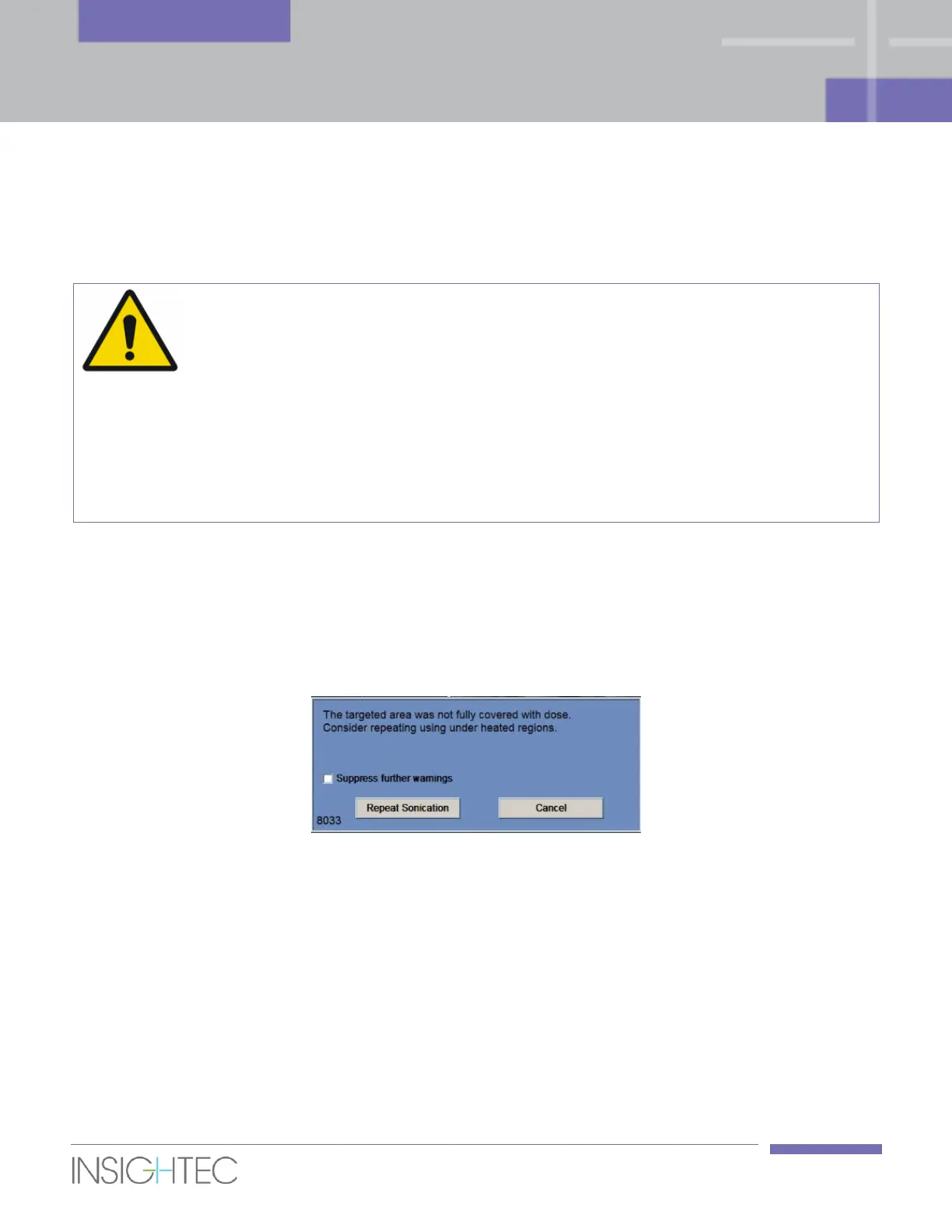
9. In case the targeted area was not fully covered with dose (above pre-defined threshold), the system
will display the following pop-up message:
10. Click on Repeat Sonication to enter Repeat Under-Heated Regions Mode (see Section 7.4.6), after
accepting thermal outcome and returning to the Treatment main screen or click on Cancel to
proceed without repeating sonication.
11. If required, mark the Suppress further warning checkbox, to prevent the system from displaying
this message again during the rest of the treatment.
In this case, the Repeat Under-Heated Regions Mode will be still available, but the notifying message
will not be displayed.
12. Check whether there has been patient movement by observing the location of the Rectal Wall,
Prostate Capsule and LEDR contours on the Sonication Anatomical images.



 To Next Page