Affinity
2.0
Additional Information Page 129
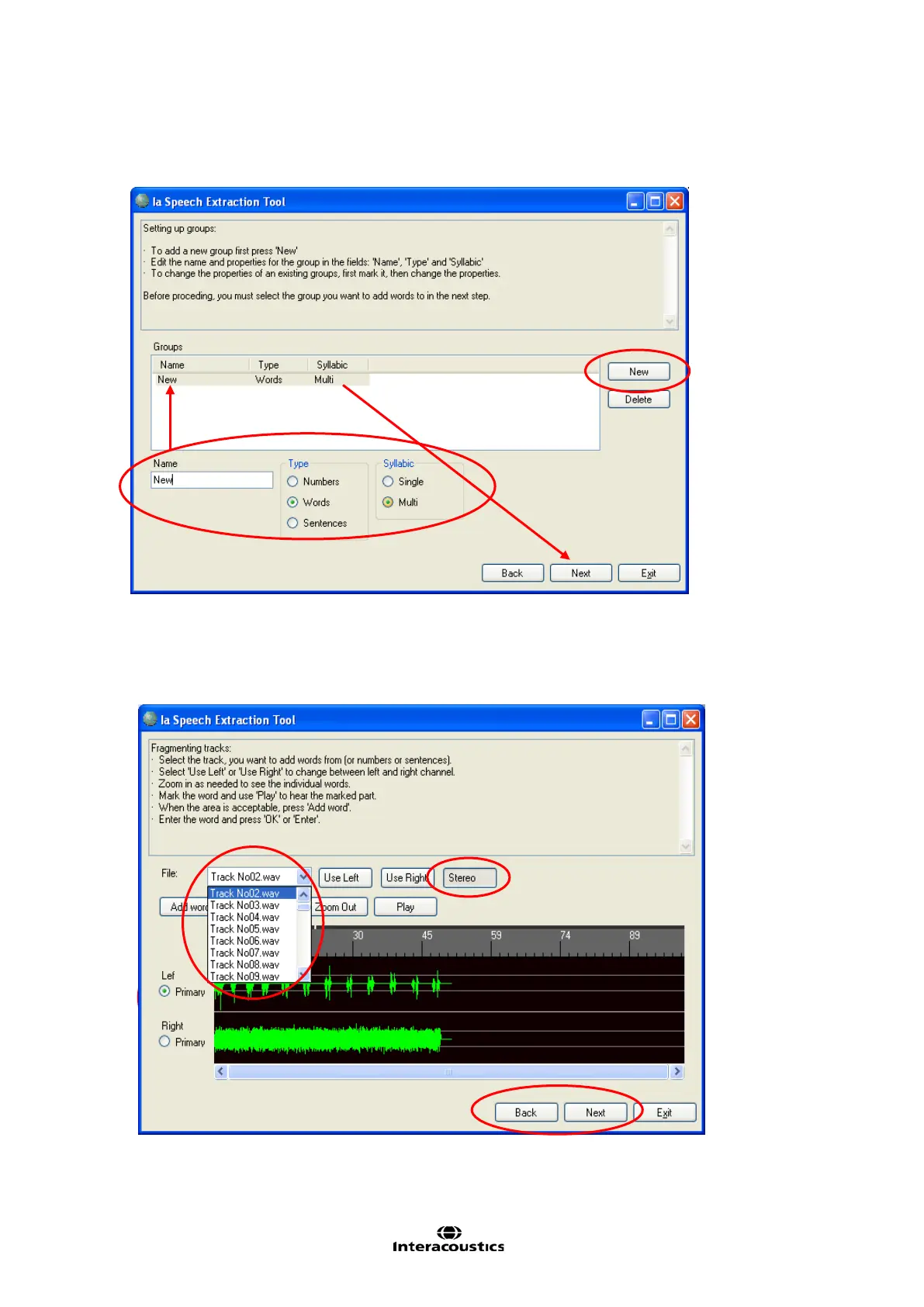
10) Fill the list with the desired tracks into the first list. Choose the sound files in the dropdown such as for
example Track No02.wav in the example below.
11) Click on Stereo if the track includes a noise signal. This way you will be able to see both the speech
signal and the noise below.
12) Tick the speech signal/word as the primary signal and mark the part of the signal that constitutes the
word which will then appear in white as illustrated below.
13) Click Add word, write the word or sentence in the box that appears on the screen, and click OK.














 To Next Page