Affinity
2.0
Additional Information Page 203
13. You will now begin fine tuning in the hearing aid fitting software to amend the output of the device to
meet the prescription target.
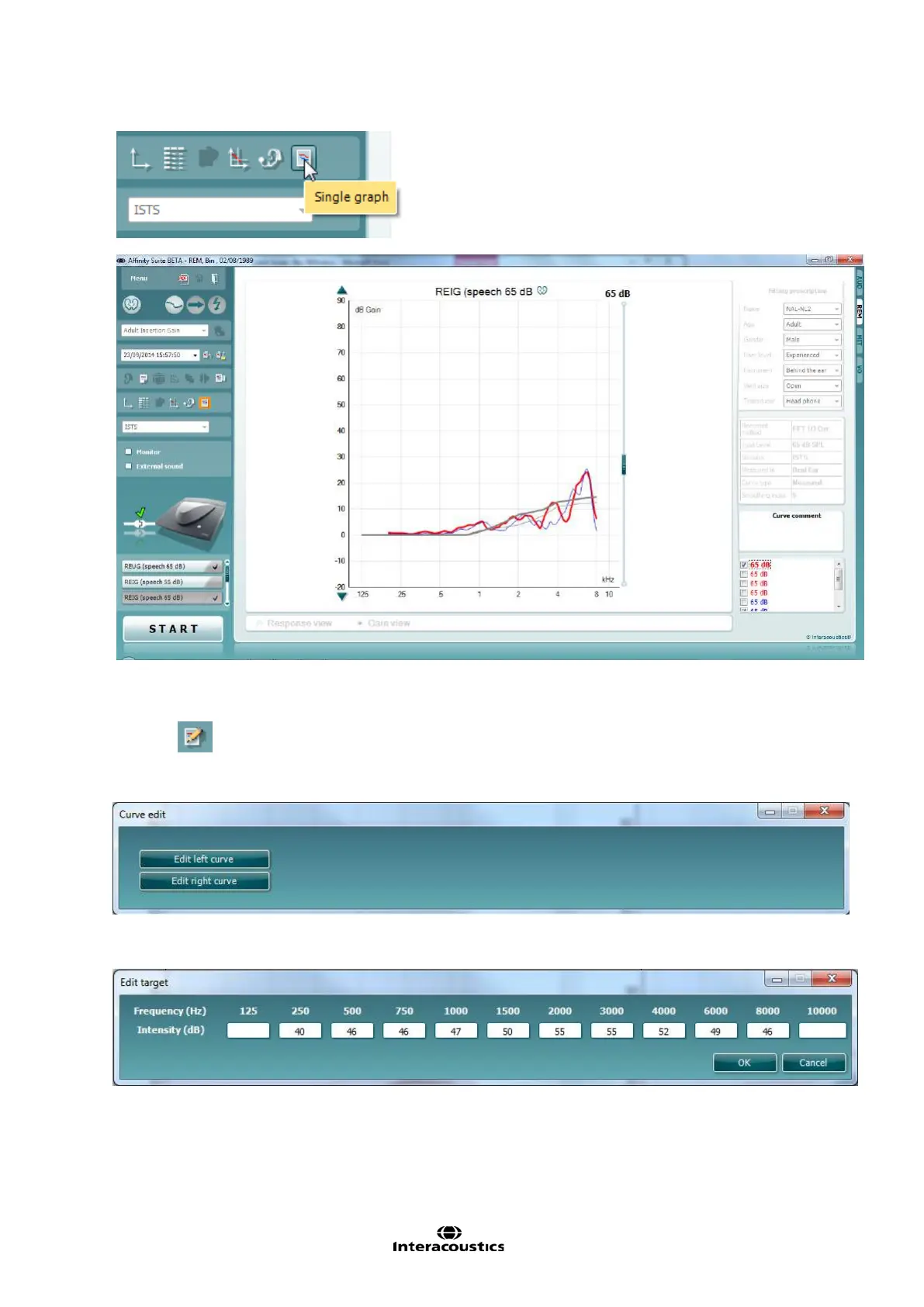
14. Should you wish to edit the targets when performing a binaural measurement then you should click on
this icon
. Doing this will open the below dialogue screen which will allow you to edit the target for
each independent ear currently on the screen or input your own, i.e. a proprietary target from a hearing
aid fitting software.
On setting a custom target it reverts the target to a ‘Custom target’ from a previously set standard target
(NAL, DSL etc.) on doing this you should input values for both ears otherwise no target will appear.
Note: Using this feature will remove your previous target allocation (i.e. NAL-NL2, DSLmi/o etc) from the
opposite ear side, which you have not provided custom values for, because we cannot allow different
prescription methods to be used on different ears independently.














 To Next Page