Affinity
2.0
Additional Information Page 214
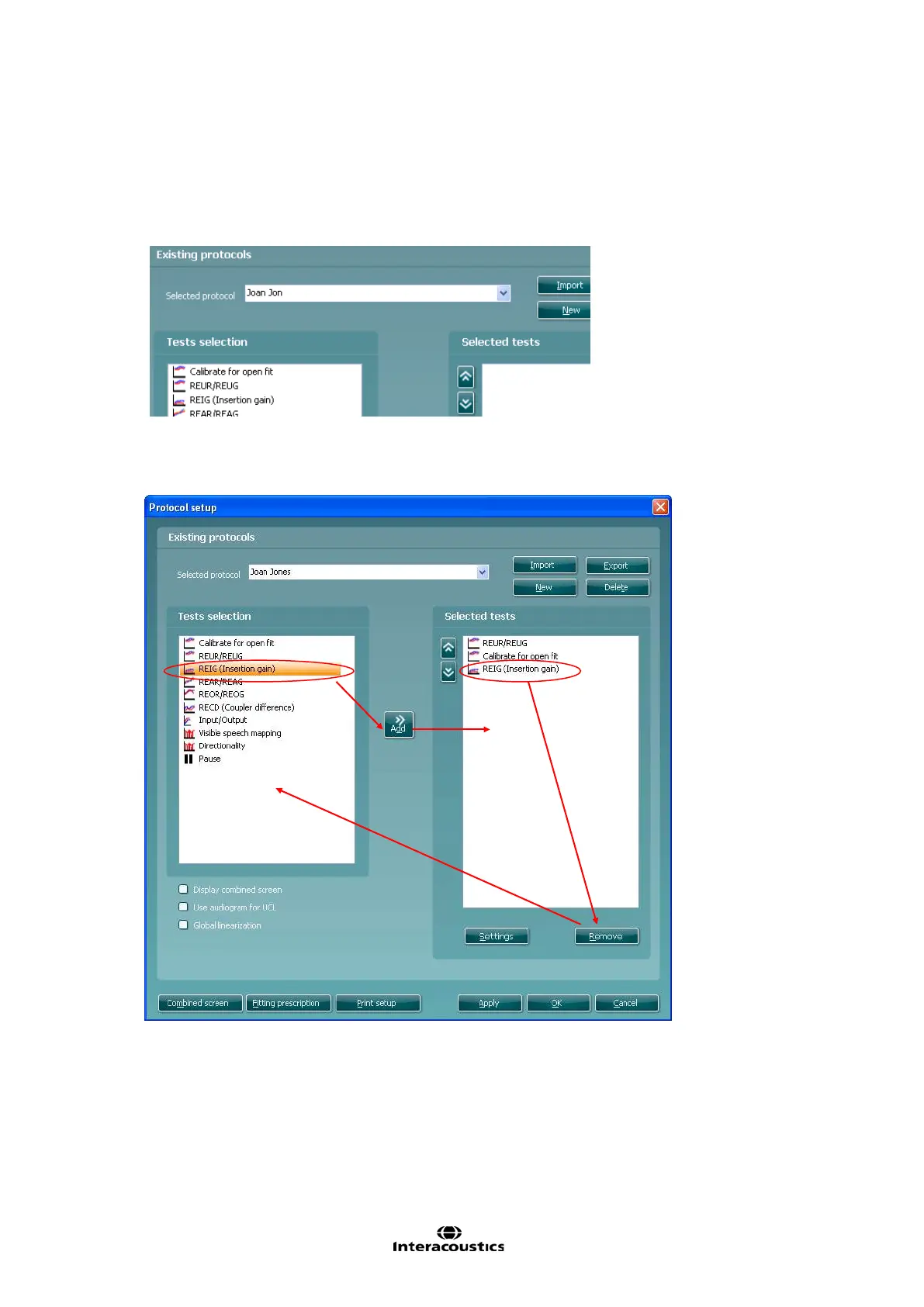
4) Name the protocol setup in the Selected protocol section.
5) Select the tests to be included in the test protocol.
Mark a test by clicking on it and press the Add. Double clicking on a test will also select it.
Choose all the tests for the protocol using this procedure.
To remove a test selected by mistake, mark it under Selected tests and press Remove. The test will
then jump back to the Test selection list.
The system will create a copy of the current test and allow you to add new tests, make
changes, and save it under a new name.
The Selected tests section will be blank and you can create a new test from scratch.














 To Next Page