Chapter 8 Advanced 137
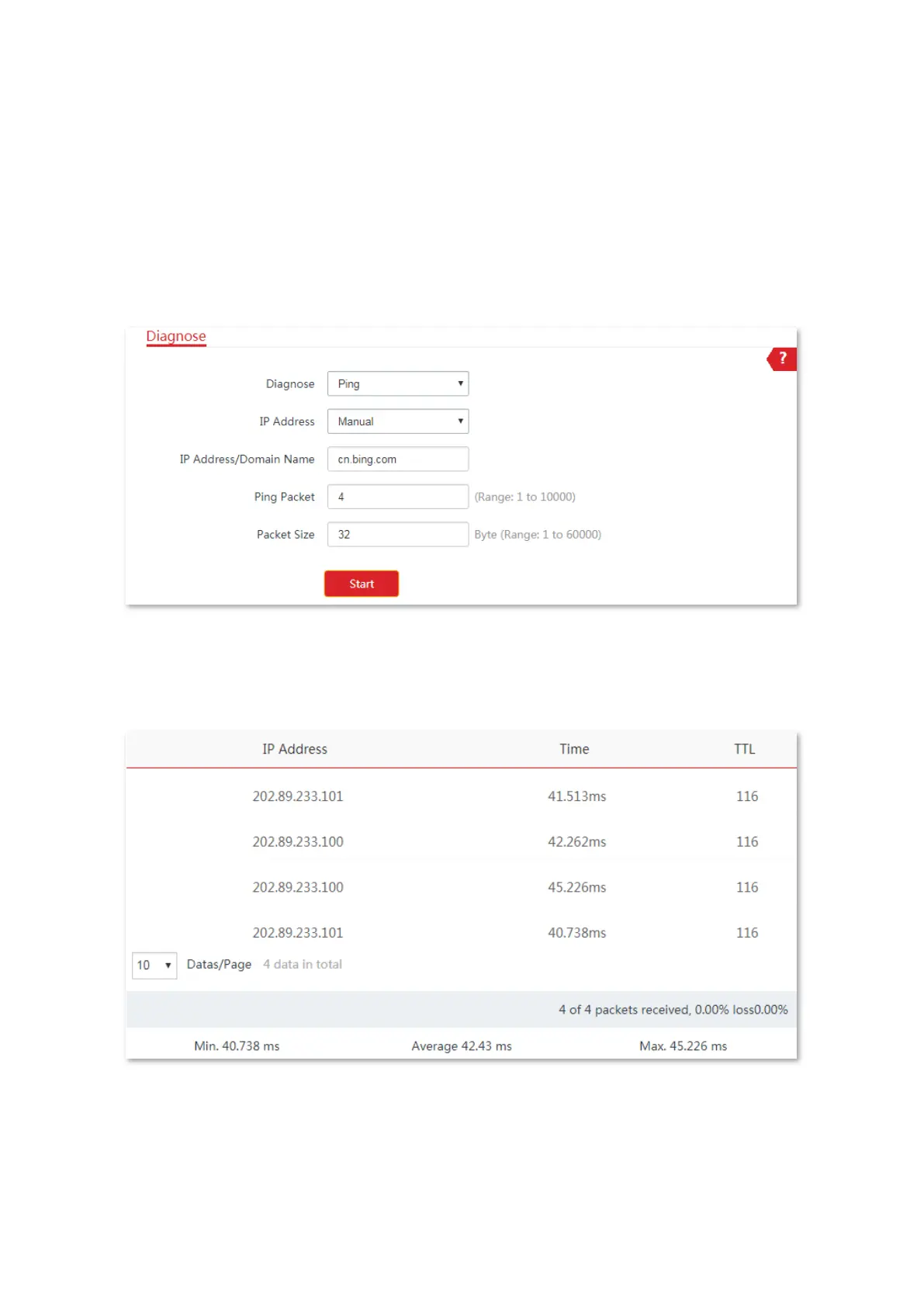
Configuration procedure:
1. Choose Advanced > Diagnose to enter the configuration page.
2. Select Ping in the Diagnose drop-down list menu.
3. Set IP Address to Manual.
4. Enter the target IP address or a domain name, which is cn.bing.com in this example.
5. Click Start.
----End
The diagnosis result will be displayed in a few seconds in the list below Start button. See the
following figure.



 To Next Page