Chapter 6 Network 87
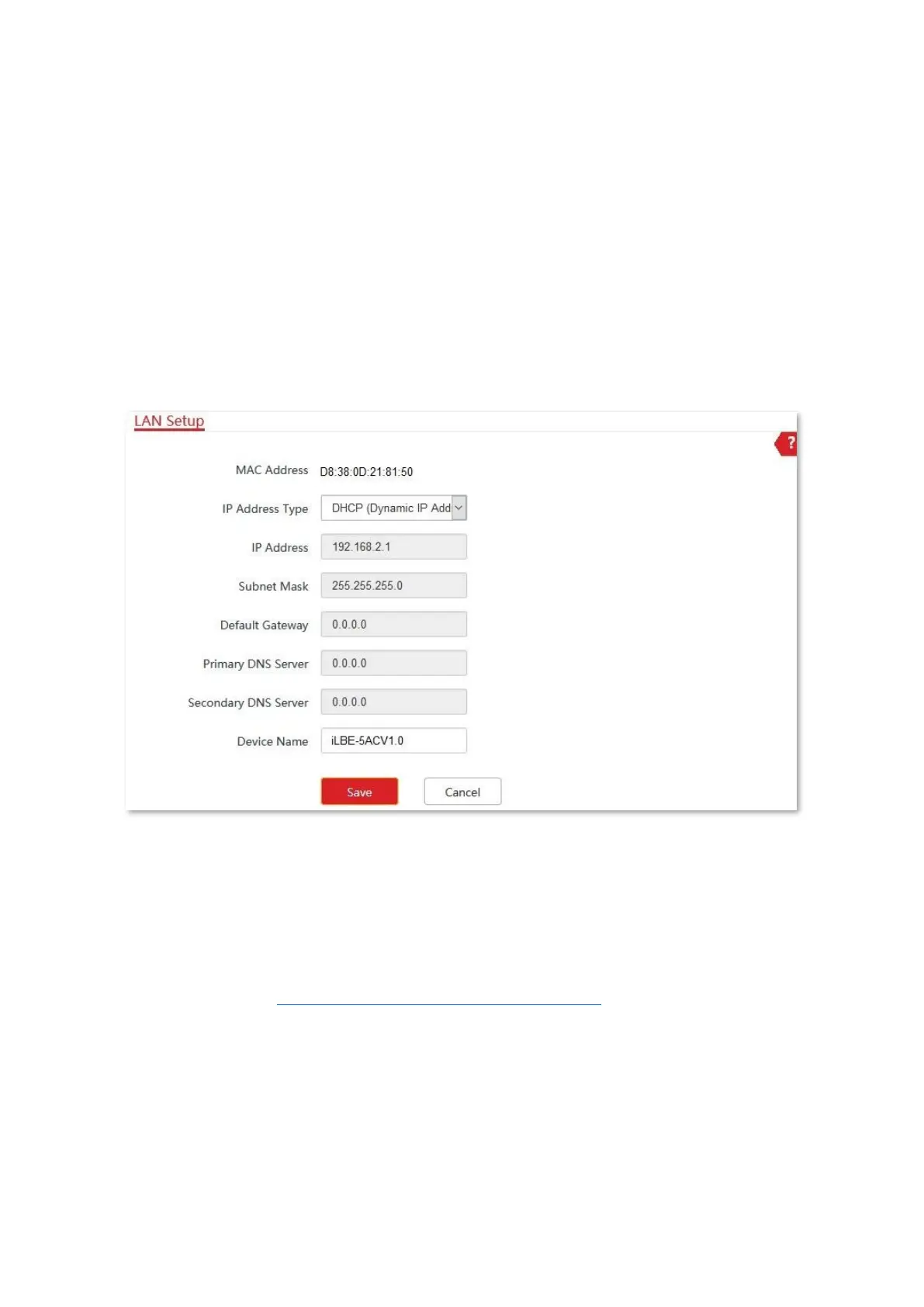
6.1.4 Set the CPE to obtaining a LAN IP address automatically
DHCP (Dynamic IP Address) mode enables the CPE to automatically obtain an IP address, a
subnet mask, a gateway IP address, DNS server IP addresses assigned by the DHCP server of
the upstream device. If a large number of devices are deployed, you can adopt this mode to
prevent IP address conflicts and effectively reduce your workload.
Configuration procedure:
1. Choose Network > LAN Setup to enter the configuration page.
2. Set IP Address Type to DHCP (Dynamic IP Address).
3. Click Save.
----End
After completing configuration, if you want to re-log in to the web UI of the CPE, check the
new IP address on the web UI of the upstream device which assigns the IP address to this CPE.
Ensure that the IP address of the management computer and the IP address of the CPE
belong to the same network segment, and access the IP address of the CPE.
Refer to steps in the Assign a fixed IP address to your computer part to assign an IP address to
the computer manually.



 To Next Page