Chapter 9 Tools 173
9.2 Maintenance
9.2.1 Reboot device
If a setting does not take effect or the CPE works improperly, you can try rebooting the CPE to
resolve the problem.
When the CPE reboots, the current connections will be disconnected. Perform this operation when the CPE is
NOT busy.
Configuration procedure:
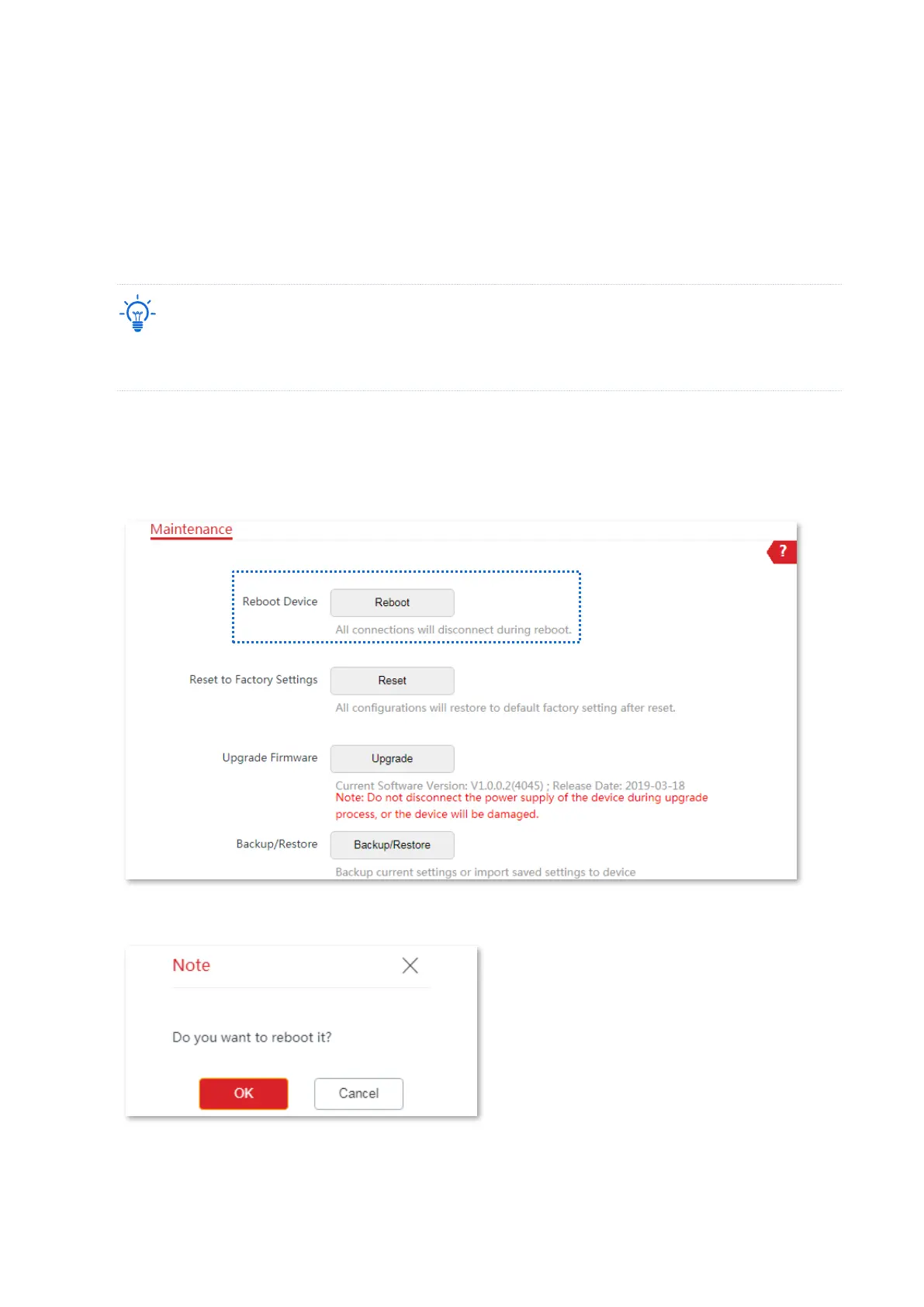
1. Choose Tools > Maintenance to enter the configuration page.
2. Click Reboot.
3. Click OK on the pop-up window.
----End
A progress bar is displayed on the page. Wait until it elapses.



 To Next Page