Chapter 8 Advanced 144
8.3.2 Example of configuring bandwidth control
Network requirement
The CPE is used to bridge to the ISP hotspot for internet access in a house in the countryside,
and the CPE is set to WISP mode. To ensure that every device can access the internet
smoothly, you want to specify a maximum upload/download for each device.
Assume that: The maximum upload rate of each device connected to the WiFi network of the
CPE is 5 Mbps, and download rate is 10 Mbps. And the IP address range of the devices
connected to the WiFi network is 192.168.2.100 to 192.168.2.150.
Configuration procedure
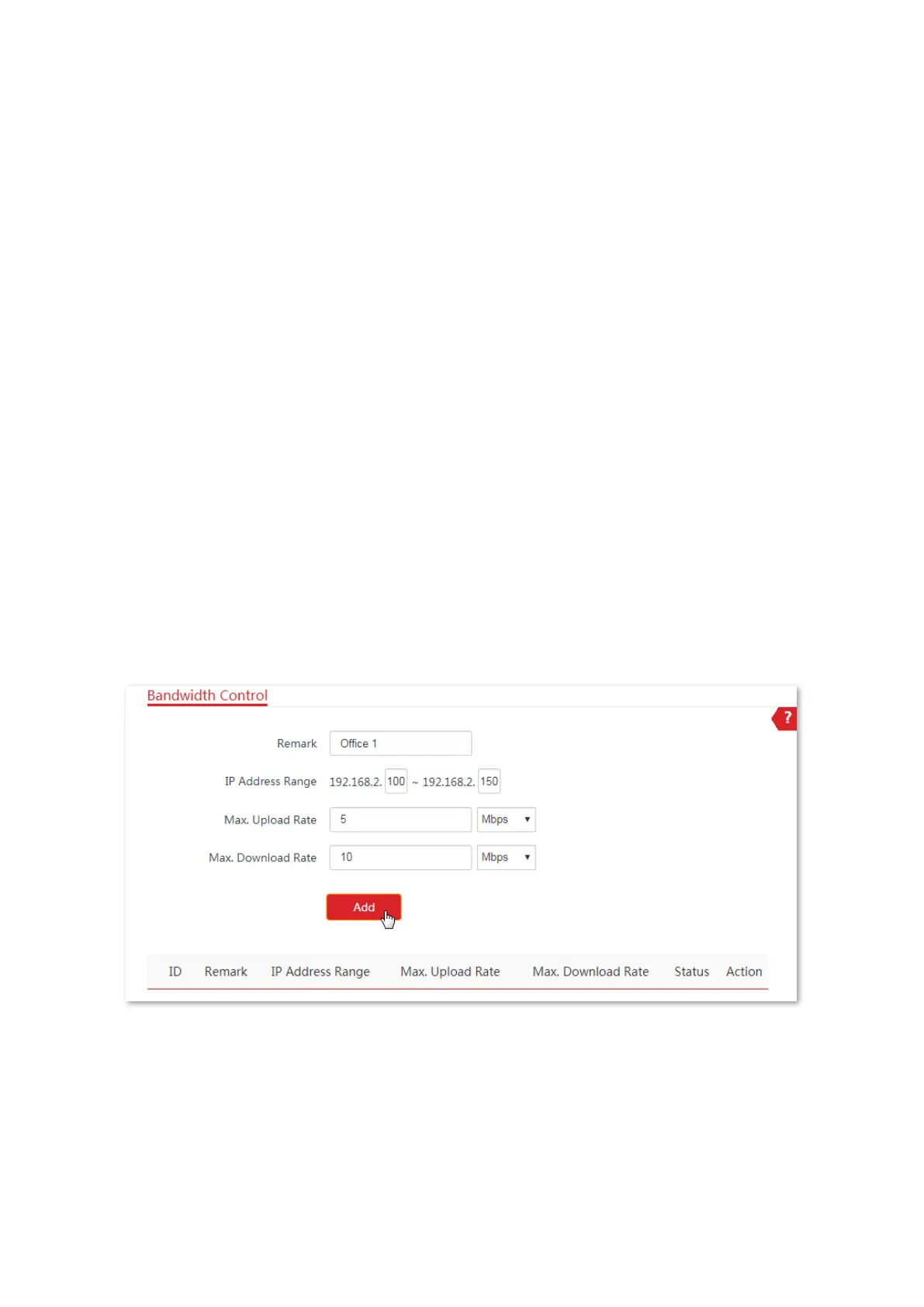
1. Choose Advanced > Bandwidth Control to enter the configuration page.
2. Enter a remark (optional), such as Office1.
3. Specify an IP address range, which are 100 and 150 in this example.
4. Specify the maximum upload rate and download rate respectively, which are 5 and 10 in this
example.
5. Click Add.
----End
If the rule is added successfully, it is displayed in the list below the Add button. See the
following figure.



 To Next Page