Chapter 1 Application scenario 13
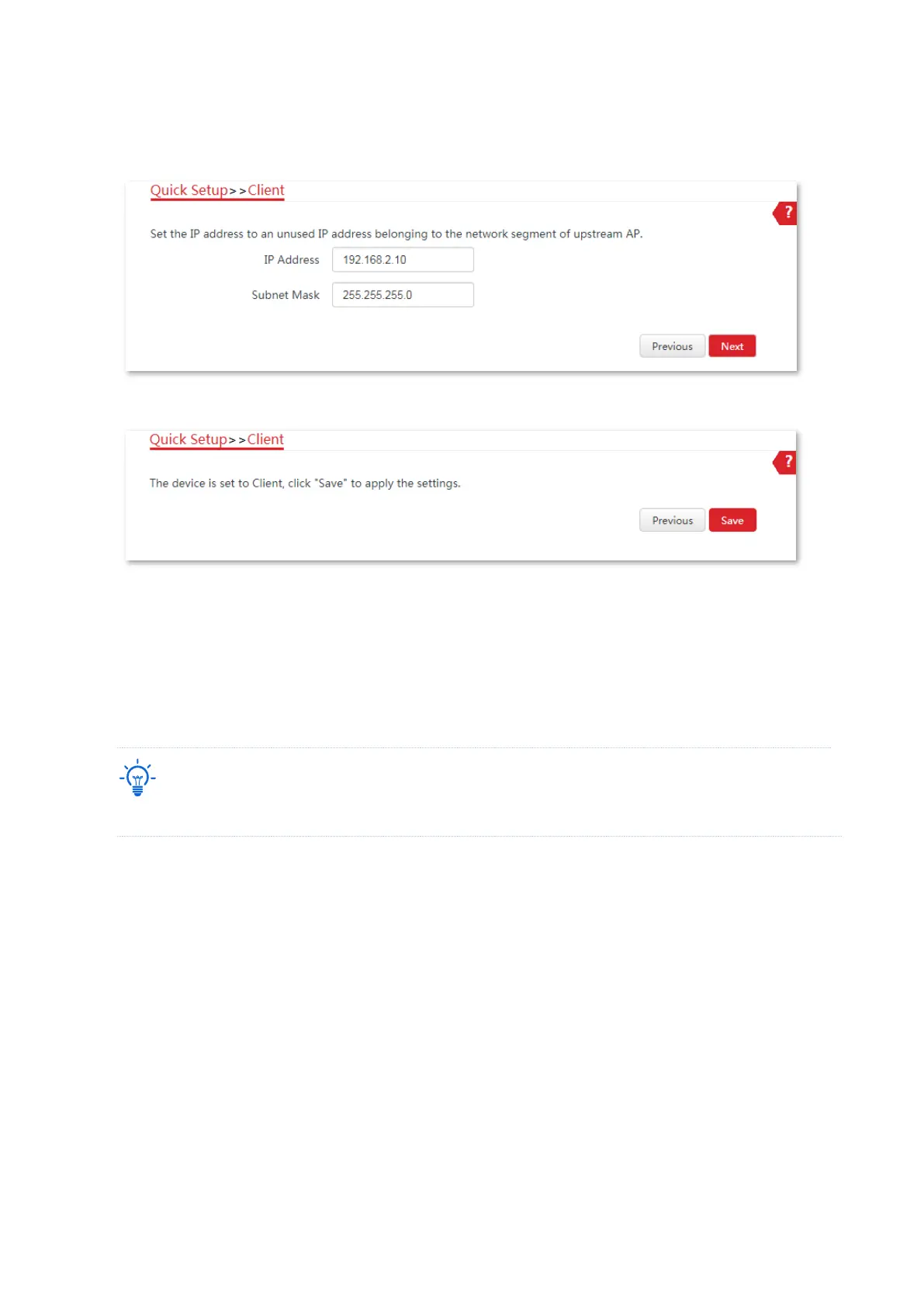
(6) Set the IP address to an unused IP address belonging to the same network segment as
that of CPE1. For example, if the IP address of CPE1 is 192.168.2.1, you can set this CPE’s
IP address to 192.168.2.X (X ranges from 2 to 254). Then click Next.
(7) Click Save, and wait until the CPE reboots to activate the settings.
----End
When the LED1, LED2 and LED3 indicators of a CPE light solid on while the LED1, LED2 and
LED3 indicators of the other CPE blink, the bridging succeeds.
If you want to perform peer-to-multiple peers bridging, refer to Step 4-5 to bridge them to the
CPE with the LED1, LED2 and LED3 indicators solid on.
You can check the SSID and key of the CPE by choosing Wireless > Basic after logging in to the web UI.
1.2.3 Install the CPEs
The CPE (transmitter in AP mode) with LED1, LED2 and LED3 solid on should be connected to
the switch connecting to a network video recorder (NVR).
The CPE (receiver in Client mode) with LED1, LED2 and LED3 blinking should be connected to
the switch connecting to a monitoring IP camera.
Detailed procedures are as follows:
1. Place the transmitter in the open air at the point where the NVR is located. Place the receiver
in the open air at the point where the IP camera is located.
2. Uncover the housings of the two CPEs, and connect the PoE/LAN ports of the CPEs to PoE
injectors respectively. The Power LED indicators light up.



 To Next Page