Chapter 8 Advanced 143
8.3 Bandwidth control
8.3.1 Overview
The Bandwidth Control function is available in WISP or Router mode.
The bandwidth control function allows you to assign proper bandwidth to connected clients,
ensuring that the limited bandwidth is used to effectively access resources over the internet.
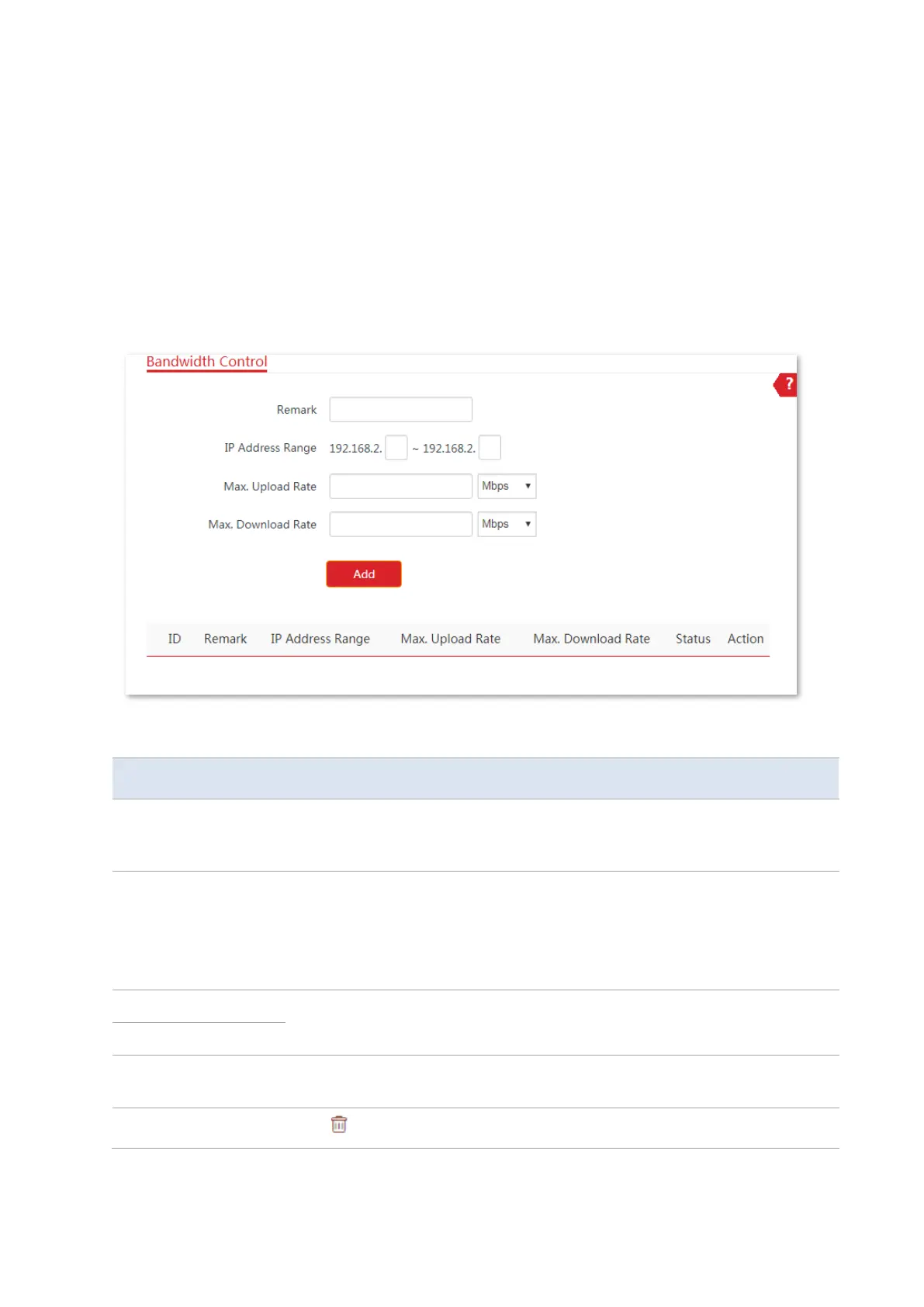
Choose Advanced > Bandwidth Control to enter the page.
Parameters description
It specifies the additional information of the bandwidth control rule. This field is
optional. For convenient management, you’d better specify different remarks for
different rules.
It specifies the IP address or IP address range of devices that this rule applies to.
If you want to control only one device, enter the same IP address in the two
boxes. If you want to control multiple devices, enter an IP address range
including start IP address and end IP address. The end IP address should be
greater than the start IP address.
It specifies the maximum upload/download rate of a device whose IP address is
within the IP Address Range.
It specifies the current status of the rule. You can enable or disable it as
required.
Click to delete the rule.



 To Next Page