Chapter 8 Advanced 142
8.2.5 Spectrum Analysis
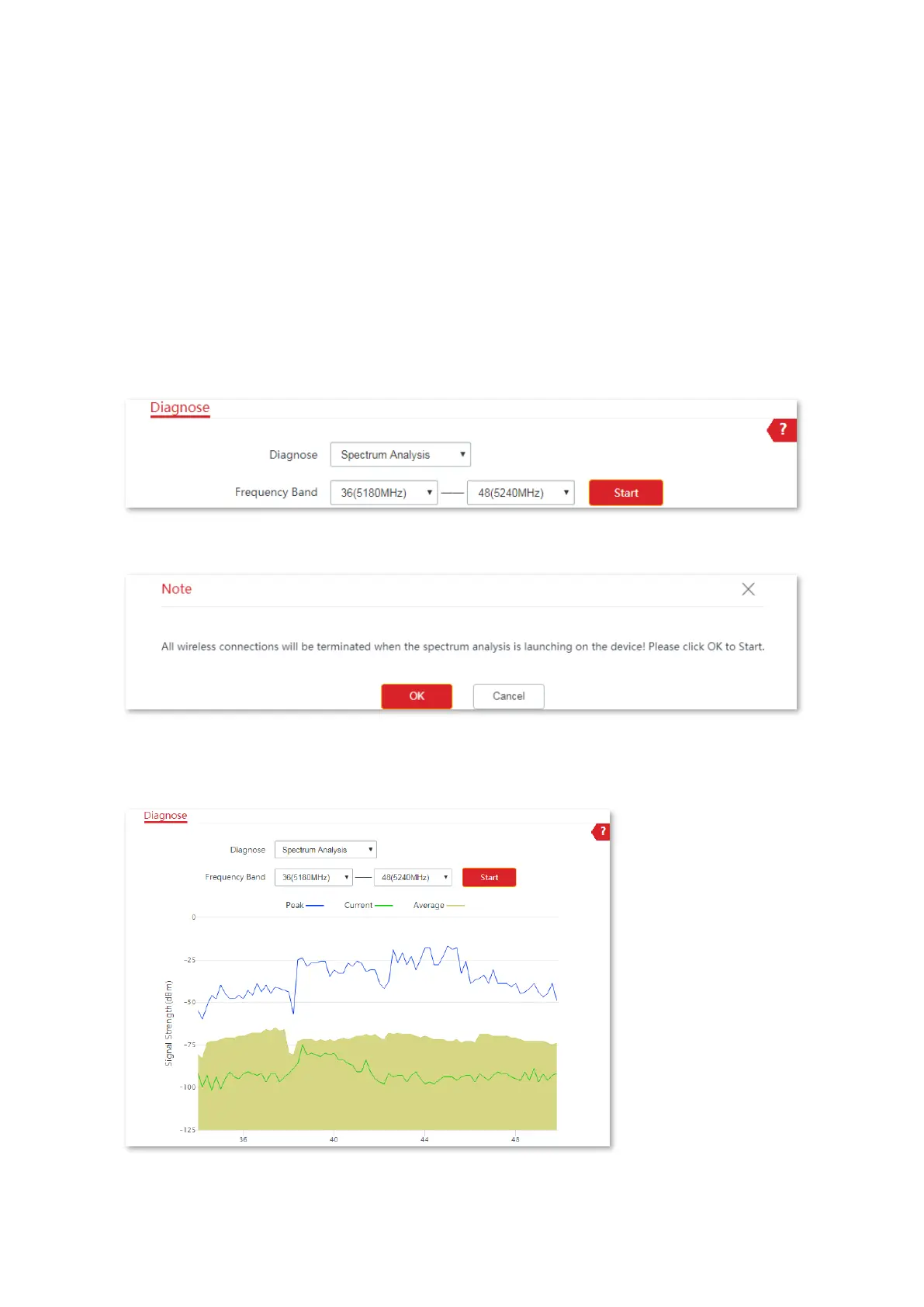
You can use the Spectrum Analysis to check the wireless noise of each channel, then select a
frequency band with less wireless noise for the CPE based on the diagnose result.
Configuration procedure:
1. Choose Advanced > Diagnose to enter the page.
2. Select Spectrum Analysis from the Diagnose drop-down list menu.
3. Select the Frequency Band range you want to test from the drop-down list.
4. Click Start.
5. Confirm the message on the pop-up window, and click OK.
----End
The diagnosis result is displayed as follows.



 To Next Page