Chapter 5 Status 76
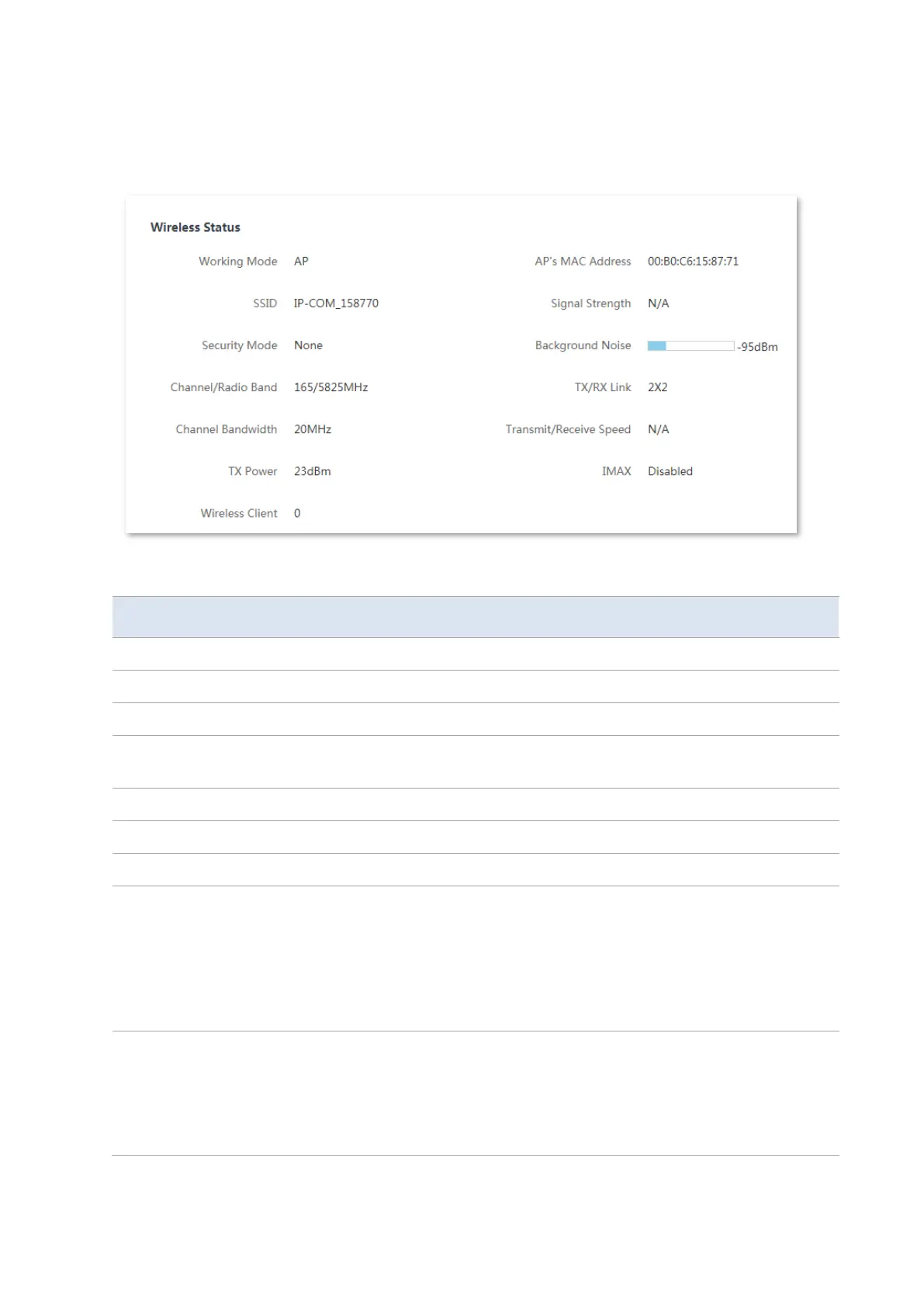
5.2 Wireless status
You can view wireless status here, including working mode, SSID, security mode, and so on.
Parameters description
It specifies the current working mode in which the device operates.
It specifies the wireless network name of this device.
It specifies the security mode of the wireless network of this device.
It specifies the channel and radio band used by this device to transmit radio
signals.
It specifies the channel bandwidth of this device.
It specifies the transmitted power of this device.
It specifies the number of wireless clients connected to this device.
It displays the MAC address of the upstream device.
−
In AP, Router, Repeater, or P2MP mode, it displays the WLAN MAC
address of the CPE.
−
In Client, Universal Repeater or WISP mode, or when the bridging
succeeds, it displays the WLAN MAC address of the upstream AP. When
the bridging fails, it displays N/A.
It displays the wireless signal strength of peer device.
−
In AP or Router mode, it displays the signal strength of the first device
connected to the wireless network of the device.
−
In Client, Universal Repeater, WISP, Repeater or P2MP mode, it displays
the received signal strength from peer AP.



 To Next Page