Chapter 9 Tools 174
9.2.2 Reset to factory settings
If you cannot locate a fault of the CPE or forget the login password of the web UI, you can reset
the CPE to restore its factory settings and then configure it again.
− After you reset the CPE, the configurations of the CPE are restored to factory settings. Therefore, you
need to reconfigure the CPE. Restore the factory settings of the CPE only when necessary.
− To prevent device damages, ensure that the power supply of the device is normal when the device is
resetting.
− After you reset the CPE, the login IP address is 192.168.2.1, and both login user name and password are
admin.
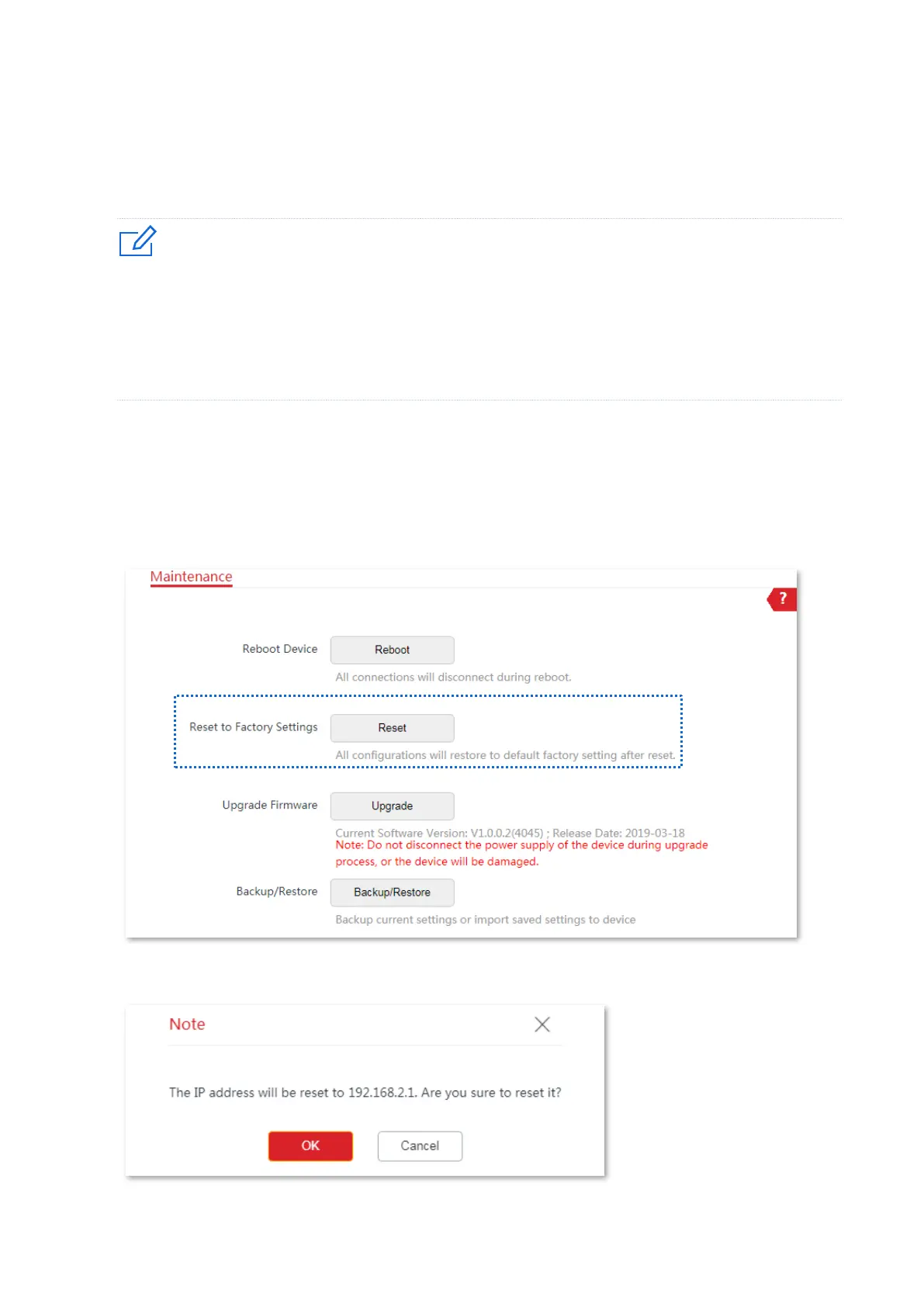
Option 1: Reset the CPE using the web UI
1. Choose Tools > Maintenance to enter the configuration page.
2. Click Reset.
3. Click OK on the pop-up window.



 To Next Page