Chapter 8 Advanced 164
8.6.6 Ping watch dog
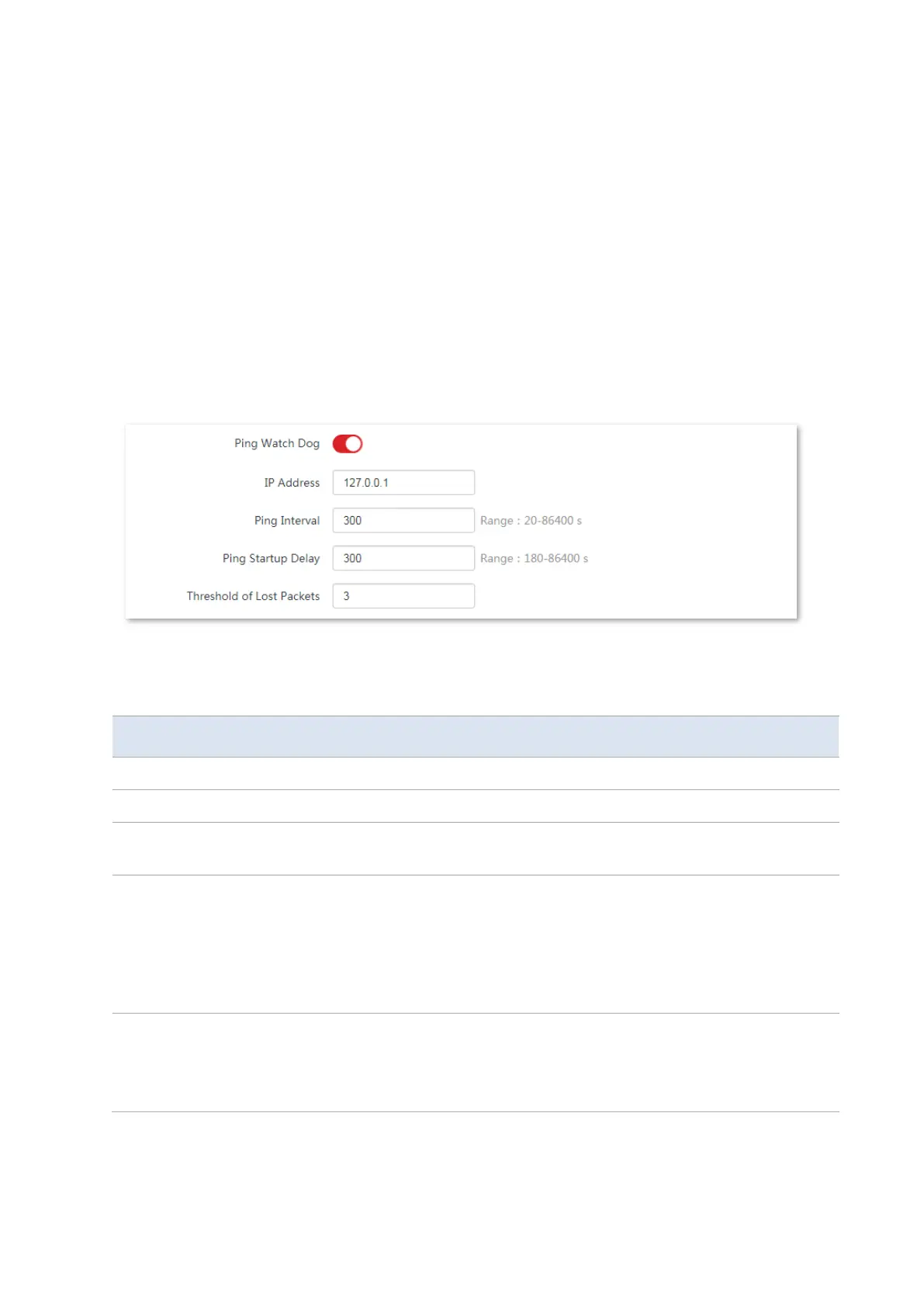
With this function enabled, the CPE periodically pings target IP address to check the network
connectivity and identify whether the device malfunctions. If it malfunctions, the CPE will
reboot automatically to ensure the network performance.
Configuration procedure:
1. Choose Advanced > Network Service to enter the configuration page.
2. Enable the Ping Watch Dog function.
3. Set the related parameters.
4. Click Save on the bottom of this page.
----End
Parameters description
It specifies whether to enable the Ping Watch Dog function.
It specifies the target IP address that the CPE pings.
It specifies the interval at which the CPE transmits packets to ping the target IP
address.
It specifies the delay time for the CPE to enable the Ping Watch Dog function
after the CPE completes startup. Default: 300 s.
Setting a proper Ping Startup Delay time can stop the Ping Watch Dog function
from being triggered during the startup of the CPE. Such triggering leads to
failure of accessing the web UI to modify the settings, causing the CPE to start up
continuously.
Threshold of Lost
Packets
It specifies the threshold of lost packet that triggers reboot. Range: 1 to 65535,
default: 3.
For example, if 5 is set, the device will reboot automatically when it does not
receive response after sending 5 Ping packets to target IP address/domain name.



 To Next Page