Chapter 8 Advanced 163
Configuration procedure
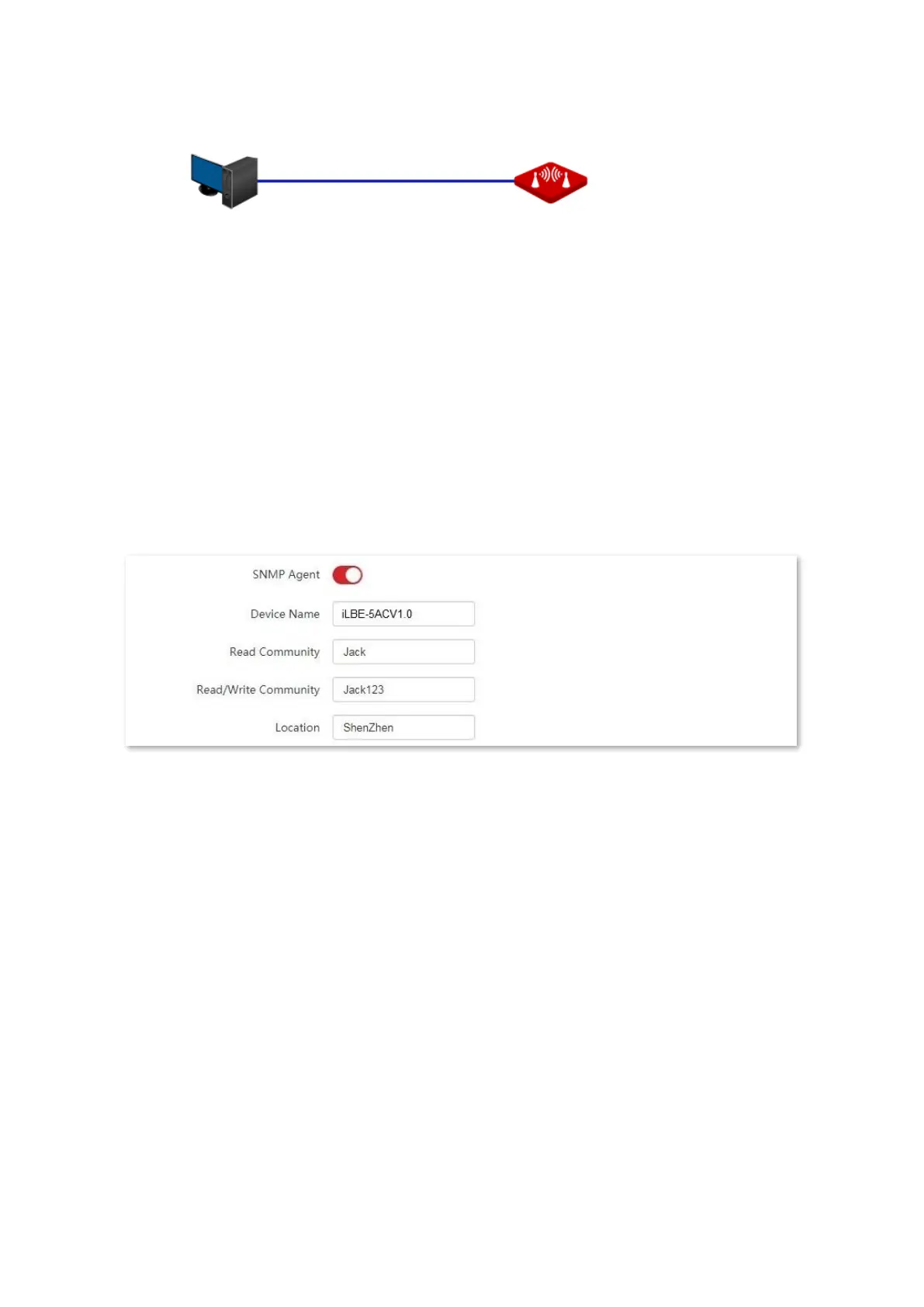
1. Set up the CPE.
(1) Log in to the web UI of CPE, and choose Advanced > Network Service to enter the
configuration page.
(2) Enable the SNMP Agent function.
(3) Set the Read Community, which is Jack in this example.
(4) Set Read/Write Community, which is Jack123 in this example.
(5) Click Save on the bottom of this page.
2. Set up the NMS.
On an NMS that uses SNMP V1 or SNMP V2C, set the read community to Jack and read/write
community to Jack123. For details about how to configure the NMS, refer to the
configuration guide for the NMS.
----End
Verification
After the configuration, the NMS can connect to the SNMP agent of the CPE and can query
and set some parameters on the SNMP agent through the MIB.



 To Next Page