Chapter 8 Advanced 150
8.5 MAC filter
8.5.1 Overview
This function is available only when the CPE works in WISP or Router mode.
The MAC Filter function enables you to allow or disallow the devices, such as computers,
laptops, tablets, and smart phones, to access the internet via the CPE based on their MAC
addresses.
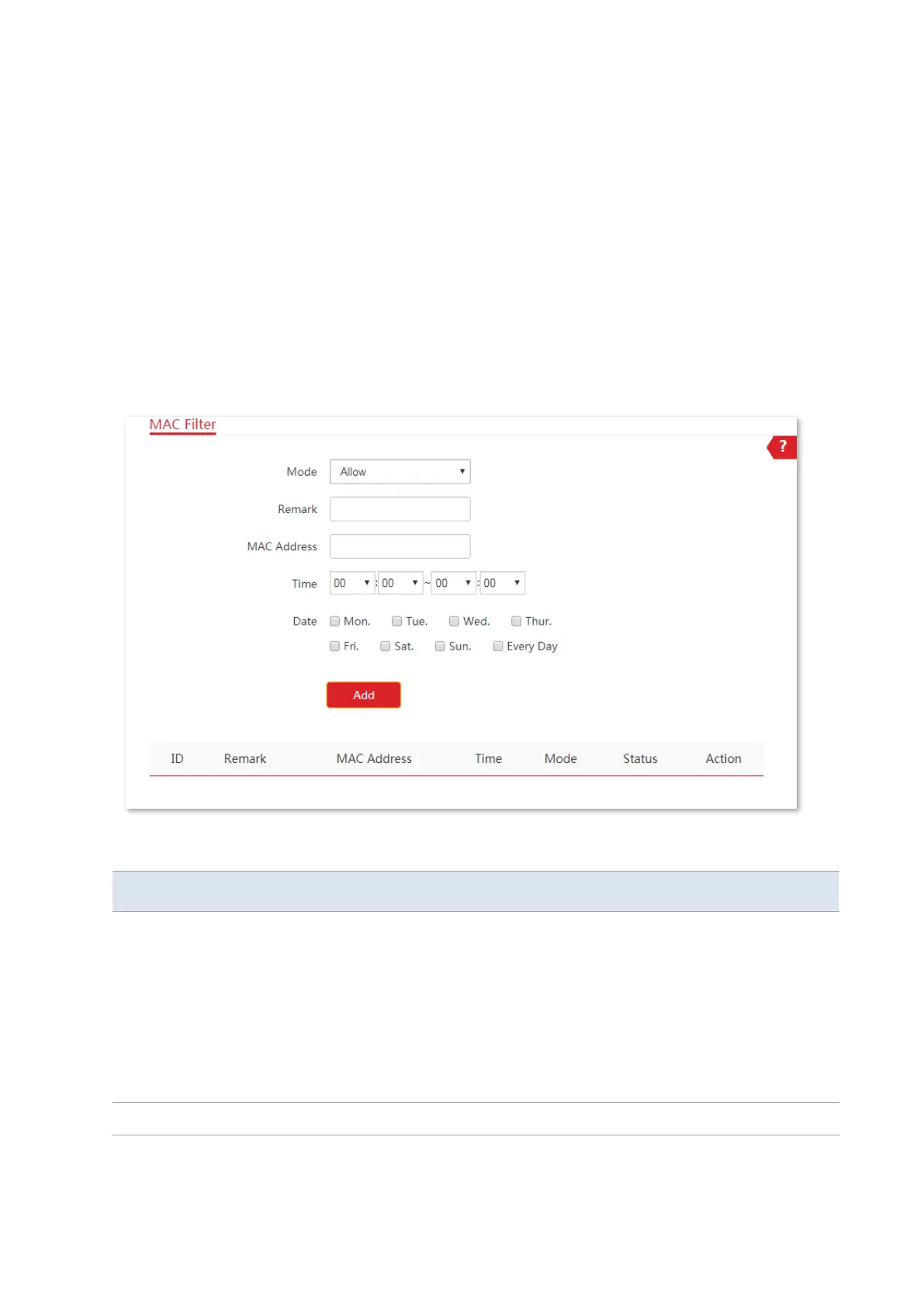
Choose Advanced > MAC Filter to enter the page.
The function is disabled by default. Set the mode to Allow, and the page is shown as below.
Parameters description
It specifies the mode of MAC filter rule.
−
Disable: Disable the MAC Filter function.
−
Allow: Allow the devices with the MAC addresses in the list to access the
internet via the CPE, and disallow the other devices to access the internet
via the CPE.
−
Disallow: Disallow the devices with the MAC addresses in the list to access
the internet via the CPE, and allow the other devices to access the internet
via the CPE.
It specifies the additional information of the rule.



 To Next Page