Chapter 6 Network 86
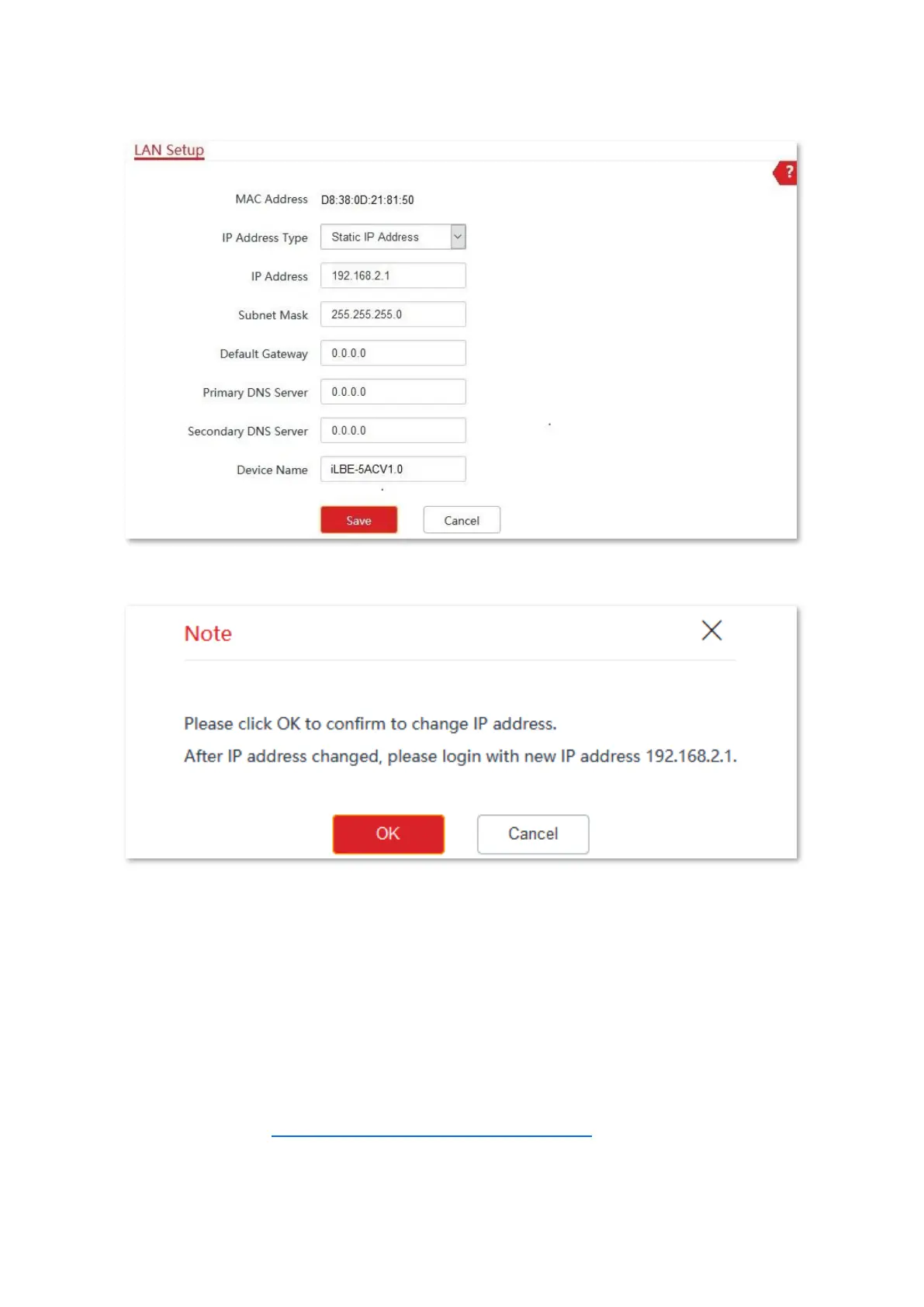
4. Click Save.
5. Confirm the message on the pop-up window, and click OK.
----End
6.1.3 Log in to the web UI after changing the LAN IP address
After changing the LAN IP address of the CPE, if the new and original IP addresses belong to
the same network segment, you can log in to the web UI of the CPE by accessing the new IP
address.
Otherwise, assign your computer an IP address that belongs to the same network segment as
the new IP address of the CPE before login with the new IP address. Automatically obtain an
IP address. Refer to Assign a fixed IP address to your computer in Appendix for details.



 To Next Page