Chapter 6 Network 85
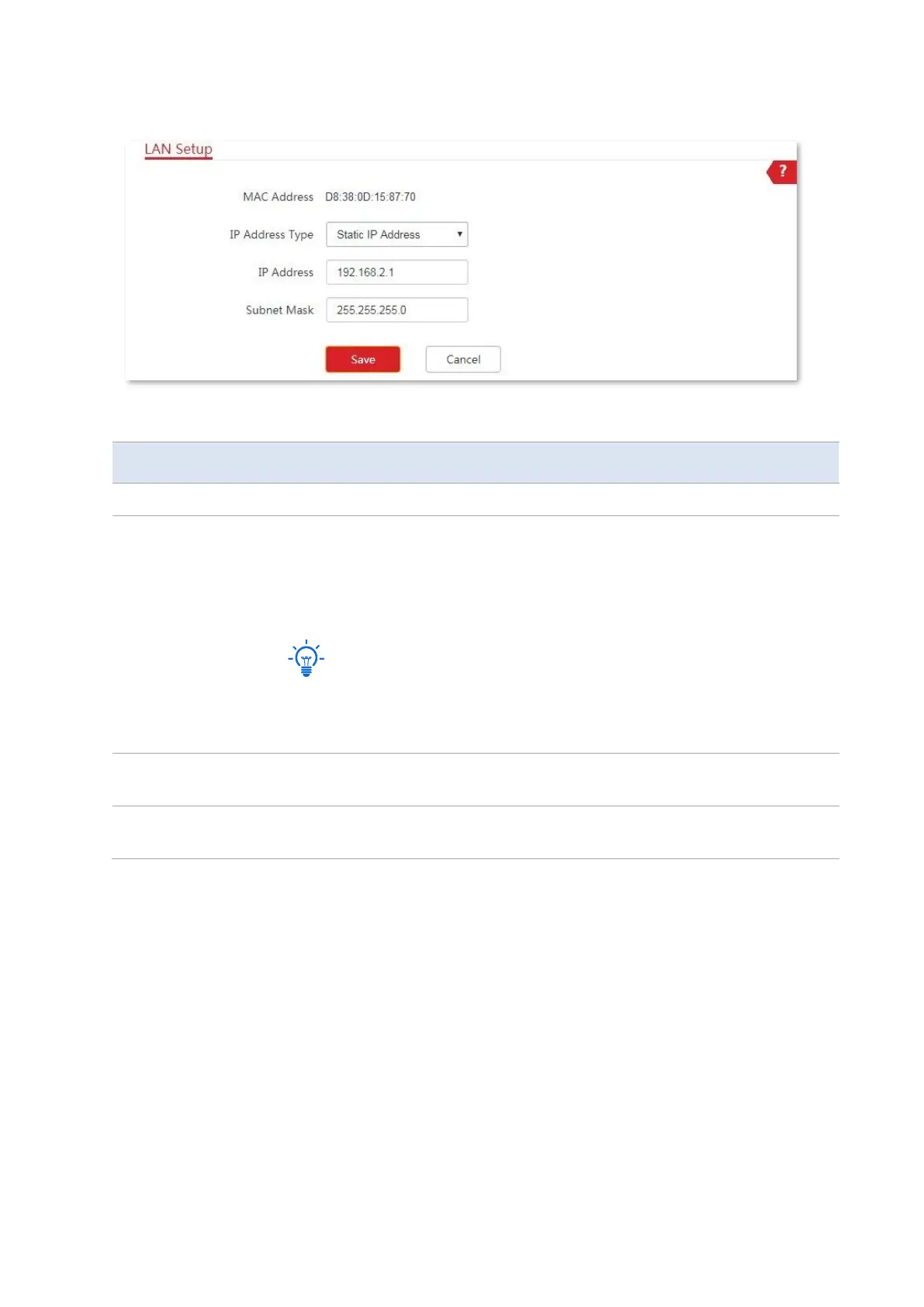
When the CPE is in WISP and Router modes, the page shows as below.
Parameters description
It specifies the MAC address of LAN port.
It specifies the type of obtaining an IP address. The default is Static IP Address.
−
Static IP Address: Specify the IP address and subnet mask manually.
−
DHCP (Dynamic IP Address): The device obtains an IP address and subnet
mask from the upstream DHCP server in the network.
If the IP Address Type is set to DHCP (Dynamic IP Address), you need to check the
device’s IP address on the clients list of the DHCP server of the upstream device,
and use this IP address to log in to the web UI of the device.
It specifies the IP address of the device. A LAN user can visit this address to enter
the web UI of the device. The default is 192.168.2.1.
It specifies the subnet mask corresponding to the LAN IP address of the device.
The default is 255.255.255.0.
6.1.2 Set the LAN IP address manually
If you need to deploy only a few CPEs, you can manually set the IP address, subnet mask,
gateway IP address, and DNS server IP addresses of the CPEs.
Configuration procedure:
1. Choose Network > LAN Setup to enter the configuration page.
2. Set IP Address Type to Static IP Address.
3. Set IP Address, Subnet Mask, Default Gateway, and Primary DNS Server. If another DNS
server is available, set Secondary DNS Server to the IP address of the additional DNS server.



 To Next Page