Chapter 6 Network 90
6.3 DHCP server
6.3.1 Overview
The CPE provides a DHCP server function to assign IP addresses to clients in the LAN. By
default, the DHCP server function is enabled.
If you change the LAN IP address of the CPE and the new and original IP addresses belong to different
network segments, the system changes the IP address pool of the DHCP server of the device, so that the IP
address pool and the new IP address of the LAN port belong to the same network segment.
6.3.2 Configure the DHCP server
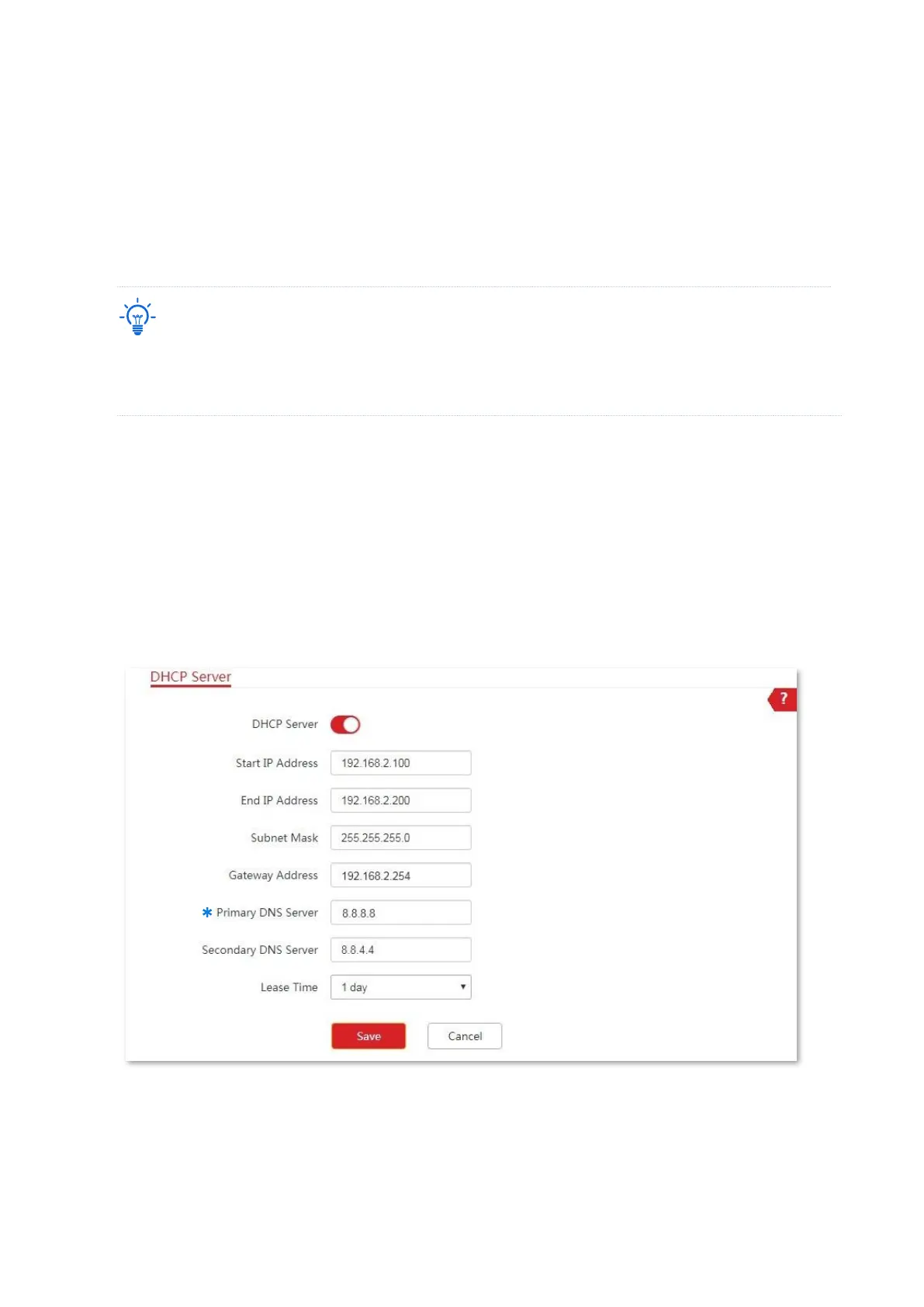
1. Choose Network > DHCP Server to enter the configuration page.
2. Enable the DHCP server.
3. Set the parameters. Generally, you need to set only Gateway Address and Primary DNS
Server.
4. Click Save.
----End



 To Next Page