Chapter 8 Advanced 146
8.4 Port forwarding
8.4.1 Overview
This function is available only when the CPE works in WISP or Router mode.
If computers are connected to the CPE to form a LAN and access the internet through the CPE,
internet users cannot access the hosts on the LAN. Therefore, the servers, such as web
servers, email servers, and FTP servers, on the LAN are inaccessible to internet users.
To enable internet users to access a LAN server, enable the port forwarding function of the
CPE, and map one service port to the IP address of the LAN server. This enables the CPE to
forward the requests arriving at the port from the internet to the LAN server, and avoid the
attacks from the WAN.
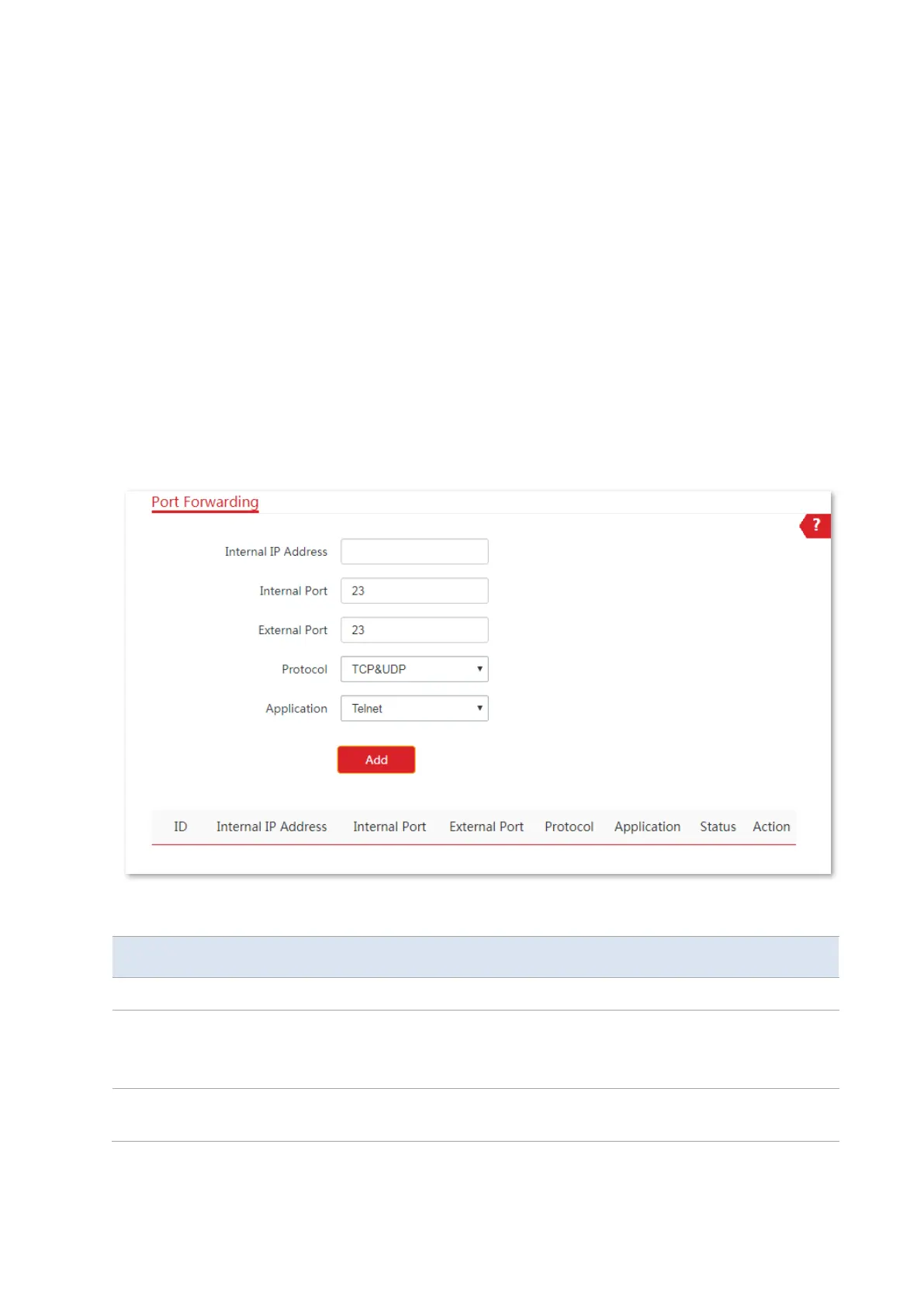
Choose Advanced > Port Forwarding to enter the page.
Parameters description
It specifies the IP address of the host that establishes a server in LAN.
It specifies the service port of the server in LAN.
After you select an Application, this option will be auto populated. You can also
customize it.
It specifies the ports enabled for WAN users by this device to visit the
corresponding servers in LAN.



 To Next Page