Chapter 8 Advanced 138
8.2.3 Traceroute
You can use the Traceroute tool to detect the routes that the packets pass by from the CPE to
destination host.
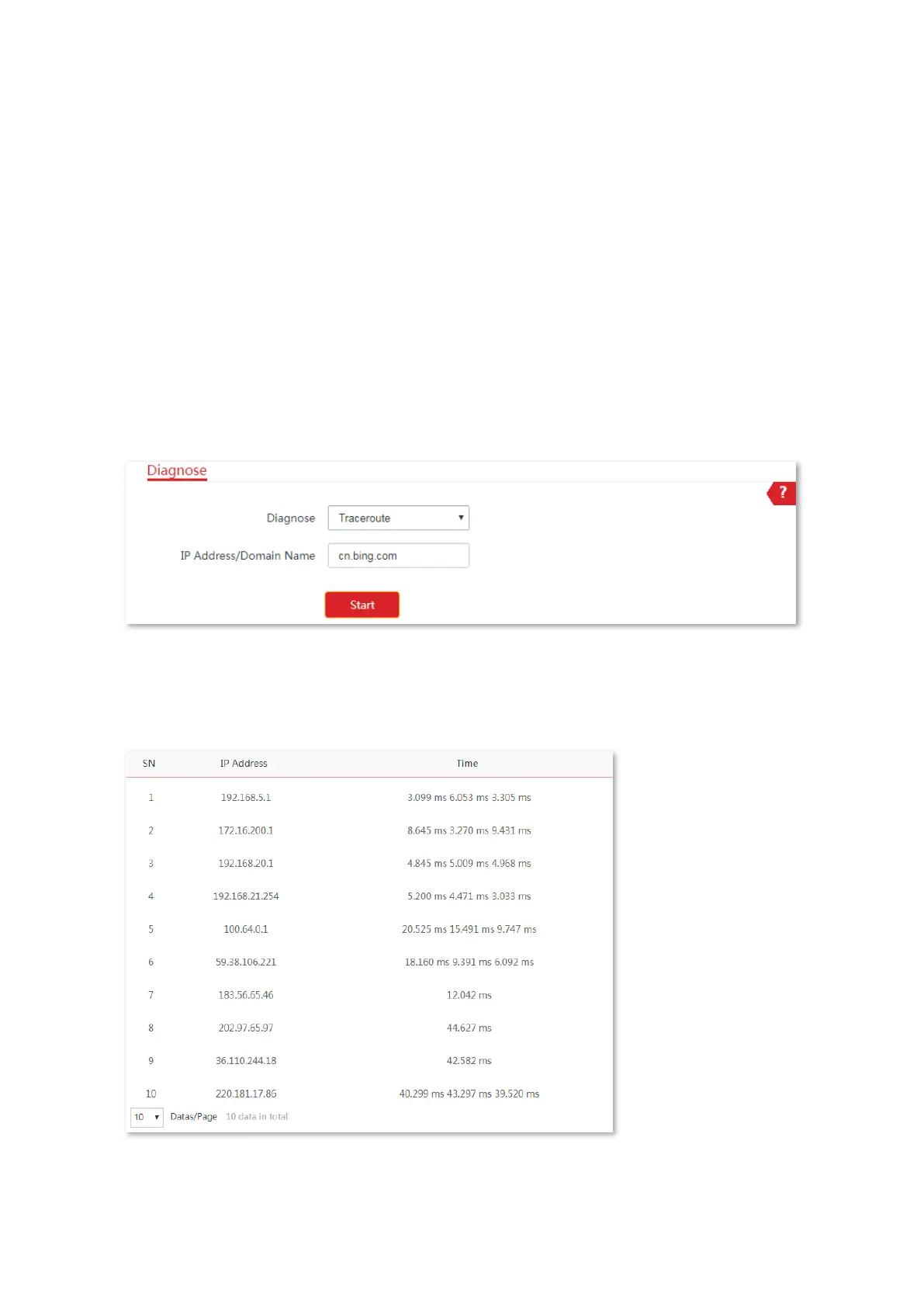
Assume that you want to detect the routes that the packets pass by from the CPE to
cn.bing.com.
Configuration procedure:
1. Choose Advanced > Diagnose to enter the configuration page.
2. Select Traceroute in the Diagnose drop-down list menu.
3. Enter the target IP address or a domain name, which is cn.bing.com in this example.
4. Click Start.
----End
The diagnosis result will be displayed in a few seconds in the list below Start button. See the
following figure.



 To Next Page