Chapter 8 Advanced 139
8.2.4 Speed test
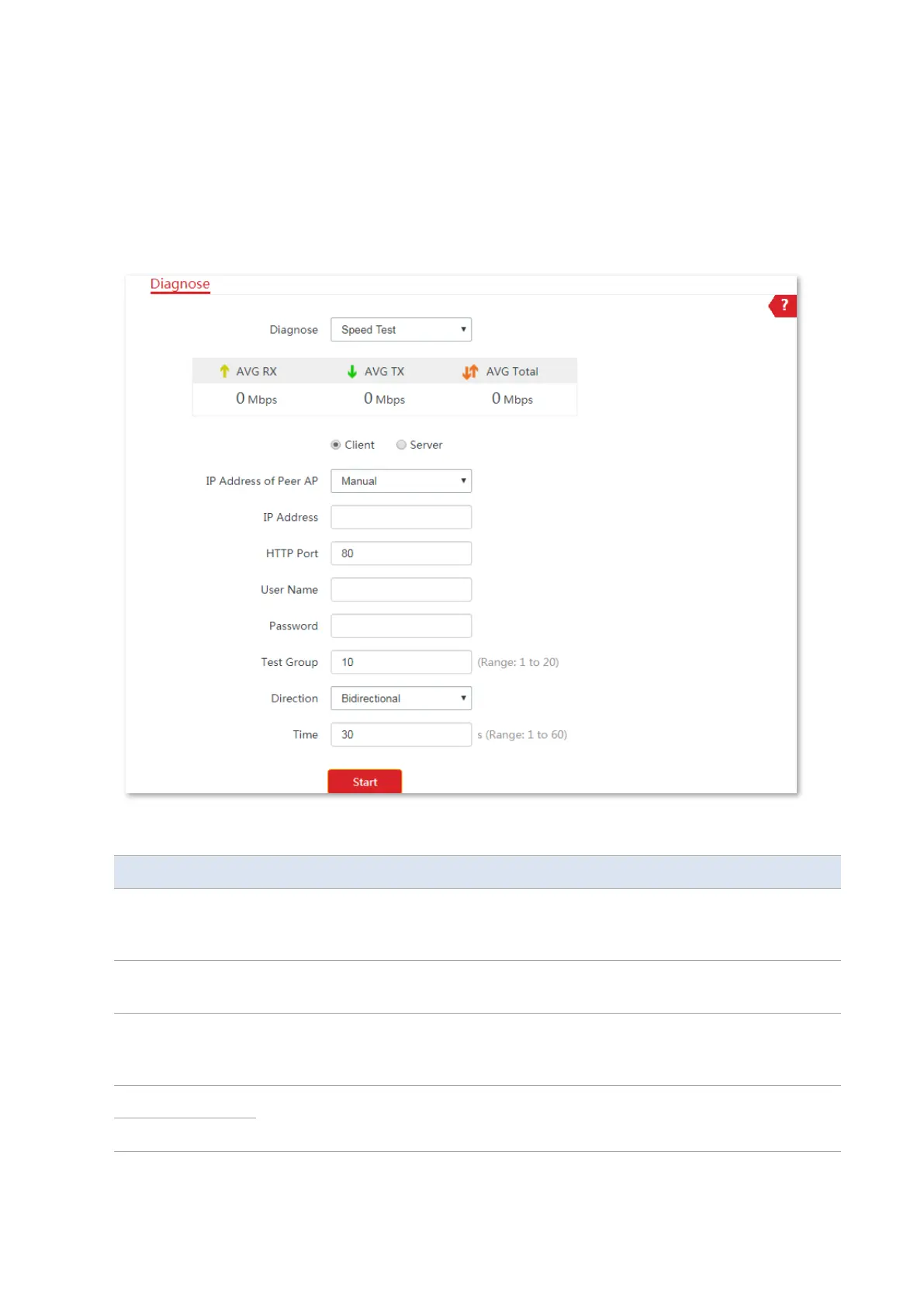
You can use the Speed Test to test the throughput between two CPEs in the same network.
The test requires that both sides support the Speed Test function.
Choose Advanced > Diagnose, and select Speed Test from the Diagnose drop-down list menu
to enter the page.
Parameters description
It specifies the LAN IP address of peer CPE. You can enter it manually or select an IP
address of the peer AP from the drop-down list if there are peer CPEs connected to
the CPE.
If the IP Address of Peer AP is set to Manual, you need to enter the LAN IP address of
peer CPE in the box manually.
It specifies the HTTP service port number of peer device, which is used to establish
speed test connection based on TCP/IP. Default: 80. You are recommended to keep
the default value.
It specifies the login user name and password of peer device.



 To Next Page