Chapter 8 Advanced 136
8.2 Diagnose
You can use the diagnosis tools for troubleshooting. The CPE supports the following tools:
− Site Survey: used to check nearby wireless signals.
− Ping: used to check the network connectivity.
− Traceroute: used to check the network routes.
− Speed Test: used to check the connection speed between two devices in a same
network.
− Spectrum Analysis: used to check the nearby wireless noise of each channel, then
select a frequency band with less wireless noise for the CPE.
8.2.1 Site Survey
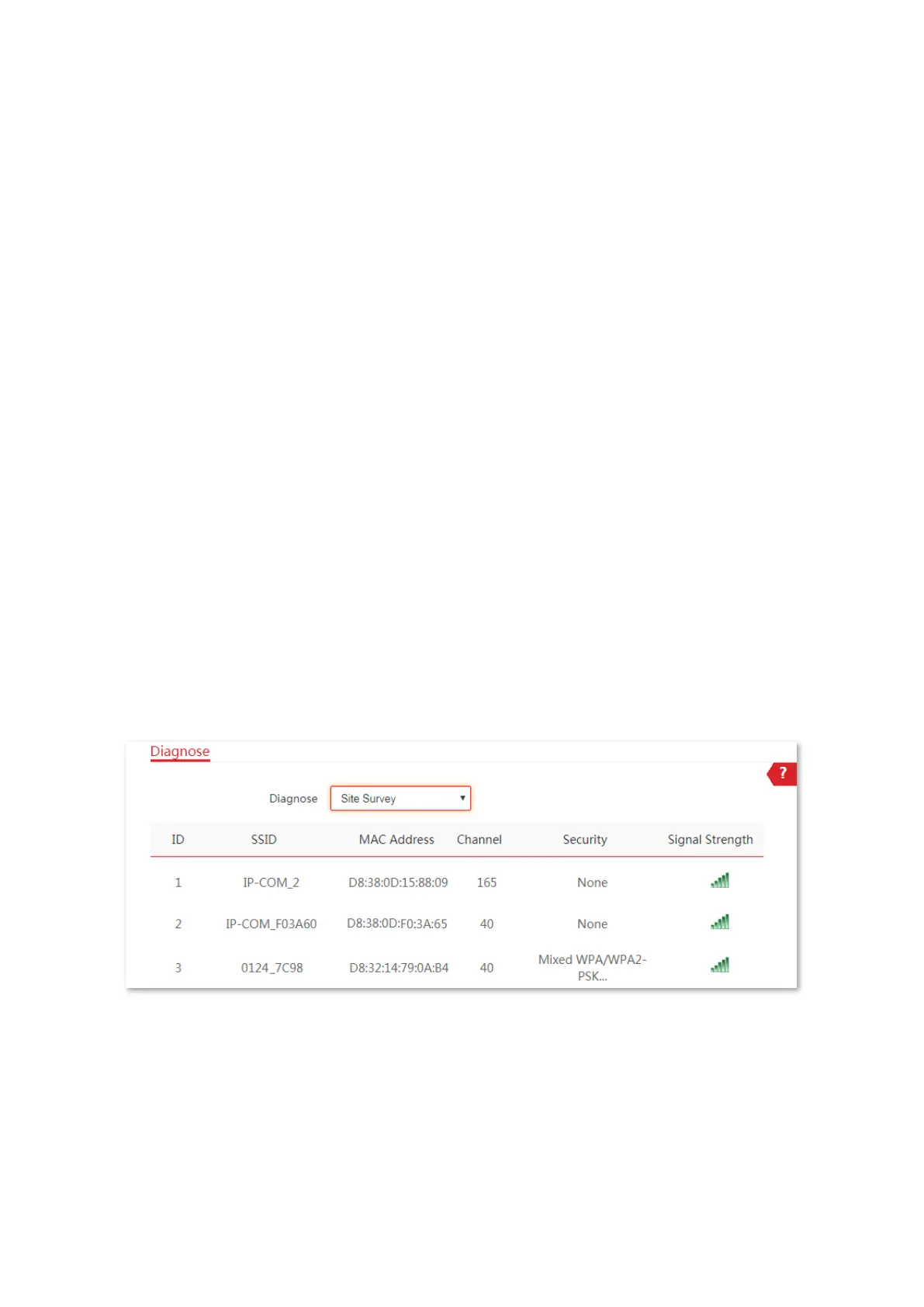
Site survey gives you an insight into the information of nearby wireless signals. According to
the diagnosis result, you can select a less interference channel (used by few devices) for the
WiFi network of the device to improve the transmission efficiency.
Configuration procedure:
1. Choose Advanced > Diagnose to enter the configuration page.
2. Select Site Survey in the Diagnose drop-down list menu.
----End
The diagnosis result will be displayed in a few seconds in the list below the Diagnose box. See
the following figure.
8.2.2 Ping
You can use ping to detect the connectivity and quality of network connection.
Assume that you want to know whether the CPE can access Bing.



 To Next Page