Chapter 8 Advanced 157
8.6.2 Remote web management
Overview
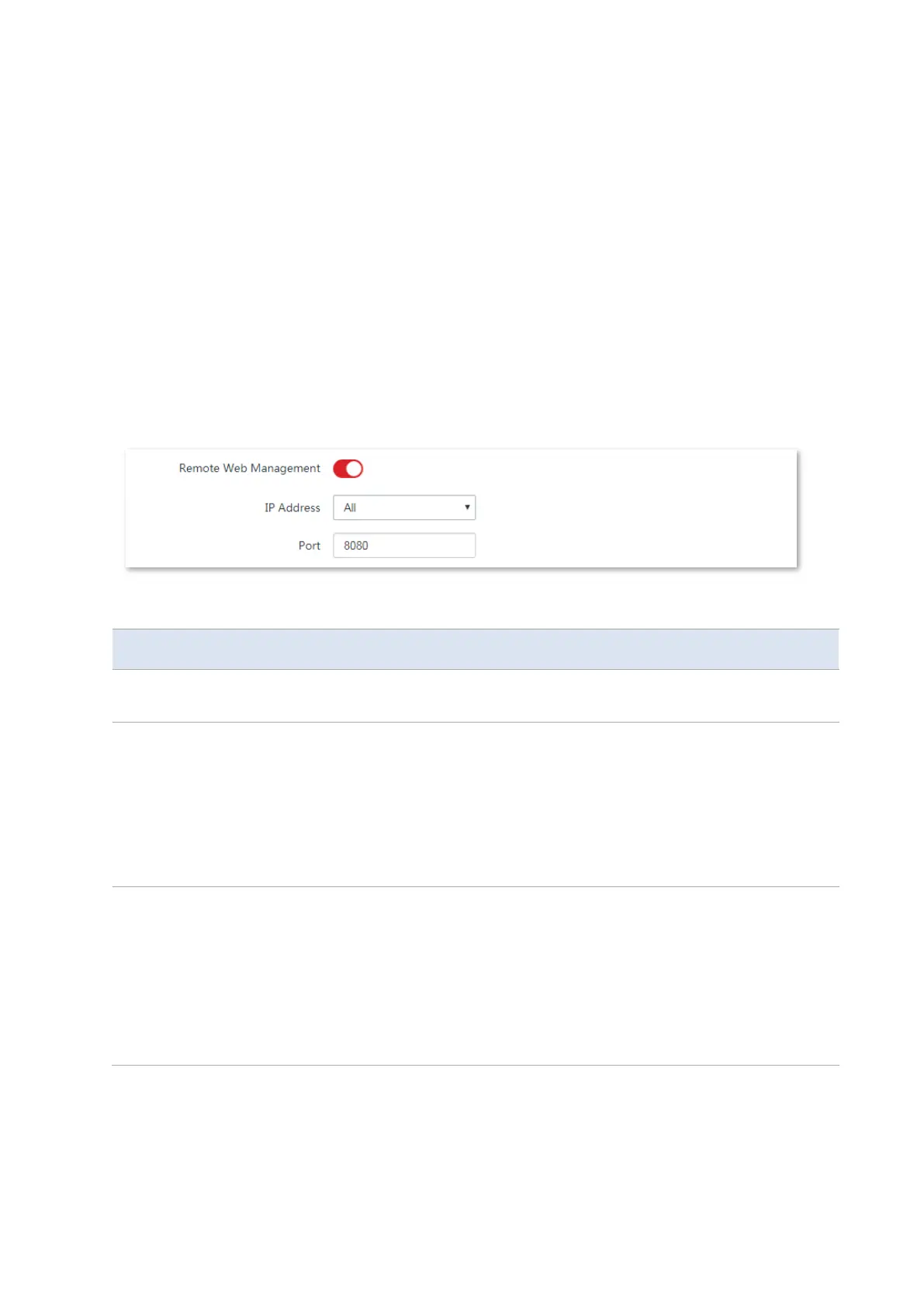
The Remote Web Management function is only available when the CPE works in WISP or
Router mode.
Generally, only the devices connected to the LAN port or the wireless network of the CPE can
access the web UI of the CPE.
The remote web management function enables you to access the web UI of the CPE on WAN
if it is required.
To access the page, choose Advanced > Network Service.
Parameters description
It specifies whether to enable the remote web management function.
It specifies the IP address of a device which is allowed to access the web UI of
the CPE.
−
All: It indicates that any computer in WAN can manage the CPE remotely.
For security, this option is not recommended.
−
Manual: It indicates that only the device with specified IP address can
manage the CPE remotely. If the CPE belongs to a LAN, the gateway
address (a public IP address) of the CPE should be entered.
It specifies the port number used for remote management of device. Default:
8080. You can change it if necessary.
Ports 1 to 1024 have been used by well-known services. To avoid port conflicts,
you can set the port number to one between 1025 and 65535. Then you can
access the device from WAN by visiting an address in the form of http://WAN IP
address:port number. If the DDNS function is enabled on the CPE, you can
access the device by visiting an address in the form of http://Domain name of
WAN port:port number.



 To Next Page