Appendix 187
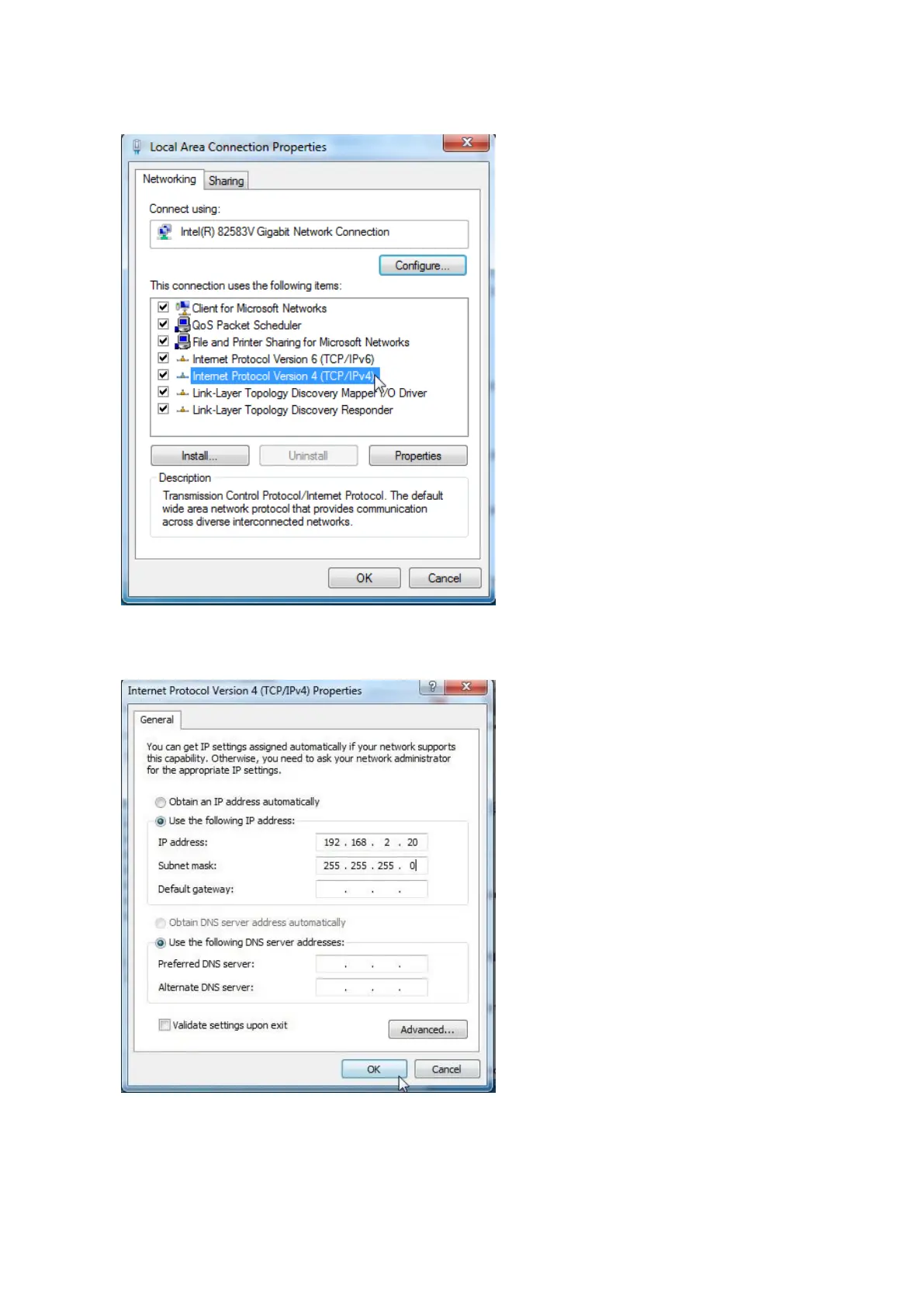
4. Double-click Internet Protocol Version 4 (TCP/IPv4).
5. Select Use the following IP address, set the IP address to 192.168.2.X (X ranges from 2 to 253),
the Subnet mask to 255.255.255.0, and click OK.
6. Click OK on the Local Area Connection Properties window, and close the other windows.
----End



 To Next Page