Chapter 4 Quick setup 46
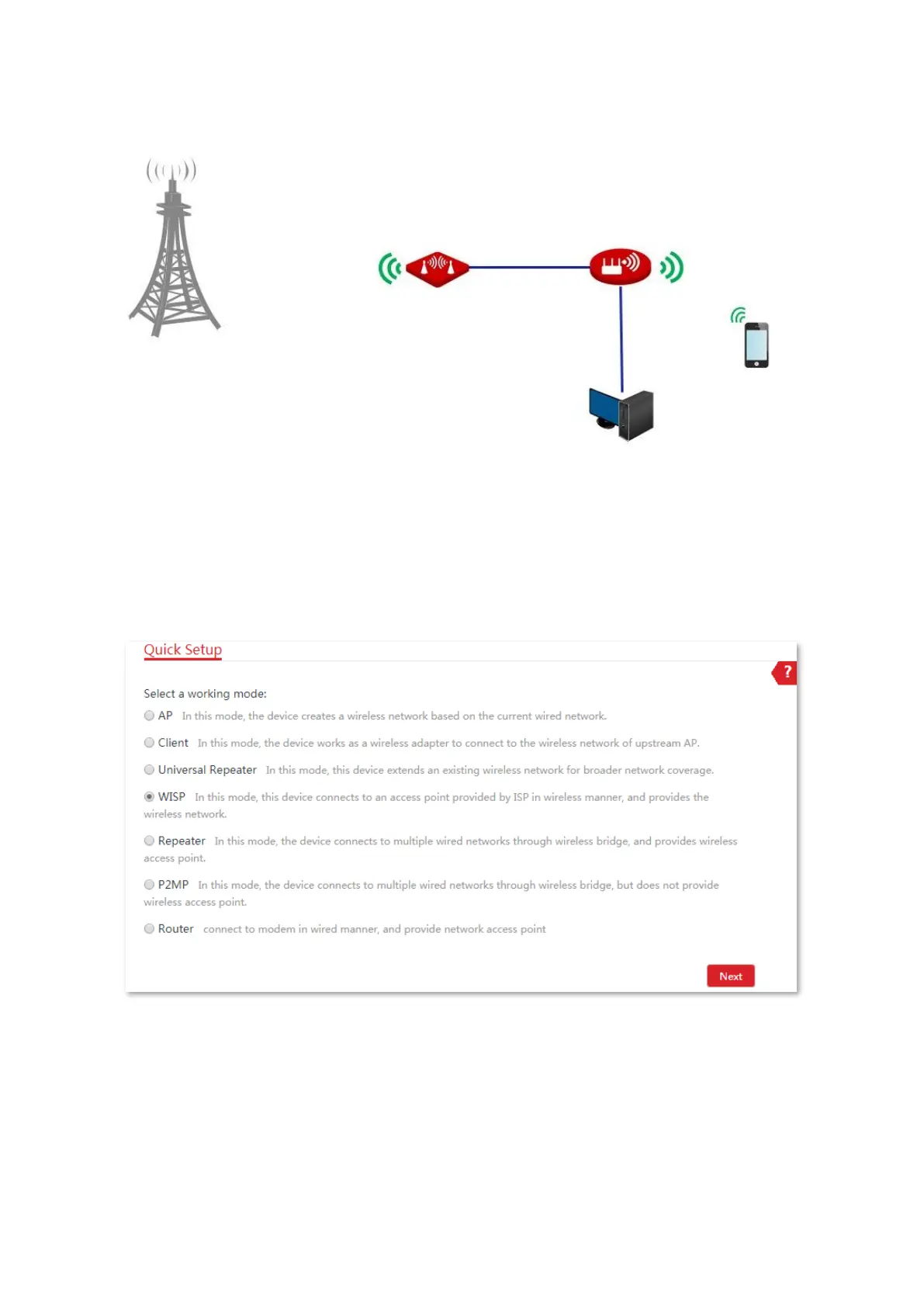
Network topology
Configuration procedures
1. Set the CPE to the WISP mode.
(1) Log in to the web UI of this CPE and choose Quick Setup to enter the configuration page.
(2) Select WISP, and click Next.
(3) Select the SSID of your ISP hotspot, which is WiFi_123456 in this example, and click Next
at the bottom of the page.
ISP hotspot
SSID: WiFi_123456
WiFi Password: 12345678



 To Next Page