Chapter 5 Status 74
When the CPE works in Router mode, the PoE port is changed from LAN port to WAN port.
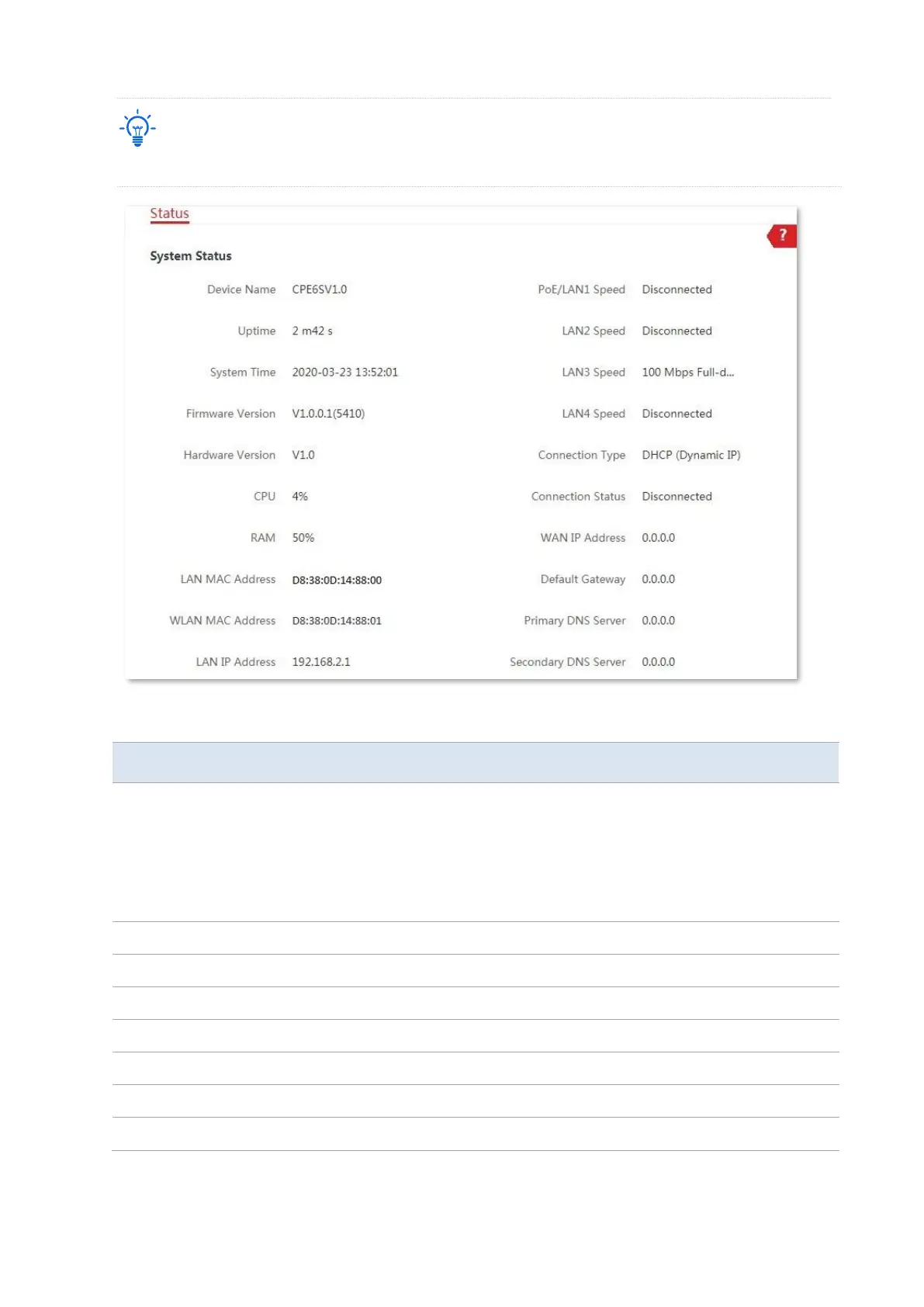
Parameters description
It specifies the name of this device. Different device names help you manage
multiple devices on LAN easily.
You can change the name of this device on the Network > LAN Setup page
when the device works in AP, Client, Universal Repeater, Repeater, and P2MP
modes. When the device works in WISP or Router mode, it displays the
model and version of the device, and cannot be changed.
It specifies the time that has elapsed since the device was started last time.
It specifies the current system time of this device.
It specifies the system firmware version number of this device.
It specifies the hardware version number of this device.
Central Processing Unit. It specifies the CPU usage of this device.
Random Access Memory. It specifies the memory usage of this device.
It specifies the MAC address of LAN port of this device.



 To Next Page