2-42 Maxor Operator’s Manual www.javad.com
CONFIGURATION
Bluetooth® Module Configuration
2
• Firmware version – the current firmware version of the Bluetooth®
module.
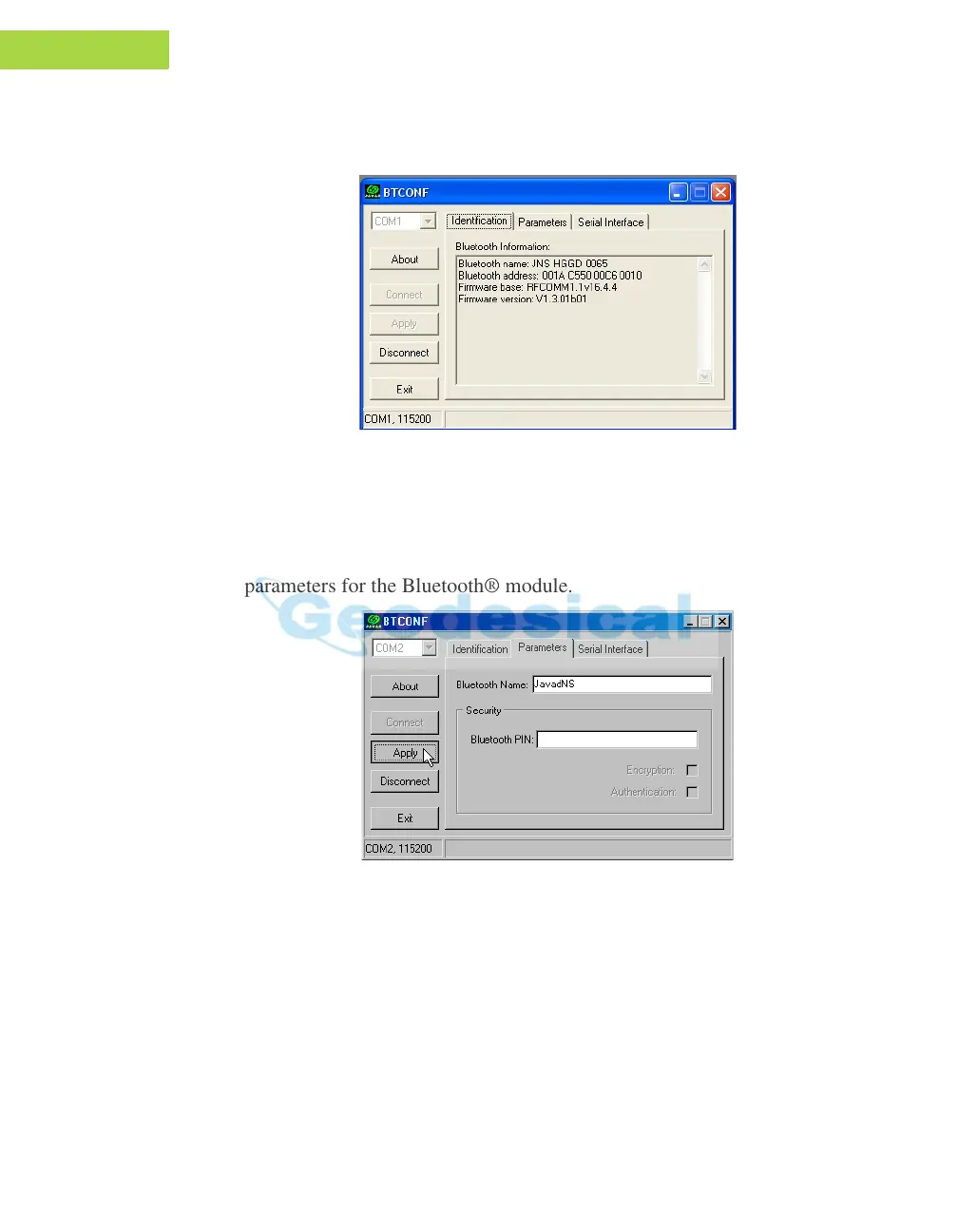
Figure 2-32. BTCONF Identification Tab
The COM port and baud rate are displayed in the lower left corner.
6. Click the Parameters tab (Figure 2-33). The Parameters tab sets
identifying and security information for your Bluetooth® module. The
security section allows you to set data security and unauthor
ized access
parameters for the Bluetooth® module.
Figure 2-33. BTCONF Parameters Tab
7. Enter up to 14 characters to set a unique name for the Bluetooth® module
(Figure 2-33), and click Apply
8. To set security parameters (Figure 2-33 on page 2-42), enter and enable the
following, then click Apply:
• Bluetooth® PIN – enter up to 16 characters to specify a personal
identif
ication number for the Bluetooth® module.



 To Next Page