3-82
JMA-9100 Instruction Manual > 3.BASIC OPERATION > 3.7 USE ROUTE FUNCTION
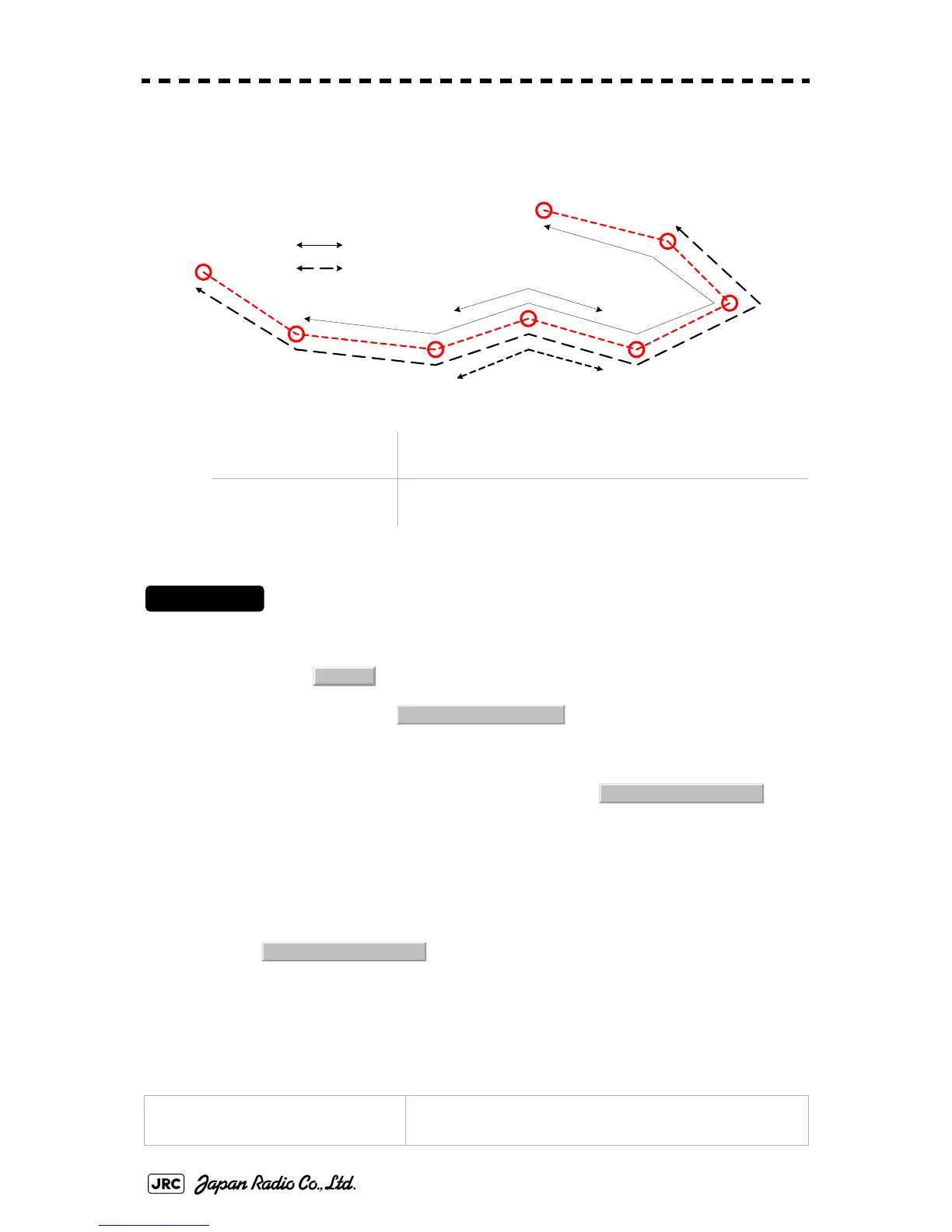
3.7.5.2 Skipping/Back-skipping of the route (Waypoint Skip/ Waypoint Back
Skip)
Next Waypoint of the route can be changed by user manually.
Procedures
1) Open the WPT/Route Operations menu by performing the menu
operation below.
→
2) To execute Waypoint Skip, left-click the
button.
The Waypoint which is after the next Waypoint is set as the next Waypoint.
3) To execute Waypoint Back Skip, left-click the
Skip button.
The previous Waypoint is set as the next Waypoint.
3.7.6 Detailed Route Settings
Make detailed settings of the route.
Skipping of route
(Waypoint Skip):
The Waypoint which is after the next Waypoint is set as the
next Waypoint.
Skipping back the route
(Waypoint Back Skip):
The previous Waypoint is set as the next Waypoint.
Color for the route alarm line
(SEL NUM/Comment Size)
Set the display color for the route alarm line.
001
002
003
004
005
006
007
000
: Forward
:Backward
W
a
y
p
o
i
n
t
S
k
i
p
W
a
y
p
o
i
n
t
B
a
c
k
S
k
i
p
W
a
y
p
o
i
n
t
S
k
i
p
W
a
y
p
o
i
n
t
B
a
c
k
S
k
i
p
Route
3. WPT/Route Operations
3. Waypoint Skip
4. Waypoint Back Skip


 To Next Page
 Loading...