CHAPTER 5
Viewing System Information
•
Chassis Status LEDs on a QFX5100 Device on page 53
•
Management Port LEDs on a QFX5100 Device on page 55
•
Access Port and Uplink Port LEDs on a QFX5100 Device on page 57
•
Fan Module LED on a QFX5100 Device on page 60
•
AC Power Supply LEDs on a QFX5100 Device on page 61
•
DC Power Supply LEDs on a QFX5100 Device on page 62
Chassis Status LEDs on a QFX5100 Device
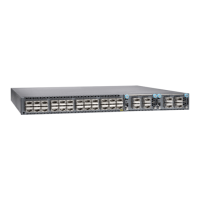
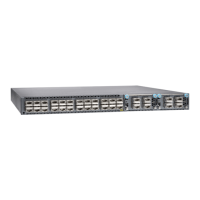
The QFX5100 switch series has four status LEDs on the FRU side of the chassis, next to
the management ports (see Figure 34 on page 53).
Figure 34: Chassis Status LEDs on a QFX5100 Switch
4—1— em0–RJ-45 (10/100/1000 Base-T)
management Ethernet port (C0)
Status LEDs
5—2— RJ-45 console port (CON )em1–SFP management Ethernet port (C1)
Cage (socket foreither 10/100/1000 Base-T
RJ45 SFP or 1GbE fiber SFP)
6—3— USB port
Reset button,seecaution statement below
CAUTION: Do not use the Reset button to restart the power sequence unless
under the direction of Juniper Networks Technical Assistance Center (JTAC).
53Copyright © 2016, Juniper Networks, Inc.





 To Next Page