4-129
IV2 Series User's Manual (Control Panel)
3. Tool Settings (Setting the Judgment Method of the Target of Standard Mode)
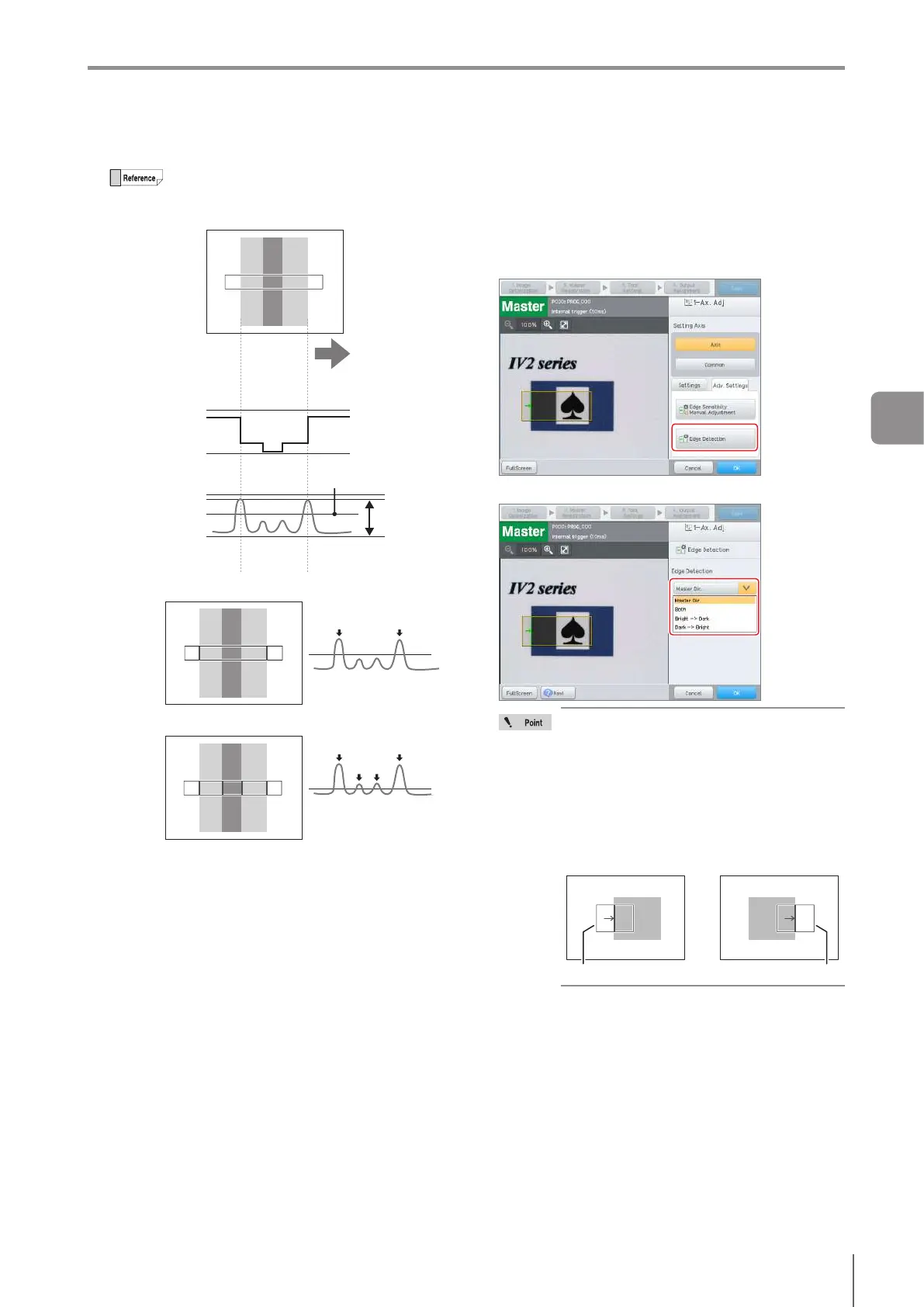
The edge intensity threshold indicates the ratio
of edge recognition taking the edge intensity
maximum value (where the contrasting density
isgreatest)as100%.
Edge detection
direction
Threshold for edge
sensitivity(%)
(Illustration for edge intensity
wave)
Thresholdforedgesensitivity50%
(2 edges to be detected)
Thresholdforedgesensitivity30%
(4 edges to be detected)
100%in-between
+255
0
100%
30%
50%
0%
Projection
wave
Edge intensity
wave
+255
0
Edge Detection
1
Select the [Adv. Settings] tab.
2
For [2-Ax. Adj], select an axis to set.
3
Tap the [Edge Detection] button.
4
Select bright/dark direction.
When detecting edges in the same bright/
dark direction as master image, select
[Master Dir.].
When detecting both bright->dark and
dark->bright edges, select [Both].
When detecting edges that change from
bright to dark, select [Bright -> Dark].
When detecting edges that change from
dark to bright, select [Dark -> Bright].
Dark -> BrightBright -> Dark
Tool window Tool window
5
Tap the [OK] button.
The system returns to the main screen for [Hi-Sp.Adj].
4
Settings Navigator



 To Next Page