5-17
IV2 Series User's Manual (Control Panel)
Holding the Image of the Sensor on which NG Occurred (NG Hold Function)
Holding the Image of the Sensor on which NG
Occurred
(NG Hold Function)
Overview of the NG Hold function
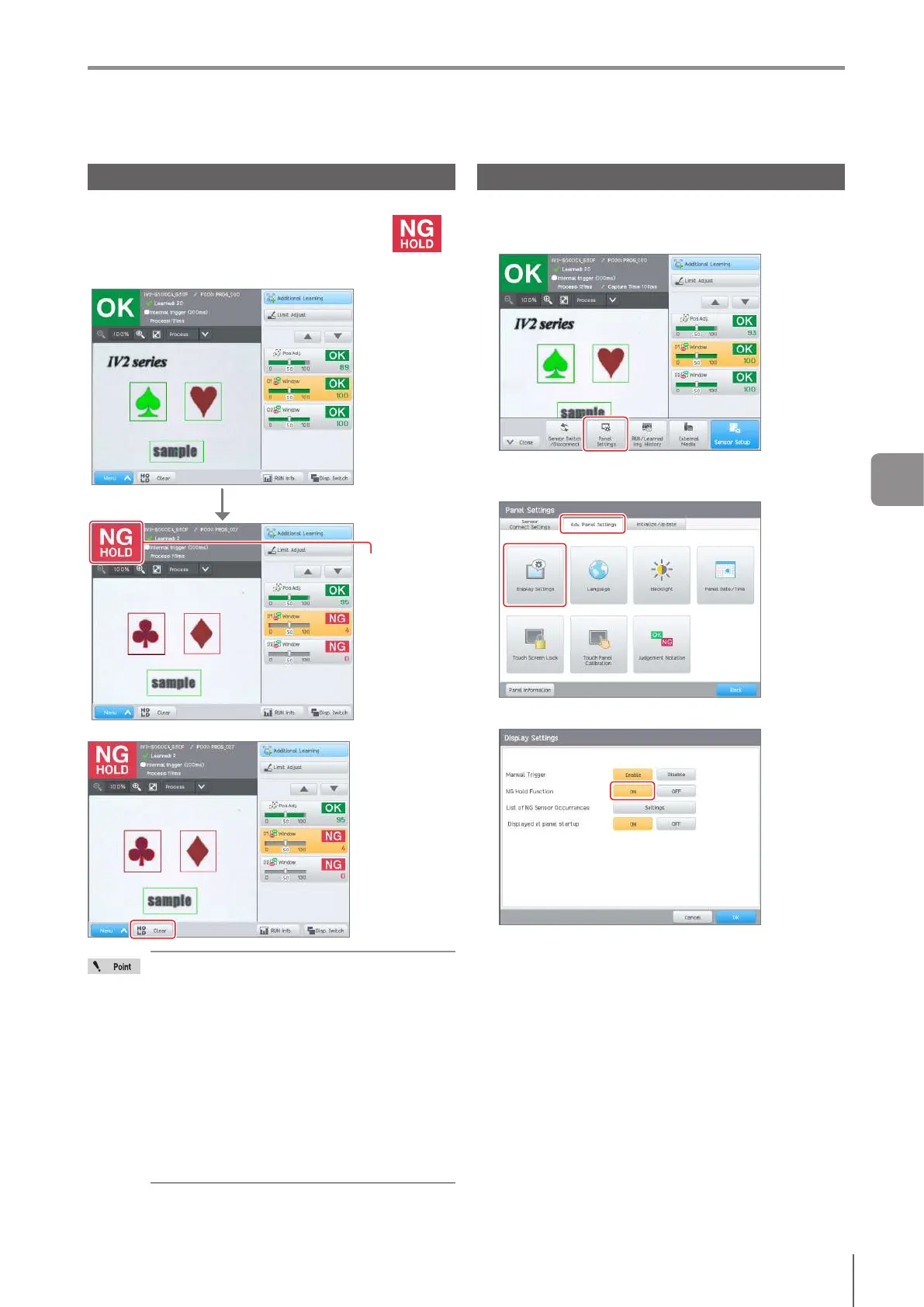
If the NG Hold function is used, the image of the sensor on
which NG occurred during Run mode is held and is
displayed on the control panel.
TheimagewhentheNGoccurredcanbeconrmed.
“NG HOLD” is
displayed as
the total status
result and the
screen is held.
NG occurs during running.
To release the image held, tap the [HOLD CLR] button.
If another NG occurs during holding of an NG
image, the NG image will be updated.
The NG hold status will be released with one
of the operations below.
- When run screen is changed to the [Sensor
Setup Menu] screen.
- When the program number is switched
- When the external master image
registration is performed.
- When the status output is reset with an
error clear external input.
- When the [HOLD CLR] button is tapped.
The operation Information will be updated
during NG hold.
Setting the NG Hold function
1
Display the menu of the control panel, and tap the
[Panel Settings] button.
2
Select the [Adv. Panel Settings] tab, and tap the
[Display Settings] button.
3
Set [NG Hold Function] to [ON].
4
Tap the [OK] button.
Returns to the [Panel Settings] screen.
5
Running



 To Next Page