2-12
IV2 Series User's Manual (Control Panel)
Cables
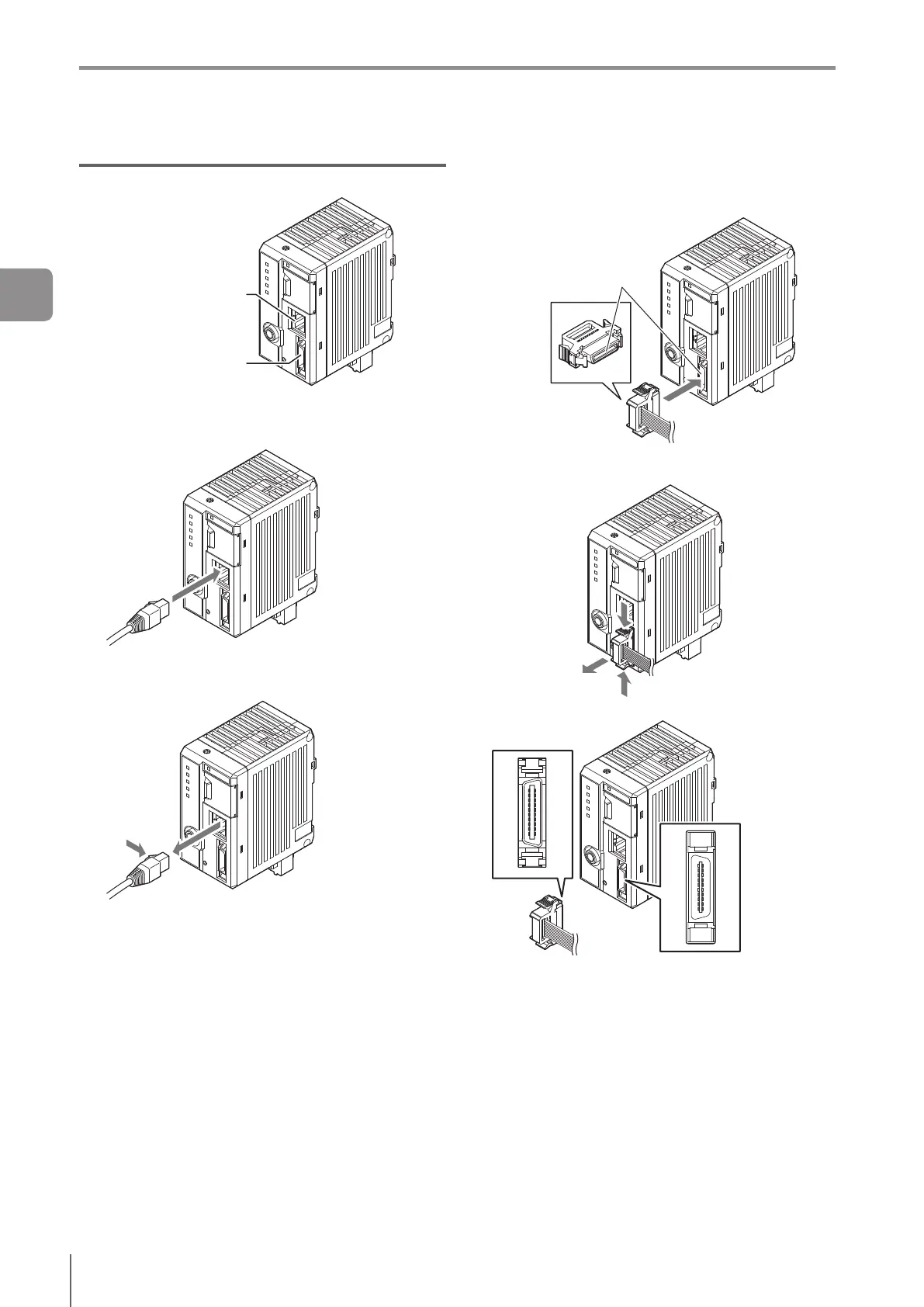
Connecting the cable to the sensor amplier
Connecting the Ethernet
cable
Connecting port of the I/O
cable for the IV2 series
Connecting the Ethernet cable or LAN cable
Connectthecabletothesensoramplierasshown
below.
To disconnect the cable, pull the cable while pushing in
the tab on the Ethernet cable.
Connecting the I/O Cable for IV2 Series
Connect the I/O cable for the IV2 series (OP-87906) to
thesensoramplierasshownbelow.
Align the connectors.
To disconnect the cable, push in the tabs on both sides
of the connector and pull out the cable.
Connector terminal number
B10
B1
A10
A1
A10
A1
B10
B1
2
Installation and Connection



 To Next Page