A-29
IV2 Series User’s Manual (Control Panel)
Remedy when data transfer to the SD card is unavailable
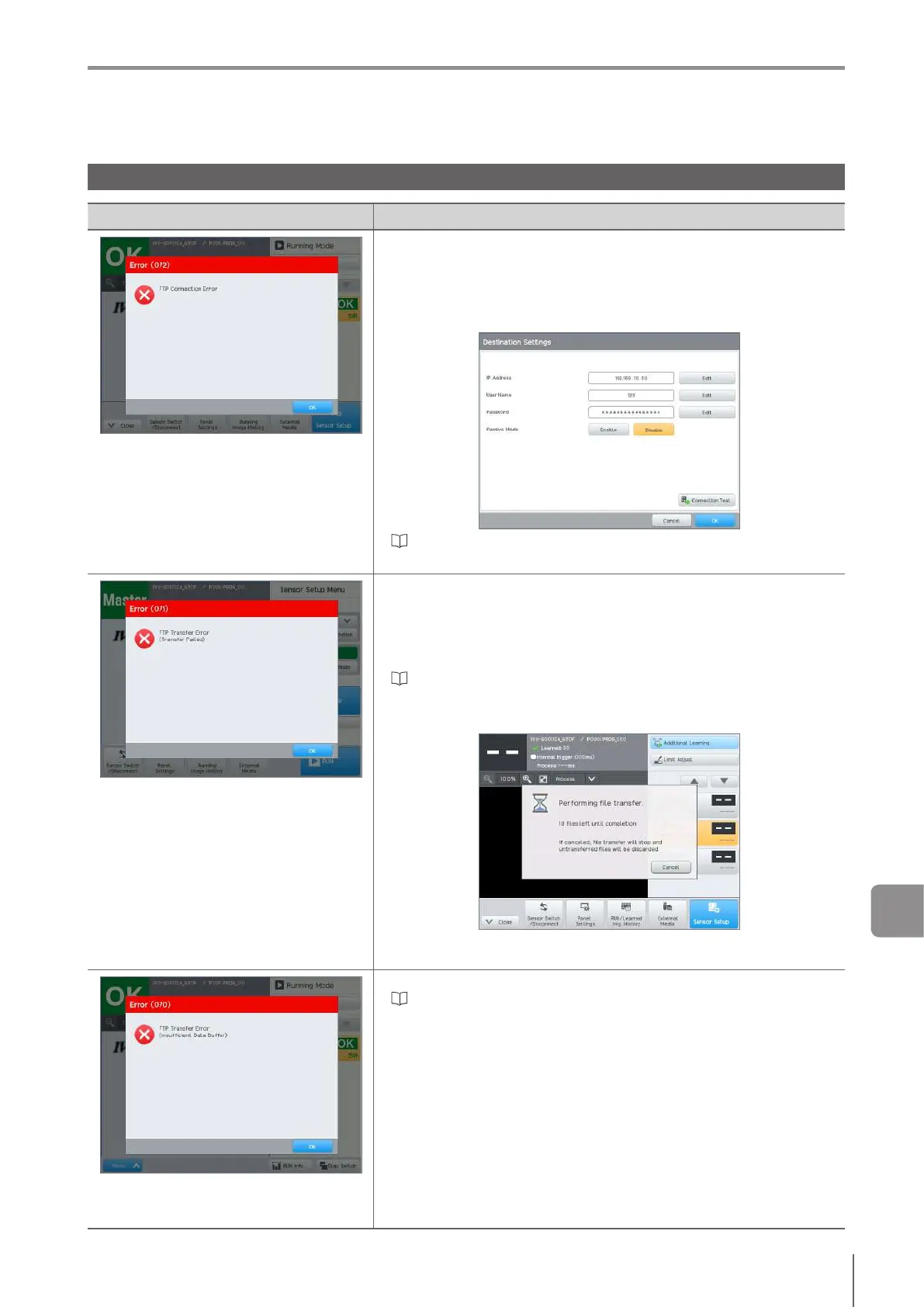
Remedy when data transfer via FTP is unavailable
Status Remedy
Connection with the FTP server failed.
ConrmtheIPaddressoftheFTPserverandsetitcorrectly.
ConrmtheportnumberoftheFTPserverandsetitcorrectly.Moreover,
conrmtherewallsoftwareonthePCwhethertheportisavailableornot.
ConrmtheusernameforloggingintotheFTPserverandsetitcorrectly.
ConrmthepasswordforloggingintotheFTPserverandsetitcorrectly.
“Setting the connection destination” (Page 9-3)
Data transfer to the transfer destination folder
failed.
Authorization for accessing the transfer destination folder is not granted.
Acquire the access authorization of the transfer destination folder and
perform the operation again.
Conrmthatthereisnolewiththesamenameasthetransferdestination
foldernamewhichhasbeenset.Ifalewiththesamenameexists,change
thelenameorchangethetransferdestinationfolder.
“Settingthetransferdestinationfolderandlenames”(Page9-5)
When the control panel was switched from the [Run] screen to the [Program]
screen, the screen is switched to the [Program] screen after the transfer of
datahasnished.
If you click the [Cancel] button during the transfer, the transfer will be forcibly
nishedandtheErrorscreenwillappear.
Data which is larger than the remaining
storageoftheFTPbuerhasbeencreated
and the transfer failed.
Change the trigger cycle of the sensor.
“Setting the Trigger Options” (Page 4-11)
Conrmthestressstatusofthenetwork.
A



 To Next Page