8-15
IV2 Series User's Manual (Control Panel)
Transferring Judgment Results or Judged Images to an SD Card
Overview of the SD card data transfer
function
Automatically transfers the image data and status result
information saved in the sensor memory to an SD card.
SD Card
“Setting Up the SD Card” (Page 8-10)
Setting up the SD card data transfer
function
1
Insert the SD card into the sensor amplier.
“Inserting the SD card” (Page 8-10)
2
Display the [SD Card] screen.
“Displaying the SD card screen” (Page 8-12)
3
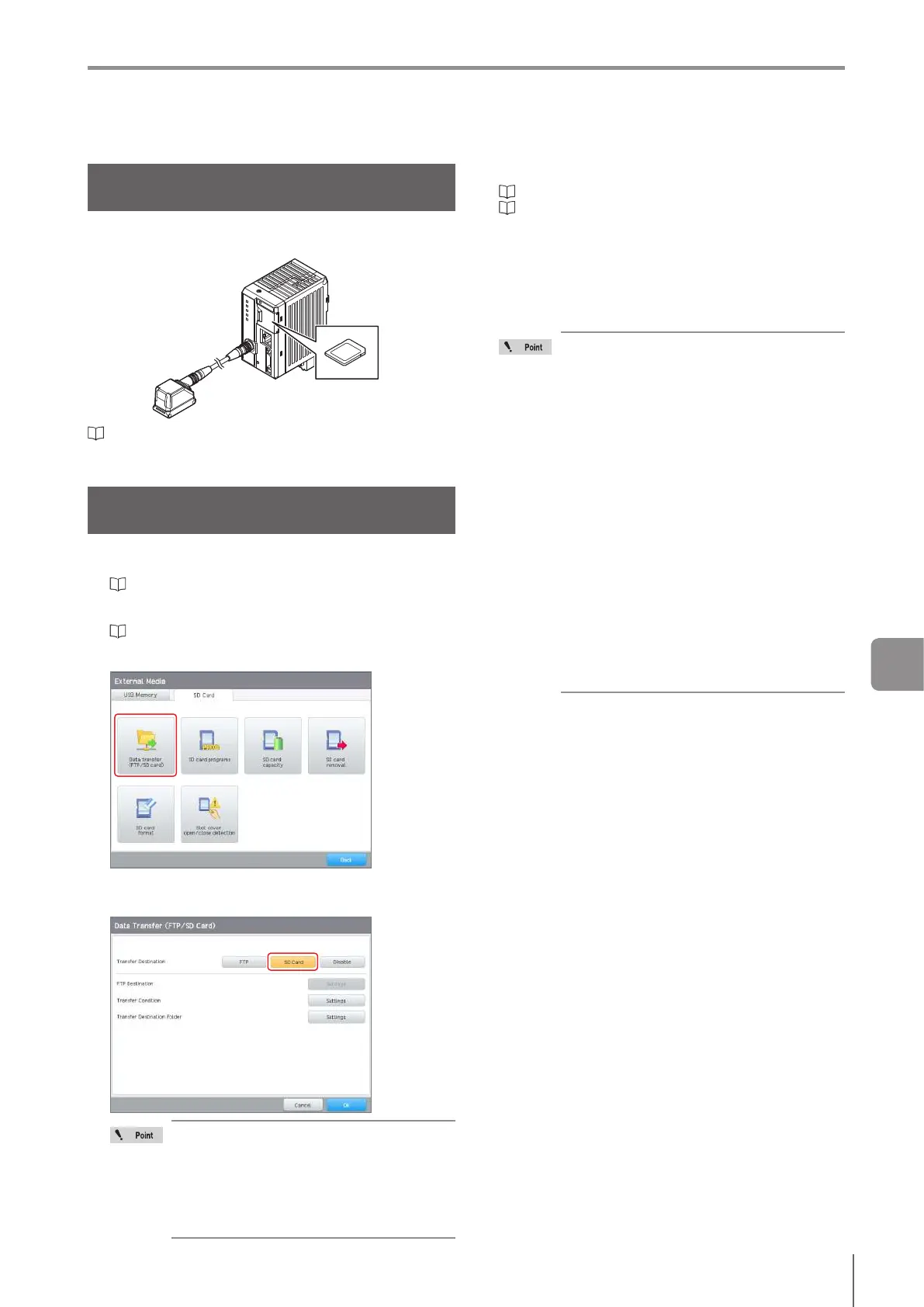
Tap the [Data transfer (FTP/SD Card)] button.
4
Tap the [SD Card] button for [Transfer
Destination].
You can select [FTP] or [SD Card] as the
transfer destination.
You cannot transfer data to both at the
same time.
When you change the transfer destination
from [SD Card], the [Index Upper Limit] and
[Create Subfolder] settings are initialized.
5
Congure the SD card data transfer settings.
“Setting the transfer conditions” (Page 8-16)
“Settingthetransferdestinationfolderandlenames”
(Page 8-17)
6
When setting is completed, tap the [OK] button.
7
Start run mode.
Oncethetargetisjudged,thespecieddataleis
automatically transferred to the SD card.
When the transfer condition is set to [All],
adjust the processing time so that all the
images can be transferred.
Setting the BUSY output timing (Page
7-17) to [Until Data Transfer is Complete]
and controlling the trigger with the BUSY
output prevents data from being lost while
being transferred.
When the transfer could not be done on
time, data is saved in the internal buer.
The internal buer can save up to 50
images.
Image data is transferred in the sequence
that the images have been saved to the
internal buer.
When the remaining capacity of the
internal buer is insucient, the image
data transfer fails. The transfer fails can
be output using an SD card transfer error
(Page 8-16).
When the transfer condition is set to [All],
conrm that there is sucient storage on
the SD card.
Transferring Judgment Results or Judged Images
to an SD Card
8
External Media



 To Next Page