5-6
IV2 Series User's Manual (Control Panel)
Names and Functions of the Operation Screen
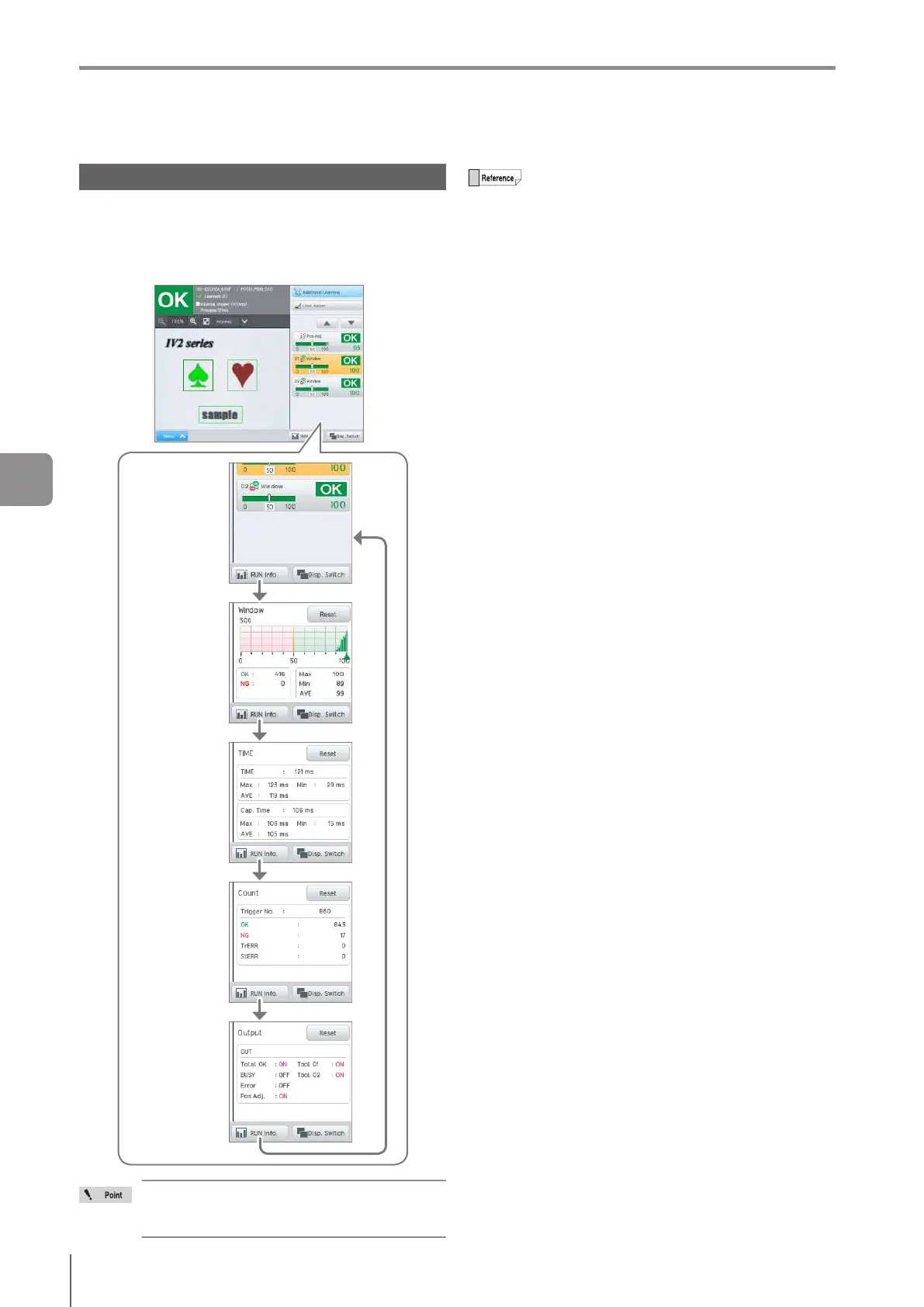
Displaying the Operation Information
The operation information (histogram/processing time
(maximum/minimum/average)/count/output monitor) can be
displayed in the lower right of the control panel by tapping
the [RUN Info.] button.
The display is switched each time you tap on the button.
Histogram
(Page 5-7)
(No display)
Processing
time
(Page 5-7)
Count
(Page 5-8)
Output monitor
(Page 5-8)
If the display method is “Simple Display” or
“All Screen Display”, the operation information
cannot be displayed.
The processing time/capture Time/number of
triggers/histogram are reset under the following
conditions.
When the [Reset] button is tapped.
When the power of the sensor is turned OFF.
When a tool is added/deleted/copied.
When the upper limit of the color area/area/edge
pixel/width/diameter/edge/pitch tool is enabled/
disabled or when the setting scale is changed by
the user.
When switching the scaling settings on the width/
diameter/pitch tool.
When the program is changed.
When settings in the menu of the [Program] tab in
the Sensor Advanced settings are changed.
When the sensor is initialized.
5
Running



 To Next Page