6-15
IV2 Series User's Manual (Control Panel)
Auto Adjustment by the Additional Learning (Learning Mode Only)
Operation When the Registered Number
Reaches the Upper Limit
The number of images that can be registered to the
additional learning is as follows.
Total number of additional registration images of OK/NG
target learning and registered images of the additional
learning: 72 images
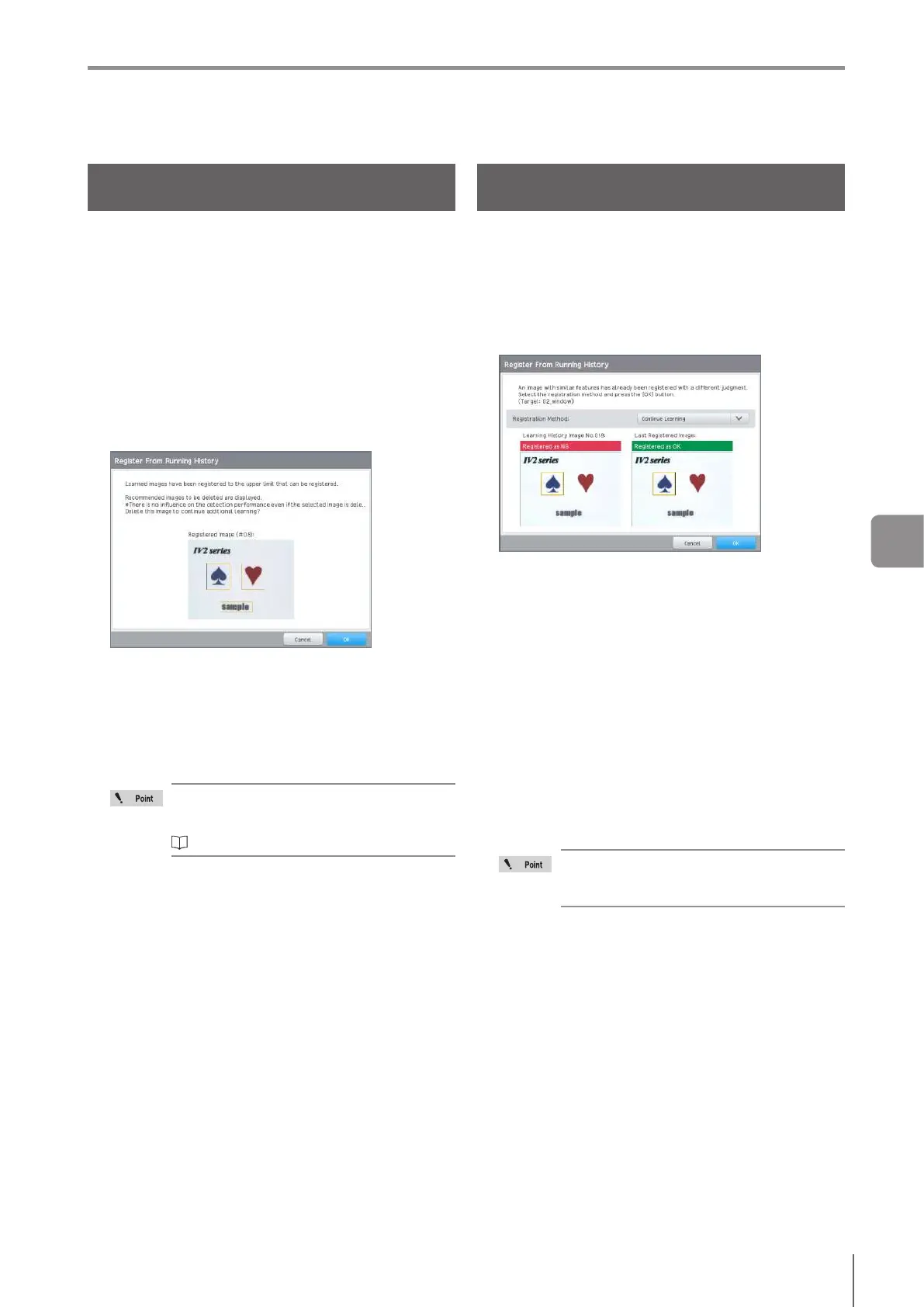
If additional learning is performed once the upper limit of
images has been reached, the [Register From a Running
History] screen opens.
Conrmtheimagesrecommendedtobedeleted,and
delete them.
1
The [Register From a Running History] screen
opens.
2
When deleting the displayed images, tap the [OK]
button. When not deleting them, tap the [Cancel]
button.
When tapping the [OK] button, the images will be
deleted, and additional learning can be performed.
When tapping the [Cancel] button, additional learning
willnish.
When not deleting the images recommended
to be deleted, select images from the
learning image history to delete.
“Deleting the Learned Images” (Page 6-12)
Conrming the Similar Images and
Additional Learning
When images which have similar features to images for
additionallearninghavebeenregisteredwithdierent
status results, the [Register from a Running History] screen
opens.
Conrmthestatusresultforeachimage.
1
The [Register From Running History] screen
opens.
2
Select the registration method.
Continue Learning with Both OK
Performs the additional learning regarding both status
results of [Registered Image] and [Last Registered
Image] as OK.
Continue Learning with Both NG
Performs the additional learning regarding both status
results of [Registered Image] and [Last Registered
Image] as NG.
Continue Learning
Performs the additional learning without changing
the status results of [Registered Image] and [Last
Registered Image].
3
Tap [OK].
Learning will be performed.
When performing learning on a similar image
with a dierent status result, stability of the
judgment process can be decreased.
6
Adjusting



 To Next Page