6-10
IV2 Series User's Manual (Control Panel)
Auto Adjustment by the Additional Learning (Learning Mode Only)
Additional Learning from the Learning
Image History
Editing the Status Result of a Detection
Window to be Learned
The status result of the images registered as the
OK/NG targets cannot be edited.
1
Display the [Learned Hist.] screen.
“Displaying the [Learned Hist.] screen” (Page 6-7)
2
Select an image on which to edit the status
result.
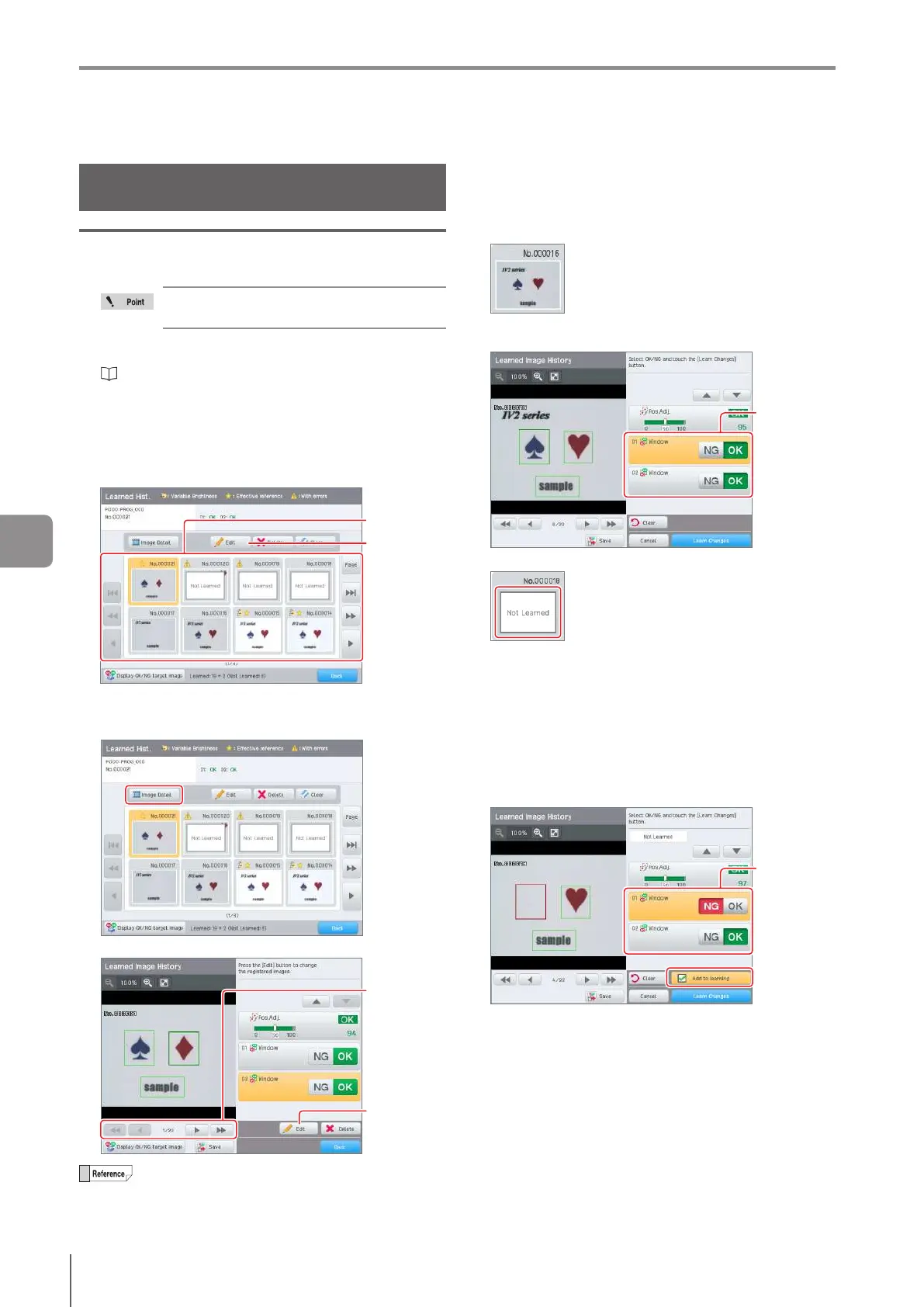
When selecting in the [Learned Hist.] screen
Select the image on which to edit the status result, and
tap the [Edit] button.
Tap
Select the
image
When selecting in the details screen
Selectthescreentoconrmthedetails,andtapthe
[Image Detail] button.
Conrmtheimage,andtapthe[Edit]button.
Select the
image
Tap
The image can be selected with the operation
buttons as well.
3
Conrm the status result of the selected
detection window. Change the status result as
needed.
Image reected in the learning
Conrmthestatusresultoftheselecteddetection
window. Change the status result as needed.
Change
status result
Image not reected to the learning (no error)
Since after registering this image the settings, such as
thedetectionwindowsettings,havechanged,conrm
the contents of the detection window and the state of
the status result. When the target judgment can be
performed normally using the image, select the desired
status result and tap the [Add to Learning] button.
If there is a possibility that the image may judge the
target mistakenly, such as the in the case that the
settings of the detection window are not appropriate, do
not add the image to the learning.
Change
status result
6
Adjusting



 To Next Page