8-5
IV2 Series User's Manual (Control Panel)
Overview of External Media
Saving the program individually
Backs up the setting data saved in the sensor into the USB
memory for each individual program.
The time to save increases when this
is performed from the RUN screen. It is
recommended to save the programs from the
[Sensor Setup Menu] screen.
1
Connect the USB memory to the USB connector
on the control panel.
“Inserting the USB memory” (Page 8-3)
2
Display the USB memory screen.
“Displaying the USB Memory screen” (Page 8-3)
3
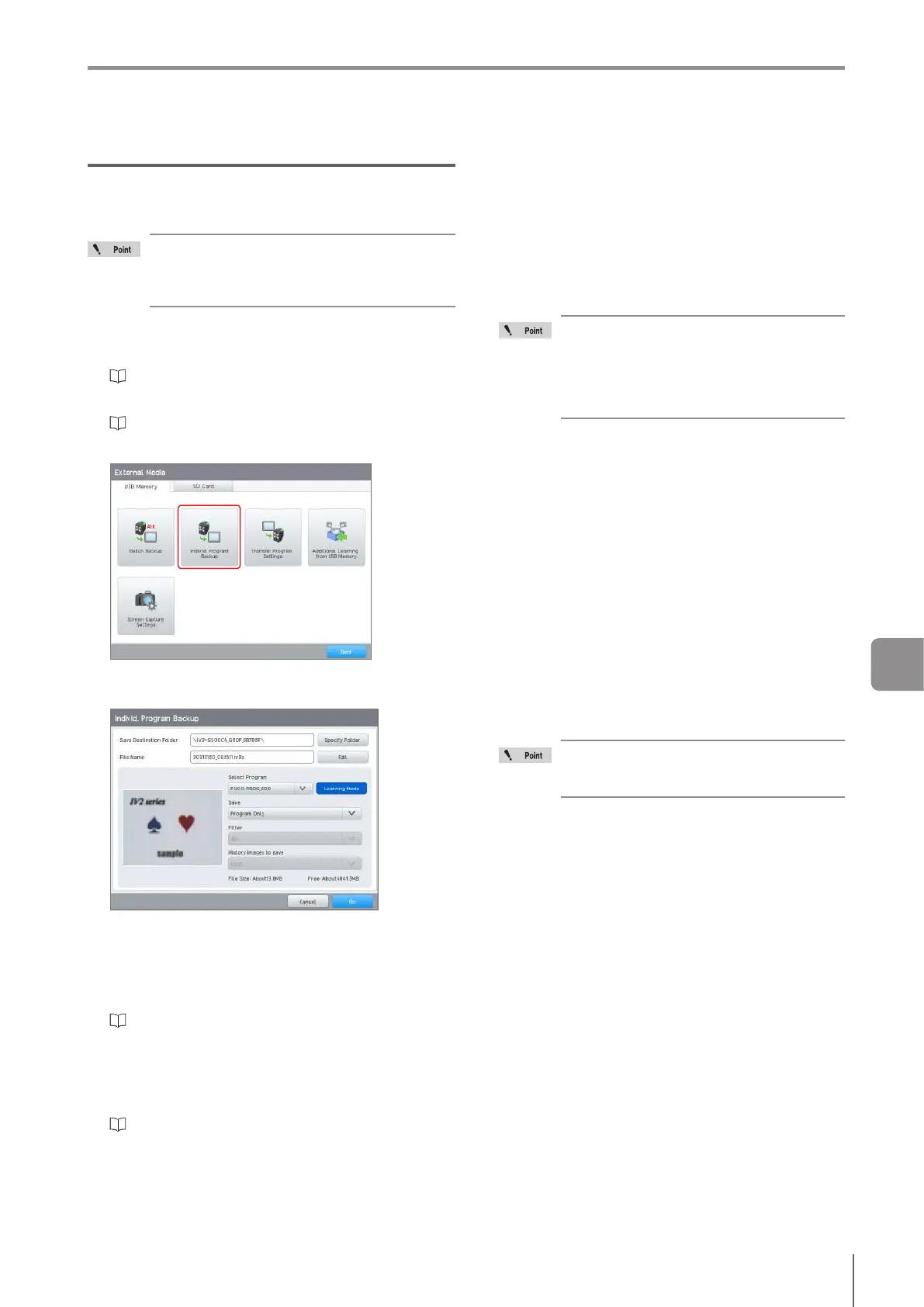
Tap the [Individ. Program Backup] button.
4
Congure the individual program backup
settings.
Save Destination Folder
Displays the name of the folder to be created on USB
memory. “Device name_Last 24bit of the MAC address”
is the default name of the folder.
Tapping the [Specify Folder] button also enables the
save folder to be changed.
“Selecting the File/Folder in the USB Memory” (Page
3-22)
File Name
Displaysthenameofthebackuple.Tapthe[Edit]
buttonandthenamecanbeeditedtoauser-dened
name.
“Inputting characters” (Page 3-21)
Select Program
Speciestheprogramnumberwhichistobeindividually
backed up.
Save
Selects the backup target.
Program Only
Backs up the sensor settings (the Sensor Setup
(Settings Navigator) and Sensor Advanced settings
of the selected programs).
Settings/Running Image History
Backs up the image history for the selected program
in addition to the sensor settings.
When the image history has been saved
while in RUN mode, the images saved may
be updated and deleted during the batch
backup. A deleted image is not saved.
Because of this, saving while on the [Sensor
Setup Menu] screen is recommended.
Filter
This setting can be set when [Settings/Running Image
History] is selected for [Save].
[All] or [NG Only] can be selected for the image history
to be saved.
Number of cases saved in the history
This setting can be set when [Settings/Running Image
History] is selected.
[1000], [300] or [100] can be selected for the number of
images to be saved.
File Size
Displaystheexpectedsizeofthebackupleandthe
free space of the USB memory.
5
After setting is completed, tap the [Go] button.
6
Conrm the backup result and tap the [OK]
button.
The program number of the sensor setting
data saved using the individual program
backup will be P000.
The system returns to the run screen or the [Sensor
Setup Menu] screen.
8
External Media



 To Next Page