4-2
IV2 Series User's Manual (Control Panel)
Settings Navigator
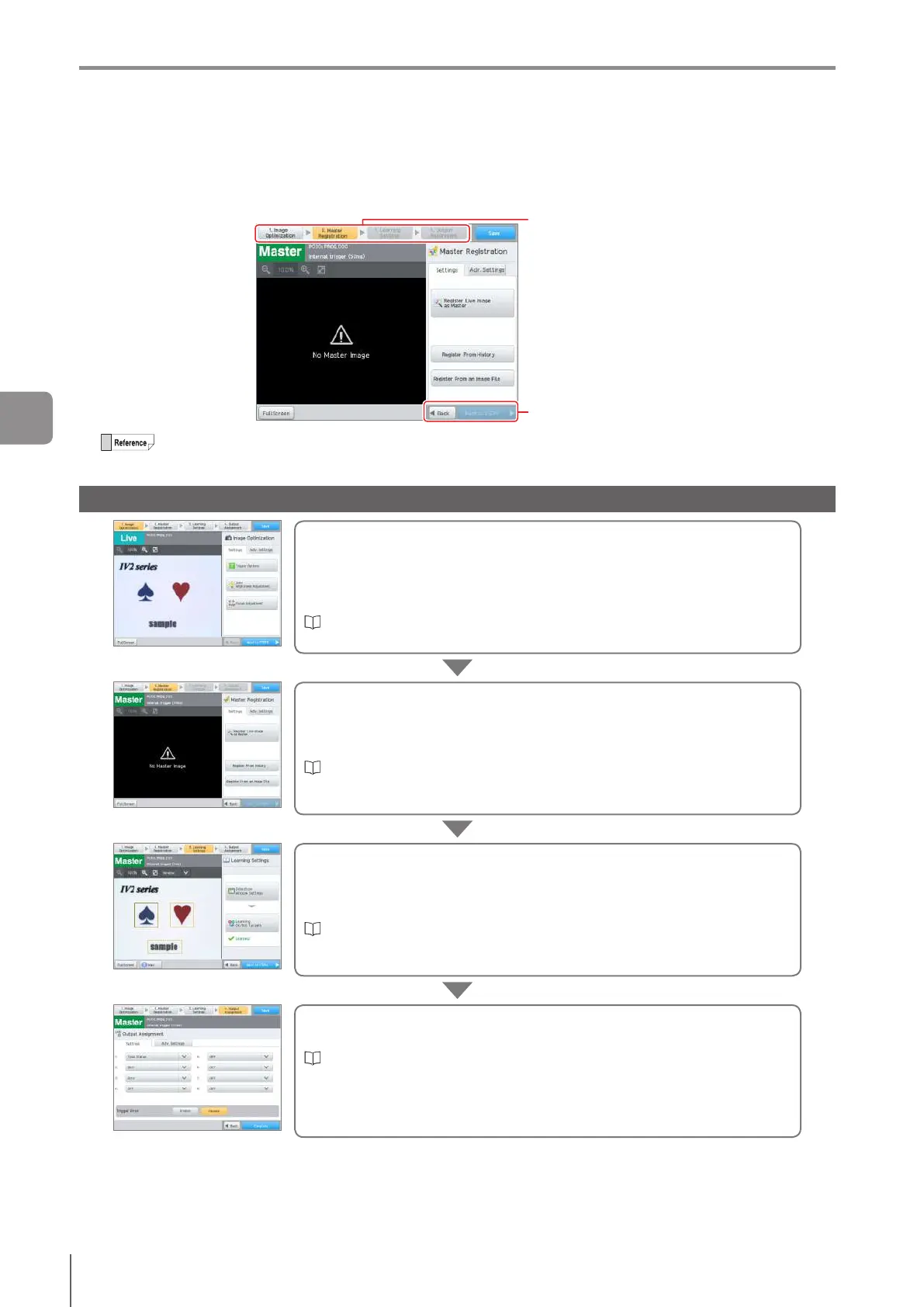
In the Settings Navigator, the settings of the program required for judging the target with the sensor are set in each step.
Select sensor setup mode ([Learning mode] or [Standard mode]) while sequentially following the steps with the navigation
buttons, and adjust the settings using the menu buttons according to the Settings Navigator guide.
Navigation button
Navigation button
In the case of [Learning Mode] (IV2-G30F only), step 3 becomes [Learning Settings].
In the case of [Standard Mode], step 3 becomes [Tool Settings].
Flow of the Settings Navigator: Learning Mode (IV2-G30F only)
Step 1: Image optimization settings
Set the image optimization settings for clearly imaging a target. Adjust the
imagesettingstoclearlydenethedierencesbetweenan“OK”and“NG”
image.
Set the trigger options, adjust the brightness and camera focal distance.
“1. Image Optimization (Clearly Image a Target)” (Page 4-8)
Step 2: Registration of a master image
Capture an image of the “OK” target and register the master image that
becomes standard of reference for the detection window settings and position
adjustment.
“2. Master Registration (Registering an Image as a Reference)” (Page 4-18)
Step 3: Learning Settings
Set the detection window and learn from various images to judge OK/NG
Up to 16 detection windows and 1 position adjustment window in one program
can be set.
“3. Learning Settings (Setting the Judgment Method of the Target in
Learning Mode)” (Page 4-24)
Step 4: Output assignment
Assign the content to output to each output line.
“4. Output Assignment (Setting Details of Outputting to Output Line)” (Page
4-149)
Settings Navigator
4
Settings Navigator



 To Next Page