1-6
IV2 Series User's Manual (Control Panel)
IV2 Series Overview
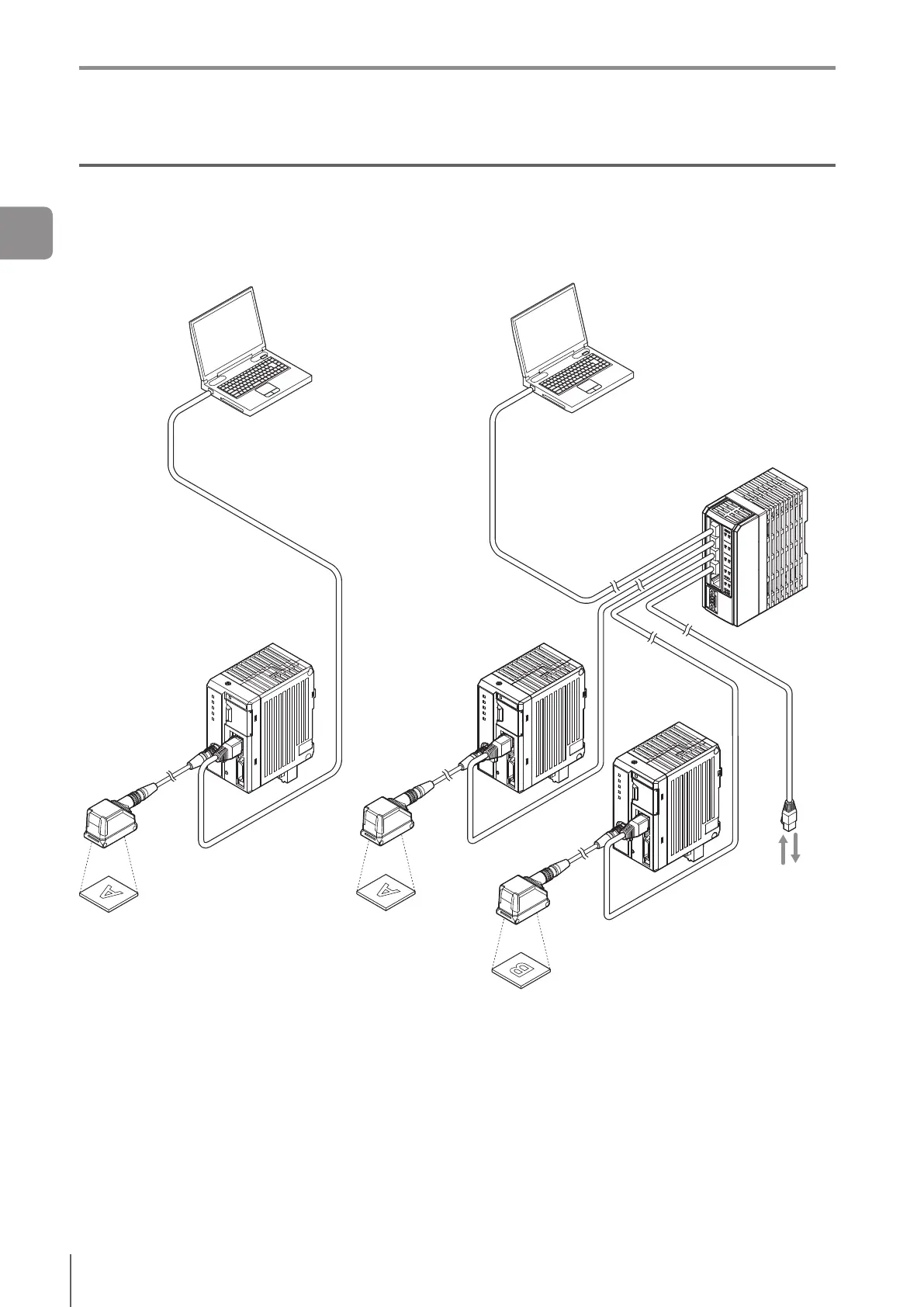
Using the PC software “IV2-Navigator”
The PC software “IV2-Navigator” has the same functions as the control panel for the IV2 series.
For details of operations using the PC software, refer to “IV2 Series User’s Manual (PC Software)”.
Ethernet switch
Functions of IV2-Navigator
Setting the sensor
Monitoring the operation
screen
Monitoring the operation
information
Reading the image history
Functions of sensor
Camera
Lighting
Image detection
I/O
Saving the image
history
Direct Connection (1 unit)
Direct Connection (2 units or more)/
Network Connection
PLC
(Communication network)
FTP server
(Network connection only)
1
Getting Started



 To Next Page