6-13
IV2 Series User's Manual (Control Panel)
Auto Adjustment by the Additional Learning (Learning Mode Only)
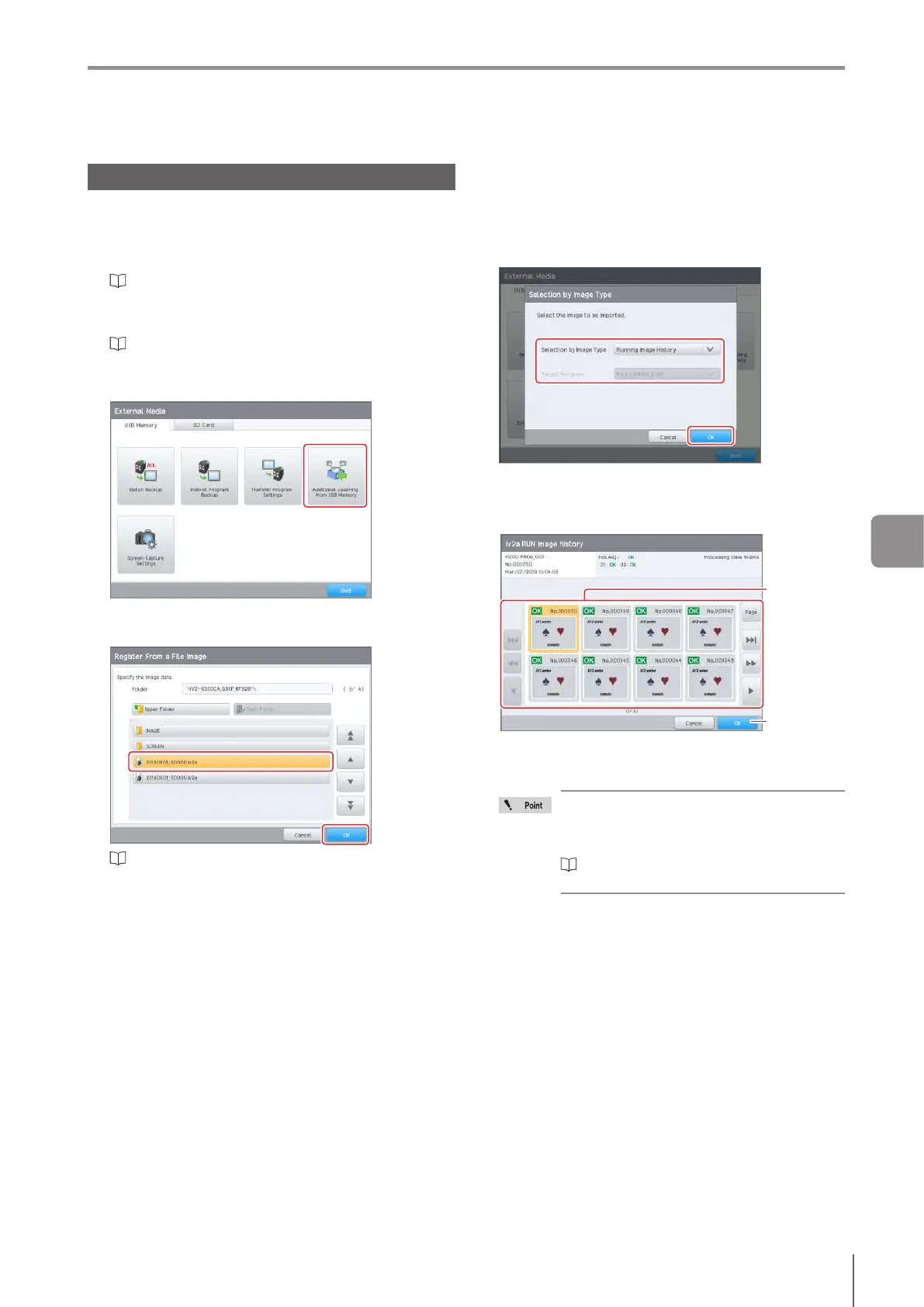
Additional Learning from USB Memory
1
Connect the USB memory on which the batch
backup les (*.iv2a) or image capture les (*.iv2p)
are saved to the control panel.
“Saving the Sensor Settings and Images to a USB
Memory” (Page 8-3)
2
Display the [USB Memory] screen.
“Displaying the USB Memory screen” (Page 8-3)
3
Tap the [Additional Learning from USB Memory]
button.
4
Select a batch backup le (*.iv2a) or image
capture le (*.iv2p) and tap the [OK] button.
“Selecting the File/Folder in the USB Memory” (Page
3-22)
5
If a batch backup le (*.iv2a) is selected, select
the image type to be imported from the following.
Running Image History
Master Image
OK/NG Registration Image
Learning Image History
Select the image to be used for additional learning.
6
Select the image to be used for additional
learning, and tap the [OK] button.
Tap
Select the
image
Theconrmationscreenforstoppingoperationduring
Run mode will be displayed. Tap the [OK] button, and
stop operation.
When the maximum number of images for
additional learning have been registered, the
[Register From a Running History] screen
appears after operation stops.
“Operation When the Registered Number
Reaches the Upper Limit” (Page 6-15)
The [Additional Learning] screen opens.
6
Adjusting



 To Next Page