10-6
IV2 Series User's Manual (Control Panel)
Importing the Status Output
Importing the Status Output
Imports the status output assigned to output line of power I/O cable. For details about assigning to output lines, refer to “4.
Output Assignment (Setting Details of Outputting to Output Line)” (Page 4-149).
Importing the total status OK/total status NG output
Total status results of multiple detection tools and the position adjustment for the examined target can be checked.
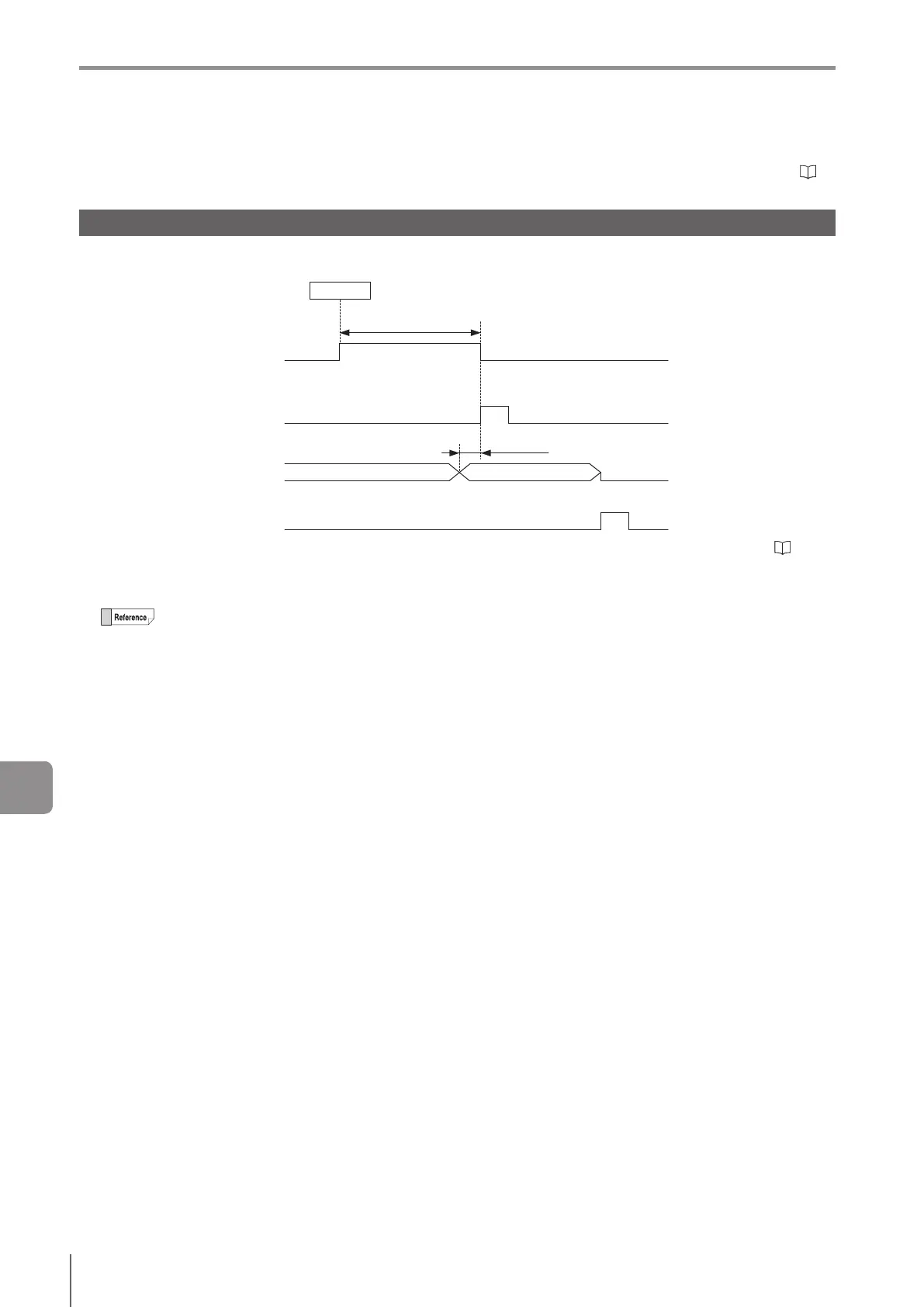
Operations when controlling timing with BUSY, ready, and strobe outputs are as shown below.
Min 0.3 ms
Processing time
Assign the BUSY output
ON
OFF
External trigger/Internal trigger
Strobe output is assigned
ON
OFF
Total status OK/total status NG is assigned
ON
OFF
If reset status output is set to [Enable]:
Clear error input is assigned
ON
OFF
Trigger
OUT2
Controlling timing with BUSY output
Controlling timing with ready output
OUT2
OUT1
IN2
This is an example operation when the output mode of status output (Page 7-16) is set to [Latching]. For [One-Shot], refer to
”Changing the timing of status outputs” (Page 10-8).
The total status output turns ON when the total status results were OK. The total status NG output turns ON when the total status results
were NG.
The total status conditions can be selected from [All Tools OK], [Any Tool OK] and [Logic 1] to [Logic 4].
[All Tools OK]
When all of the status results of the detection tools and the adjustment result of the position adjustment result were OK,
the total status result is OK.
[Any Tool OK]
When any of the status results of the detection tools except that of the position adjustment was OK, the total status result
is OK.
Logic
When the logical operation result of the set detection tools was OK, the total status result is OK.
The status result will be kept until the next status result output. However, the output function turns OFF when the program number is
switched or an external master image is registered.
The ON status of each output is as follows.
When Output Settings (Page 7-11) are [N.O.]: Status with NPN or PNP open collector ON.
When Output Settings (Page 7-11) are [N.C.]: Status with NPN or PNP open collector OFF.
When [Reset Status Output on Clear Error Execution] is set to [Yes], the status output can be reset with the clear error input.
10
Controlling with Input/Output Line



 To Next Page