3-13
IV2 Series User's Manual (Control Panel)
Basic Operation Flow
4
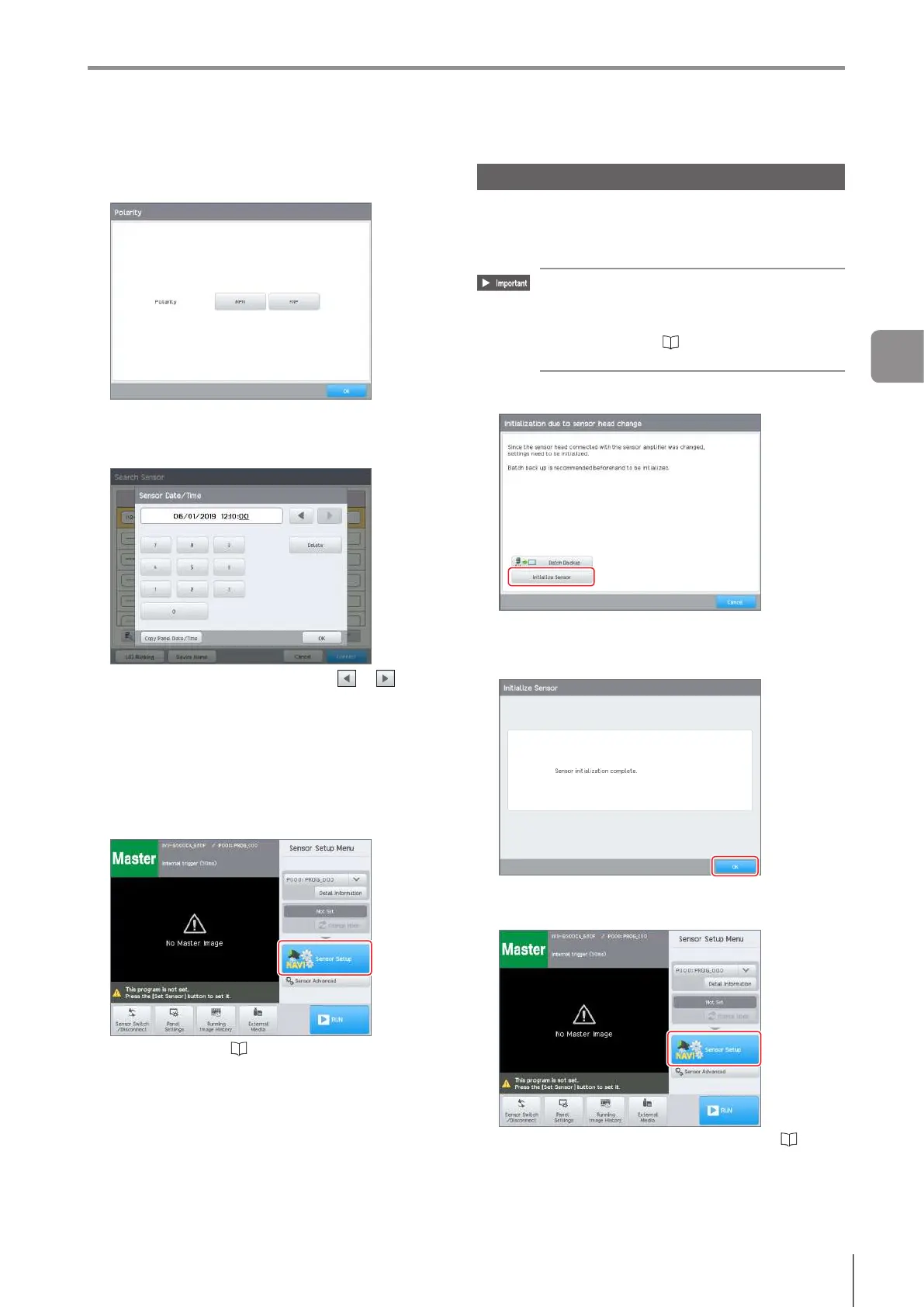
Select the “Polarity” of the sensor and tap the
[OK] button.
The [Sensor Date/Time] screen opens.
5
Set the current date and time, and tap the [OK]
button.
Move to the item to be set with the or button
and enter the numbers.
Tap the [Delete] button to reset the display of the
selected item.
Tap the [Copy Panel Date/Time] button to use the
time that is set in the control panel for the sensor.
The [Sensor Setup Menu] screen opens.
6
Tap the [Sensor Setup] button and set up the
program.
For details, refer to “4 Settings Navigator” (Page
4-1).
Operation when changing the sensor
Ifthetypeofsensorheadconnectedtoasensoramplier
ischanged,initializationofthesensoramplierisrequired.
Turnonthecontrolpanelandinitializethesensoramplier
following the instructions on the displayed screen.
The program information used by the sensor
head is saved in the sensor amplier. Before
initializing the sensor amplier, performing
[Batch Backup] is recommended.
For details, refer to “Backing up in a batch”
(Page 8-4).
1
Tap the [Initialize Sensor] button.
Initializing the sensor begins. After initialization is
completed, the initialization completion screen opens.
2
Tap the [OK] button.
The [Sensor Setup Menu] screen opens.
3
Tap the [Sensor Setup] button.
For details on the Settings Navigator, refer to “4
Settings Navigator” (Page 4-1).
3
Basic Operation



 To Next Page